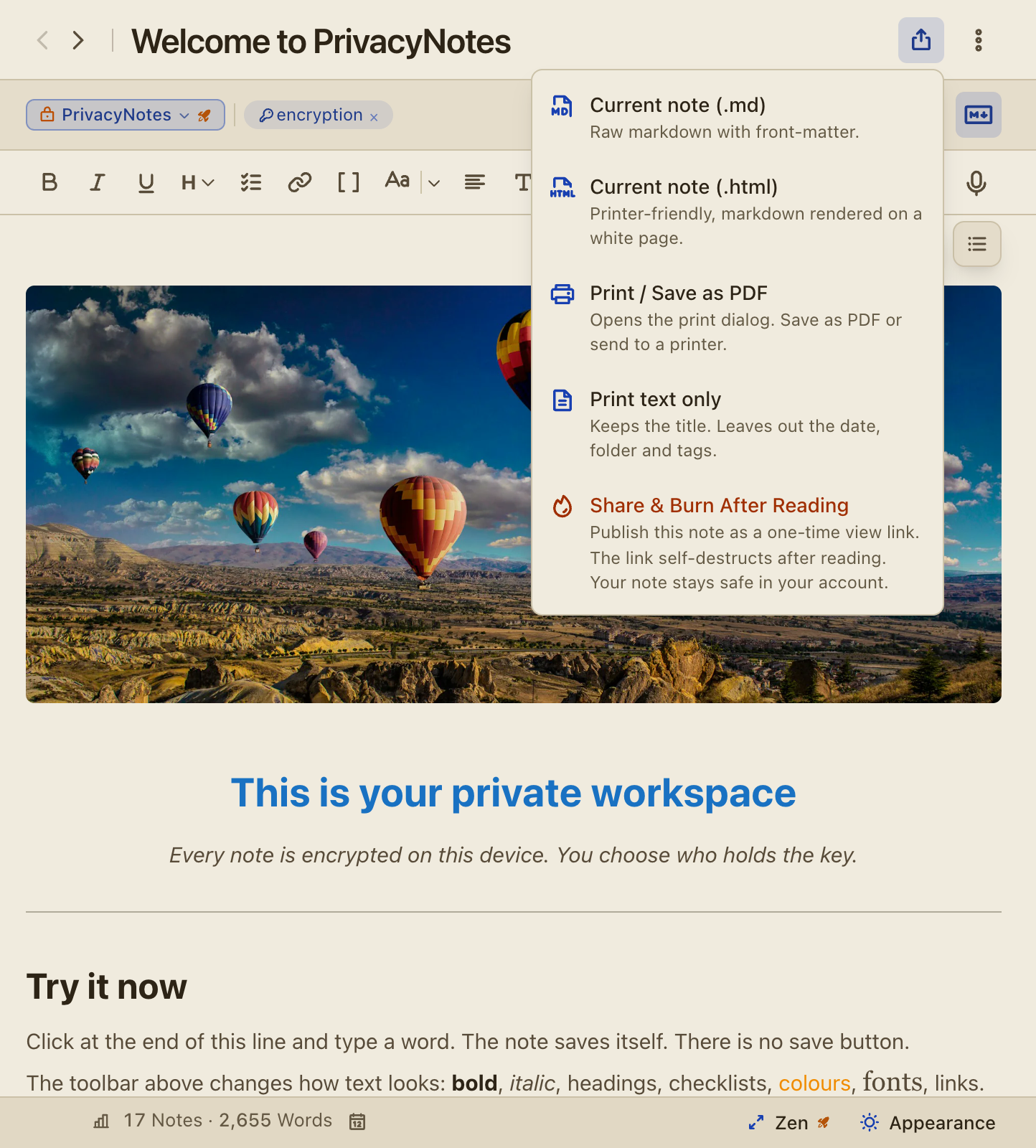
NewThe Themes page of our website now has 20 community themes, 18 of them new. Copy a code and paste it in Settings > Design to use it in the app you have now.
NewVote for the themes you like with the upvote on their GitHub thread. The Themes page shows the votes, updates them every day, and sorts by most votes or newest.
v0.621
Oct 10, 2026
Try a toolbar layout before you unlock Pro
ImprovedArranging the toolbar is part of Pro. Moving the bar to the top or the bottom stays free.
NewOn a free account, Settings > Toolbar still lets you arrange the whole bar as a preview. "Keep this layout" holds it, and it is saved the moment you have Pro.
ImprovedThe Personal and Work switch shows on free accounts too, beside Jump to, so you can see what Spaces does before you upgrade.
ImprovedThe upgrade window names the feature you tapped, for Spaces and for the toolbar.
v0.620
Oct 10, 2026
Spaces: switch between Personal and Work
NewSpaces splits your library into Personal and Work and shows one at a time. Switch with the button beside Jump to. Part of Pro. Screenshot
NewA top-level folder belongs to one space, with everything in it. "Move to Work" or "Move to Personal" in its menu, or in the menu of any item, moves it across. Screenshot
NewAn item in no folder is Personal, so what you make while Work is open goes into a Work folder. The app makes one named "Work" when there is none.
NewEvery list, its counts, the search and the tags show the open space.
NewA few places show both spaces on purpose, so nothing gets lost: the quick switcher, note-links and Move to folder find items in either space, and opening one switches to its space.
NewThe journal calendar shows both spaces too: a round dot for Personal and a square dot for Work.
NewTrash, Statistics and Settings always show everything, and a tag keeps one icon, color and star in both spaces.
ImprovedRename, Delete tag and Delete tag and notes change only the items of the open space.
ImprovedSpaces is a view: every item still syncs to every device and goes into every backup. Each device keeps its own open space, and Settings > Lists > Spaces turns it off.
v0.619
Oct 10, 2026
Shortcuts: open a note from another app
New"Copy shortcut to note" in the Share menu copies an address that opens the note from another app, such as a Todoist task, a calendar event or a QR code. Screenshot
NewEvery item has a shortcut, logins, cards, SSH keys, bookmarks, contacts and files included, in the Share menu and in the right-click menu of every list.
NewA shortcut can open a note at one heading: click the link icon of a heading in the outline and pick "Copy shortcut to heading". Screenshot
New"Copy note-link" sits beside it in the Share menu, so the link for inside your notes and the link for other apps are in one place.
ImprovedA shortcut opens the item in the browser or in the app. In a computer browser, a bar over the note offers to open it in the desktop app.
ImprovedA shortcut only opens an item: it never changes anything, a protected note asks for your PIN first, and an item in the other space switches the space.
ImprovedThe address holds only the id of the item after a #, which your browser never sends to a server, and it names a heading by a short code instead of its words.
v0.617
Oct 10, 2026
Arrange the toolbar, and put it at the bottom
NewArrange the toolbar of the editor in Settings > Toolbar: put each button on the bar, in the "+" menu or out of sight, in your own order. Screenshot
NewDrag a button to its place, or use its menu to move it. The buttons after the "+" stay in view when the window is narrow.
NewBar position in Settings > Toolbar puts the toolbar at the bottom of the editor, on every device. On a phone it sits on top of the keyboard. Screenshot
ImprovedOn a touch screen the toolbar is one row that scrolls sideways.
ImprovedA gear at the end of the toolbar opens its settings.
ImprovedA button you take off the bar still works through its shortcut and its Markdown.
v0.616
Oct 10, 2026
Favorite themes, and a paper color for the writing area
NewStar up to three themes for light mode and three for dark in Settings > Design, and the Design menu in the footer puts them one click away. Screenshot
NewA theme can give the writing area a color of its own: "Writing area" in the theme builder.
NewA theme can keep the original colors of the logo: set Logo to Original in the theme builder.
ImprovedA theme code from a newer version of the app pastes and saves in this one, so codes keep working as themes grow.
Improved"Folder and tag colors" in Settings > Design sets how a note shows the color of its folder or tag: Background, Icon or Off, with an example of each. Screenshot
ImprovedSubmit a theme of your own through GitHub Discussions, linked from the Themes page of our website.
v0.615
Oct 10, 2026
Community themes in the app, and icons in your accent
NewCommunity themes come with the app, each with the name of its author. Void Amethyst and Terminal are the first. Screenshot
NewThe Made by filter in Settings > Design shows All, Community, Team or Yours.
New"Fill the rest from your accent" in the theme builder makes the other colors from your accent, and a theme can credit its author by GitHub name.
ImprovedFolder and tag icons take the accent of your theme, and every theme but Default tints the logo with its accent.
ImprovedEvery list icon is the same rounded square, and a missing site icon shows a placeholder in your theme colors.
ImprovedThe Themes page of our website shows a screenshot of every theme.
FixedTag and folder chips on a selected row stay easy to read in every theme.
v0.614
Oct 10, 2026
A Fold block, and every callout type is free
NewFold is a plain block that opens and closes, with no box and no color: pick Fold in the callout menu, or write > [!fold]. Screenshot
NewThe callout menu has 21 types in groups, among them Important, Caution, Idea, Bug, Goal, Decision, Definition and See also. Screenshot
ImprovedEvery callout type is free.
ImprovedClick the icon of a callout to fold it or open it. The icon keeps its type, and the arrow shows when you point at it.
ImprovedA callout keeps the word you wrote, such as [!NOTE] or a type of your own from Obsidian, when you edit the note.
ImprovedUpNote and Standard Notes imports turn collapsible sections into Fold blocks, and Markdown and Obsidian imports do the same with <details> blocks.
ImprovedHTML export, print and burn notes show Fold blocks and every callout type the way the editor does.
v0.613
Oct 10, 2026
The Markdown folder gets the full editor
NewA Markdown file you open from Finder or Explorer gets the window to itself. The sidebar and the list come back when you leave it.
NewFind and replace works on the files of a Markdown folder, in the editor and in the source view.
NewAdd pictures and files to a Markdown file with the toolbar, a paste or a drop. They save into the folder.
ImprovedEvery editor feature works in a Markdown folder, for free accounts too.
ImprovedA note-link such as [[name]] opens the file of that name anywhere in the folder, as in an Obsidian vault.
FixedA picture pasted in the source view stays in the file, and a second paste no longer replaces the first picture.
FixedA file that ends in a table saves without a stray empty line.
v0.612
Oct 10, 2026
Find and replace in the Markdown view
NewShow markdown has find and replace, so you can change the language of every code block or a link address in one go. Screenshot
NewCmd+F finds in the Markdown view, and Option+Cmd+F or "..." > Find and replace opens replace (Ctrl+F and Ctrl+H on Windows and Linux). Replace is part of Pro.
ImprovedOne undo takes back a whole Replace all.
ImprovedIn every replace bar, Tab goes from the search field straight to the replacement.
v0.611
Oct 10, 2026
Group your list under date and letter headers
New"Show groups" in the list menu groups your list under headers: Today, Yesterday, Previous 7 days, Previous 30 days, then months and years. Screenshot
NewSort by title and each first letter is a group, with "#" for titles that start with a number or a symbol.
NewPinned items get their own group at the top. Click a header to fold it, or Alt-click it to fold or open every group.
ImprovedThe Tasks pane gets the same "Show groups" switch, for the items that hold your tasks.
ImprovedThe app remembers the groups you folded, in the list and the grid.
v0.610
Oct 10, 2026
Compact rows, and a narrower sidebar and list
New"Compact rows" in the list menu shows each item on one short line, with the date beside the title. Screenshot
ImprovedThe list menu opens beside the list, so you see each change as you make it.
ImprovedThe sidebar narrows to 200 pixels and keeps its words whole at that width.
ImprovedThe note list narrows to 200 pixels too, and the actions for selected items fold into a "More actions" menu when they do not fit.
ImprovedFiles and "Links from notes" draw their rows and tiles like notes, with the same dates, flags and colors.
ImprovedEvery list keeps its place when you open an item and go back, and the Tasks grid shows two columns of small tiles on a phone.
FixedA right-clicked bookmark or contact lets go of its highlight on the next click.
v0.609
Oct 10, 2026
Convert a note into a task or a journal entry
New"Convert to" in the "..." menu turns a note, a task or a journal entry into one of the others, and a file into any of them. Screenshot
ImprovedA convert keeps the text, the entry date and the tracker values, so an entry can become a task and come back unchanged.
ImprovedAfter a convert, the item opens in its new section.
v0.608
Oct 10, 2026
Settings, regrouped, and a Design menu in the footer
NewThe Design button in the footer holds text size, line spacing, editor width, your favorite themes and the mode, with links to the full settings. Screenshot
ImprovedSettings has four groups: Your notes, Preferences, Account and data, and PrivacyNotes. Appearance is now Design, Editor, Toolbar and Lists, each on one page. Screenshot
ImprovedThe journal title settings are part of Date, and every journal title preset follows your date format.
ImprovedA settings page you open from another place opens in a window sized to it, with "All settings" one click away.
ImprovedSidebar rows, counts and the New tag and New folder buttons share one size.
v0.607
Oct 10, 2026
A new app icon on every platform
ImprovedThe app icon is our blue avatar with the padlock, full size on every platform, so it no longer looks small beside other apps.
ImprovedOn macOS and iOS the icon stays blue in the dark icon style.
v0.606
Oct 10, 2026
Zen keeps your tabs, and bold stands out in dark mode
ImprovedZen mode keeps the tab bar, so you can switch between open items without leaving it.
ImprovedBold text stands out in every dark theme.
ImprovedThe empty bar above every note is gone. When a note starts with a picture, a table or a list, point above it for "Add a line at the top". Screenshot
ImprovedFolders that hold nothing of the open section, such as note folders in Vault, show dimmed. Screenshot
ImprovedThe tabs setting is now "Open a tab on every click", and says that right-click > Open in tab still opens a tab when it is off.
ImprovedIn the quick switcher, Enter opens the link of a bookmark and Shift+Enter edits the bookmark.
ImprovedThe filter chips take the warning color of your theme.
FixedA click into a table cell keeps the caret in that cell, also after you copy in another app.
FixedA login with no site icon shows a lock in your theme colors instead of a grey globe.
v0.605
Oct 10, 2026
Long presses and code menus that work on phones
FixedOn a phone, a long press to paste no longer closes the keyboard and moves the paste somewhere else.
FixedOn Android, a long press on a link keeps the word selected and opens the link menu, so a note of links can be selected and copied.
FixedOn a phone, the language menu of a code block stays open, so you can pick a language.
FixedOn an iPhone, the keyboard no longer pushes the header and the toolbar off the screen.
v0.602
Oct 10, 2026
Download an SSH key as a file ssh accepts
NewDownload the private and the public half of an SSH key with the button beside each Copy button, named as ssh-keygen names them, such as id_ed25519. Screenshot
FixedNew SSH keys use the OpenSSH format, and older keys convert when you download them, so the ssh on a Mac and older OpenSSH versions accept them.
v0.600
Oct 10, 2026
New help answers, and What's new in the About tab
NewThe About tab shows a "What's new" card with the newest release and a link to this page. Screenshot
NewThe help center answers the latest features, such as spoilers, footnotes, statistics, custom themes, the quick switcher and how sections, folders, tags and spaces work together.
NewA help answer explains, line by line, why the App Store privacy label lists data as linked to you.
ImprovedThe Feedback section in About sends bugs and feature requests to GitHub, as the feedback window does.
ImprovedThe keyboard shortcuts help page points at the printable cheat sheet.
FixedAn export in Settings keeps Settings open, so you can save a second backup at once.
FixedA printed contact starts on page one, in groups as the app shows it, and a printed SSH key keeps its line breaks.
v0.597
Oct 8, 2026
One quick switcher for items, files, settings and commands
NewCmd+K (Ctrl+K on Windows and Linux) opens the quick switcher in every app, the browser included. Cmd+P works too.
NewThe quick switcher jumps to any item by its title, and lists the items you opened last when it opens. Screenshot
NewIt finds settings too, and opens Settings at the right row. Screenshot
NewType ">" first to find and run any command by its name. The best commands also show under every search. Screenshot
NewIt finds the files in your notes by their names, and opens the note at that file.
NewWith a Markdown folder open, it finds the files of that folder by name too.
NewThe "Jump to" button at the top of the sidebar opens the quick switcher with a click or a tap.
New"Search everything" searches inside all your notes, and Cmd+Enter runs it from any row. Screenshot
Improved"/" goes to the list search, and a search in All ends with a row that points to the matching Markdown files.
ImprovedThe quick switcher opens at once, and each kind of item has its own color.
v0.596
Oct 8, 2026
Make your own color theme, and pick one for light and dark
NewBuild your own color theme from six colors. The app is the live preview, and Fix all repairs any color that is hard to read. Part of Pro. Screenshot
NewPick a light theme and a dark theme side by side in the Themes tab of Settings > Appearance, and Auto switches between them. Screenshot
NewTen new themes: OLED, Sage, Rose, Mint, Lavender, Apricot, Midnight, Frost, Espresso and Plum. Part of Pro. Screenshot
NewCopy any theme as a one-line code, and paste a code to add a theme. Community themes live on the Themes page of our website.
NewNote colors in Settings > Appearance > Themes has three choices: Background, Accent or Off.
ImprovedWith Accent, rows, tiles and tabs stay plain and their icon takes the color. A color you give one note always tints that note.
ImprovedColor themes recolor the whole app, every menu and window included, and every built-in theme passes the palette contrast check.
ImprovedDuplicate and Copy code copy a built-in theme exactly, and New theme starts from the theme on your screen.
ImprovedEvery theme name fits its card on one line.
ImprovedTracker pills, the Pro mark and the rating stars are easier to read, and the logo keeps one blue in every theme.
ImprovedA full backup carries your custom themes and the looks of folders, tags and notes.
FixedSaving a theme from a free account keeps your draft open after the upgrade window closes.
v0.595
Oct 8, 2026
A journal calendar, and dates the way you write them
NewA journal calendar puts a dot on each day with an entry. Click a dotted day to open it, or another day to write an entry for that date.
NewThe calendar is in the Journals list, the New menu and the footer, and "Show calendar" in the list options hides it from the list. Screenshot
New"Entry date" in the "..." menu of a journal entry moves it to another day on the same calendar. Screenshot
NewChoose a date format and a 12-hour or 24-hour clock in Settings > Date & Language > Date & time. Screenshot
NewName your journal entries with your own pattern, for example "dddd, D MMMM YYYY", in Settings > Journals.
NewInsert the date with Cmd+; and the date and time with Cmd+: (Ctrl on Windows and Linux), or from the "+" menu of the editor.
ImprovedEvery date follows the region of your device, for example "Tue 6 Oct, 15:37" in the UK and "Tue, Oct 6, 3:37 PM" in the US.
Improved"Last edited" changes only when you edit the title, the text or a tracker. A pin, a tag, a move or the trash leaves it alone.
FixedFile names, report names and calendar days use your own day, also late in the evening or early in the morning.
v0.594
Oct 7, 2026
Statistics, rebuilt, and milestones that show your progress
NewStatistics opens on an Overview: your week, 26 weeks of writing and mood, the hours you write, and your highlights. Screenshot
NewWellness charts every tracker, your custom trackers and medications included, in four views: All, Explore, Medication and Patterns. Screenshot
NewExplore puts one tracker beside another and shows how one moves with the other, on the same day or the next. Part of Pro. Screenshot
NewMedication shows adherence and a day-by-day strip for each medication on one shared timeline. Screenshot
NewStatistics > Writing shows how close you are to your next milestone in notes, writing streak, words and days with PrivacyNotes. Screenshot
NewA short celebration appears when you reach a milestone for notes written in the app or days with PrivacyNotes.
ImprovedPick a range from 7 days to all time, and every chart, the doctor report and the AI prompt use it.
Improved"Show & copy AI prompt" shows the prompt in a text box, so you see what goes on your clipboard.
FixedThe AI prompt and the doctor report name the lowest and the highest level of sleep quality and activity.
v0.593
Oct 7, 2026
Drag notes onto folders and tags, and filter with a click
NewDrag a note from the list onto a folder to move it, onto Unfiled to take it out of its folder, or onto a tag to tag it. A selection moves together.
NewDrag an uploaded file from Files onto a folder or a tag in the sidebar.
NewClick a folder or tag chip on a row, a tile or in the editor to filter the list by that folder or tag.
NewThe Subfolders button beside the folder chip lists the items of every subfolder too, each with its path. Screenshot
New"Show file size" in the list menu of Files and Markdown hides the size on every row and tile.
ImprovedIn a section such as Notes, Tasks or Vault, the sidebar lists only the tags that section uses, and the folder counts count that section. Screenshot
ImprovedThe folder tree shows the folder of the open note in bold, or its closed parent folder when the folder is out of sight. Screenshot
ImprovedA dragged item shows a chip with its icon and title, and a closed folder opens when you hold the drag over it.
ImprovedEvery switch in the list options has its own icon, and a sort change no longer moves the rows.
FixedThe list menu stays inside the window, and a free account no longer shows an empty folder chip above every note.
v0.592
Oct 7, 2026
Footnotes, spoilers and a copy box in your notes
NewAdd a footnote with [^1] after a word, or with Footnote in the "+" menu, then click its number to jump to the note and back. Screenshot
NewOn a desktop, rest the pointer on a footnote number to read the note in place.
NewSpoiler text stays blurred until you click it: type ||text|| or pick Spoiler in the "+" menu. Screenshot
NewA copy box holds text you copy often, with a Copy button always on show: type ```copy or pick Copy box in the "+" menu. Screenshot
NewCmd+click inline code to copy it (Ctrl+click on Windows and Linux). In a read-only note, a click or a tap is enough.
NewA code block longer than 30 lines folds to its first 20, with "Show all" to open it. Screenshot
NewEvery code block names its language above its first line. Click the name to pick another from a searchable list.
ImprovedCode blocks and copy boxes have a wrap switch and a Copy button that turns into a check when the copy is done.
ImprovedFootnotes come along in HTML export, PDF, print and burn notes, and in a paste from GitHub, pandoc or Wikipedia.
ImprovedObsidian imports keep footnotes, highlights and math.
ImprovedA selection across a list turns into one code block, with the list markers kept as text.
FixedAn export, a print or a burn note shows a typed &, < or > as you typed it.
v0.590
Oct 6, 2026
The changelog shows what changed, with screenshots
NewReleases on the changelog page show screenshots of what changed. Step through them with the arrows or a swipe, and open any one full size.
NewA "With screenshots" filter on the changelog page lists every change that has a picture.
v0.589
Oct 6, 2026
Link to a heading, and copy and paste that keep your work
NewA note-link can point to a heading, written [[Note#Heading]]. Type # after a title in the [[ list, or copy a heading link from the outline. Screenshot
New"Link to a heading..." in the right-click menu of a note-link points it at one heading of its note.
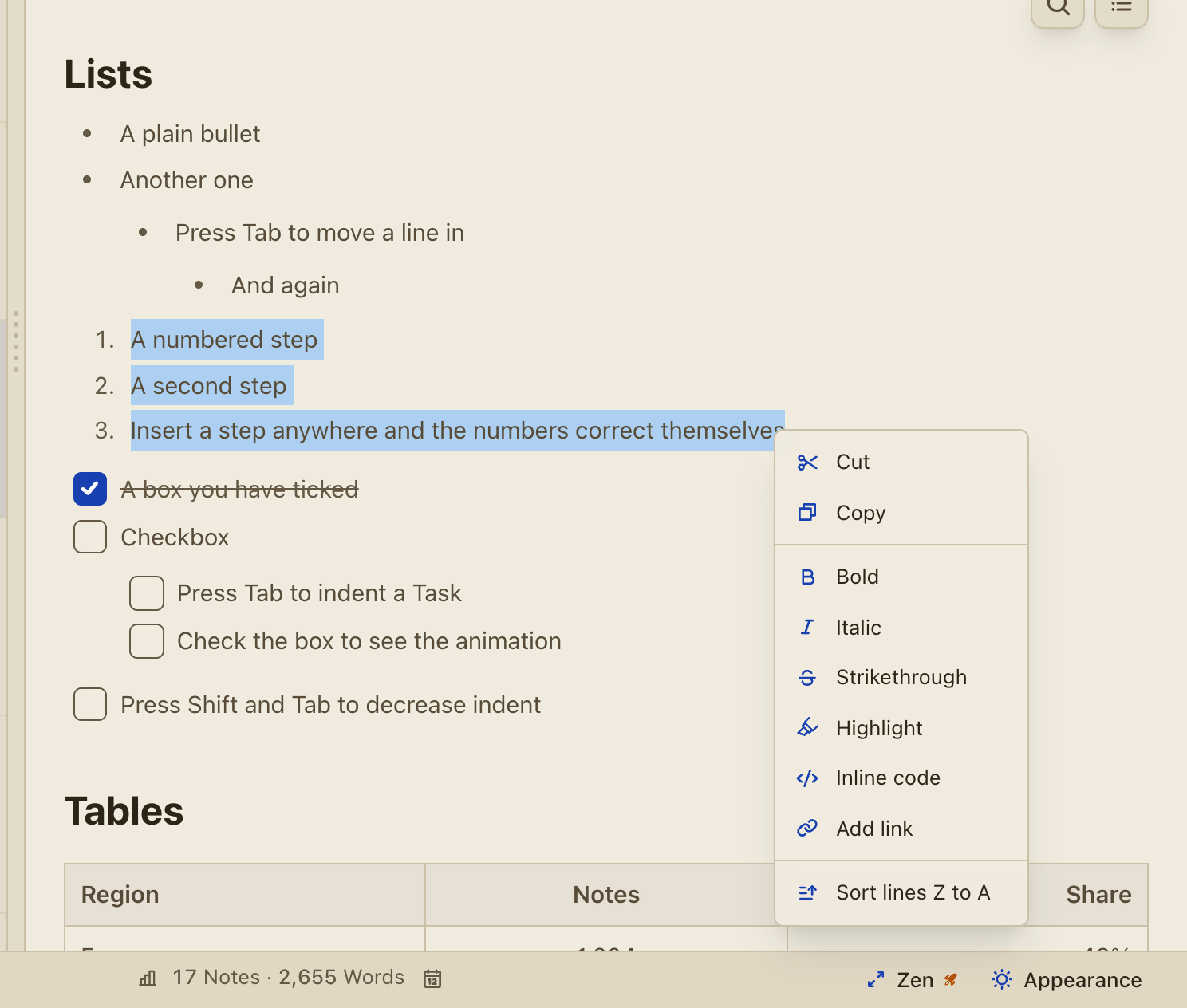
NewRight-click selected text for Cut, Copy, the text formats, Add link and "Sort lines A to Z". Screenshot
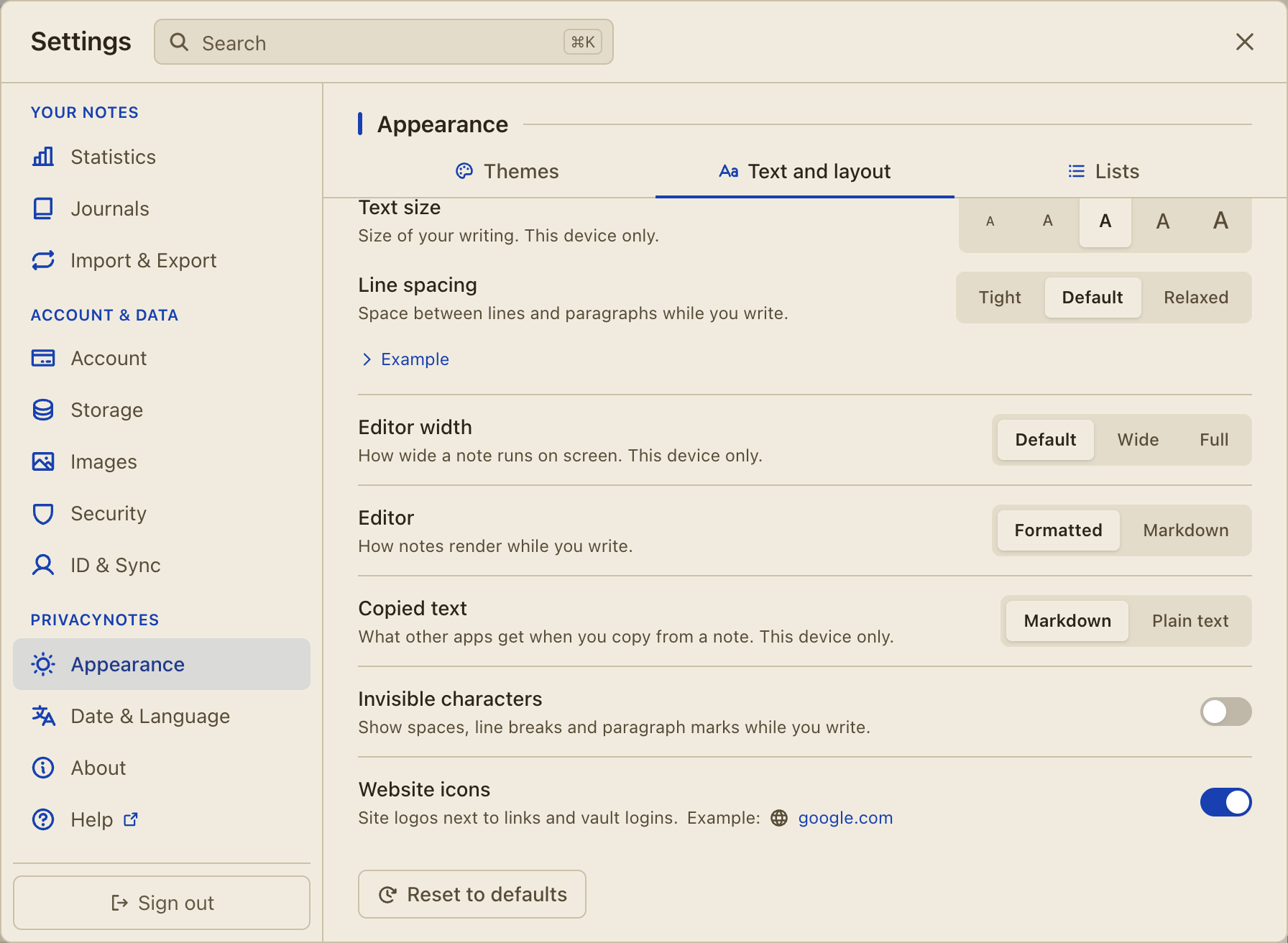
NewChoose how copied text leaves the app in Settings > Appearance > Text and layout: as Markdown, or as plain text. Screenshot
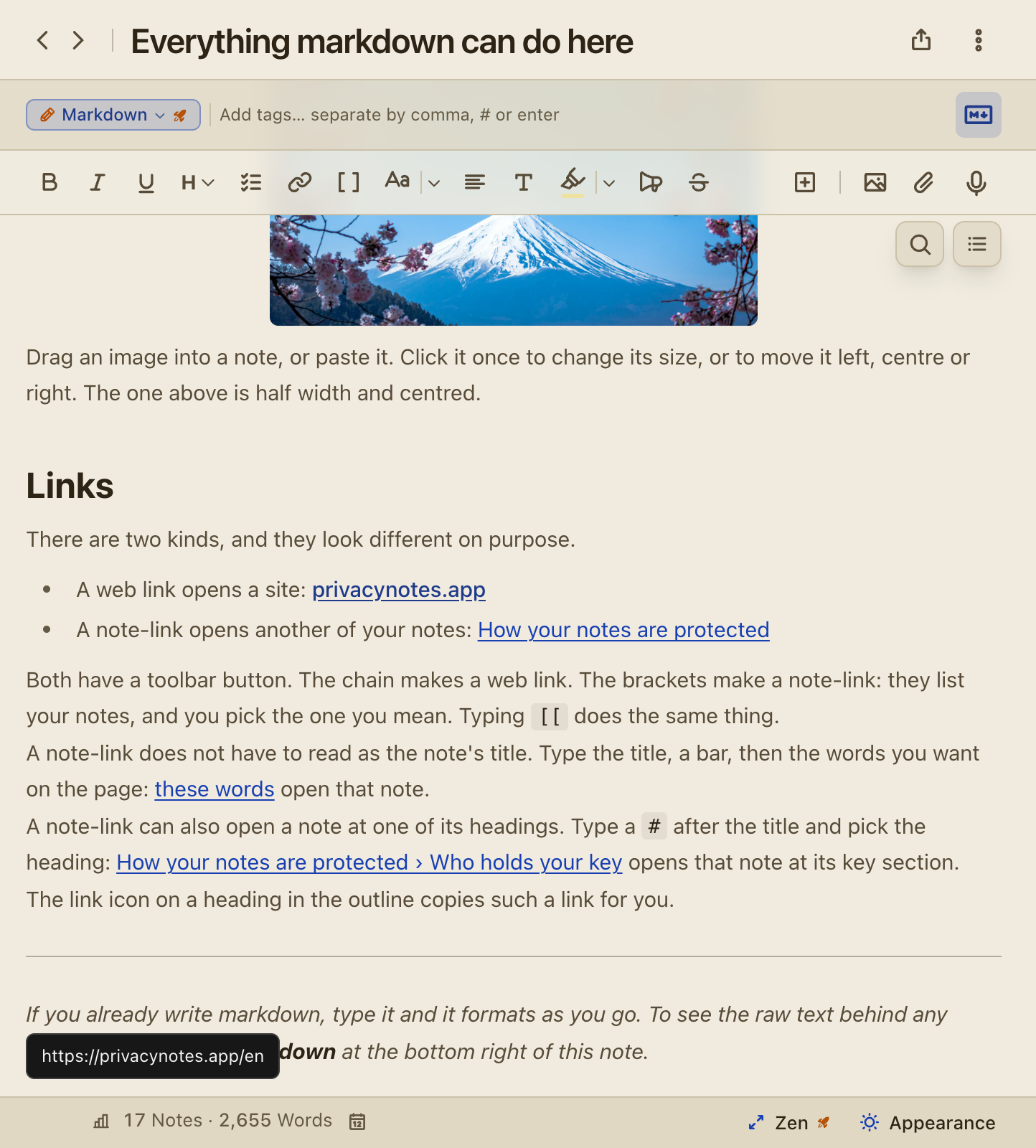
NewRest the pointer on a link and its address shows in the corner of the editor. Screenshot
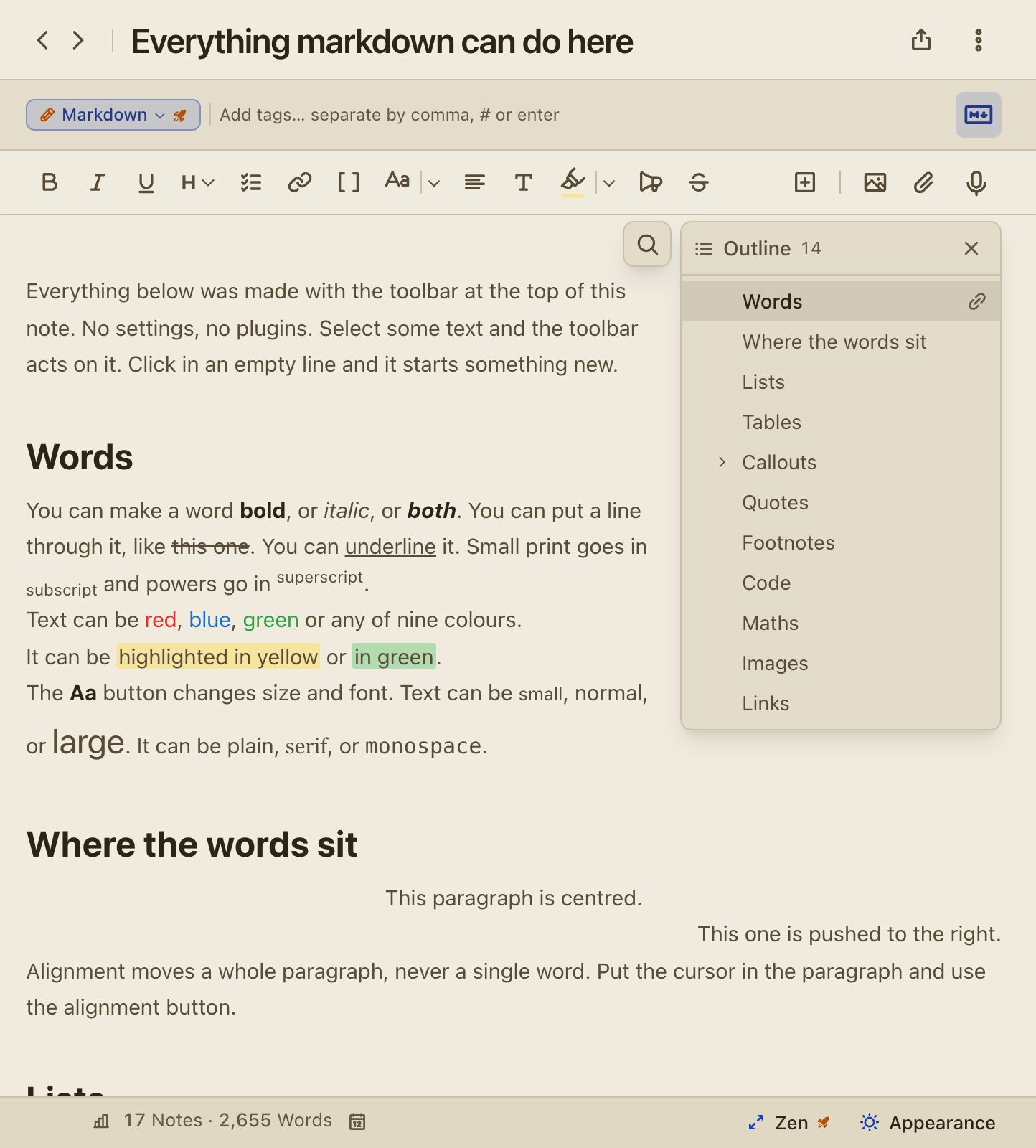
NewFold a section of the outline with the arrow beside its heading. Screenshot
New"Print text only" in the Share menu prints the title and the text, without the date, the folder and the tags. Screenshot
NewTab in the last cell of a table adds a row, and [words](address) turns into a link when you close the bracket.
ImprovedA paste of text and pictures puts every picture in its place, and a notice tells you when a picture cannot come along.
ImprovedA paste from Google Docs or Word keeps its formatting but not its fixed black text, so it reads in dark mode.
ImprovedObsidian imports and Markdown folders keep links to headings.
ImprovedA copied task list has no blank lines, and the outline panel no longer pushes a picture at the top of a note down.
FixedMore than a dozen formats read back exactly after a reload, among them a callout in a task, a list in a table cell and spaces inside a line.
FixedPrices such as "$5 and $6" stay text instead of turning into a formula.
FixedA picture you paste again reuses the stored picture instead of saving a second copy.
FixedSelect all inside a code block selects the code first, and a second press selects the whole note.
v0.570
Oct 6, 2026
Back and forward, and the keyboard reaches everything
NewGo back and forward through the items you opened with Cmd+[ and Cmd+], Alt+Left and Alt+Right on Windows and Linux, or the side buttons of your mouse.
NewThe desktop apps add Cmd+N for a new note, Cmd+Shift+N for the New menu, Cmd+W, Ctrl+Tab between tabs and Cmd+1 to 9 for the sections.
NewMove with the keyboard alone: F6 between panes, the arrow keys through the list, the folders and the tags, and Escape one step at a time.
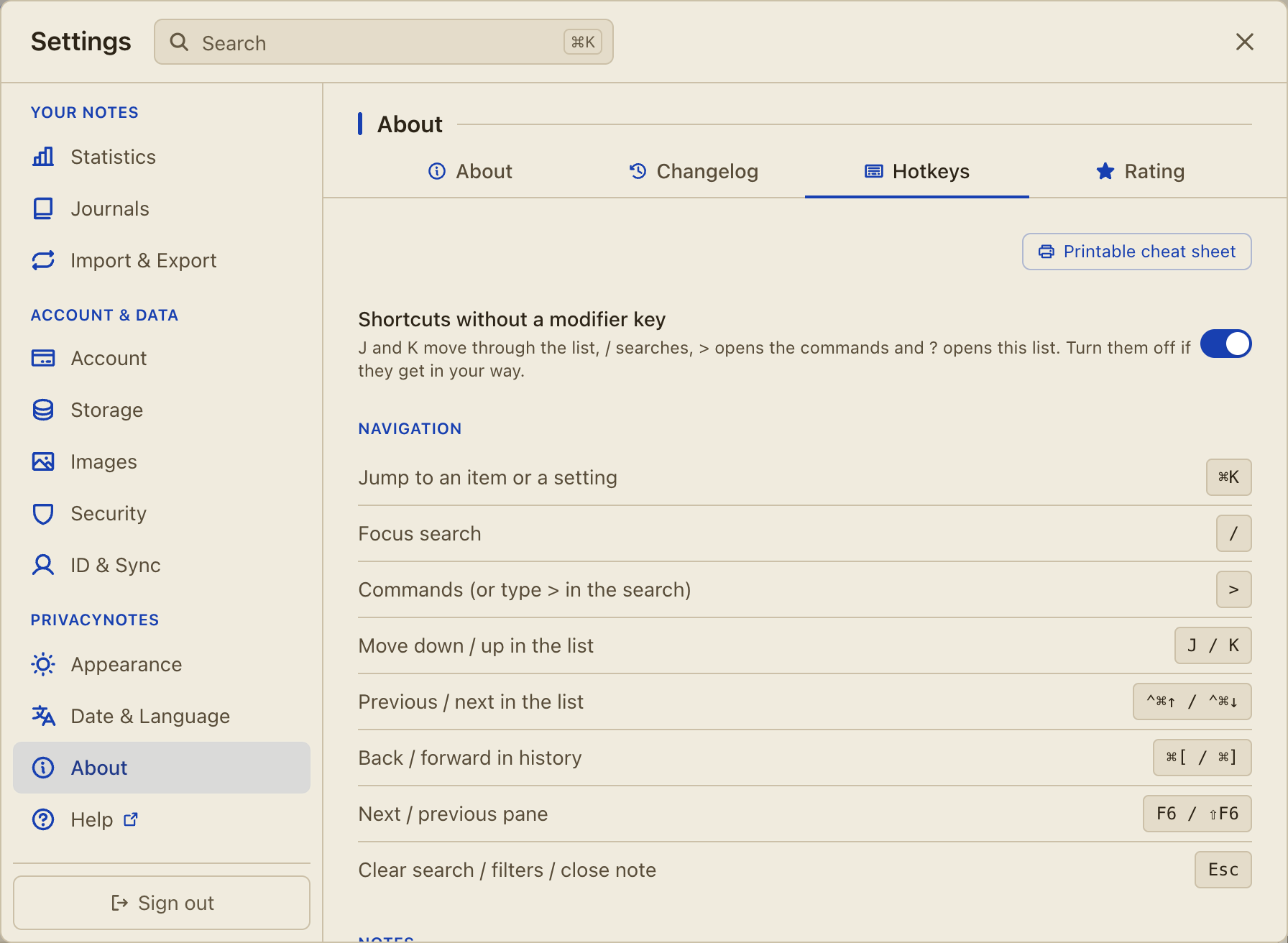
NewA switch in Settings > About > Hotkeys turns off the single keys J, K, ?, / and >.
ImprovedThe shortcut help and the printable cheat sheet show the keys of your system and your app. Screenshot
ImprovedMany shortcuts changed, so print the cheat sheet again: Settings > About > Hotkeys > Printable cheat sheet.
FixedShortcuts follow the characters your keyboard types: Ctrl+Z on a Bépo keyboard only undoes, and an AltGr character always types.
FixedF5 and Ctrl+R no longer reload the Windows app, and Ctrl+P no longer prints the window.
FixedApp shortcuts wait while a dialog or a menu is open.
v0.566
Oct 4, 2026
Share into PrivacyNotes from any app, and zoom into pictures
NewShare into PrivacyNotes from the share sheet on iOS and Android: a link becomes a bookmark, text becomes a note, and pictures and files go to Files. Beta.
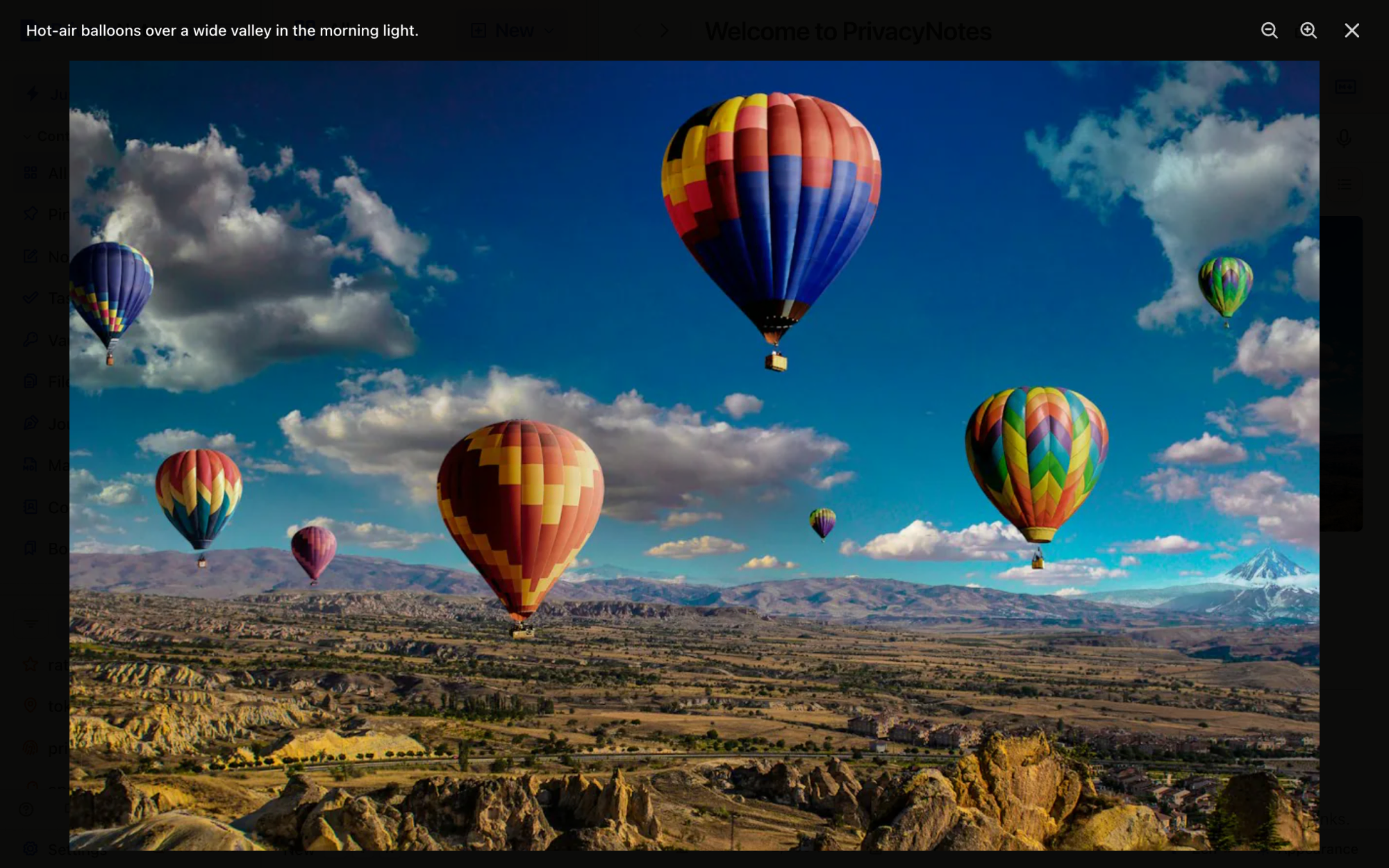
NewZoom into a picture in the viewer with the zoom buttons, a pinch on a phone or a pinch on a trackpad, then drag to look around. Screenshot
NewApp size in Settings > Appearance scales the whole desktop app from 80 to 200 percent. Cmd or Ctrl with plus, minus and 0 does the same.
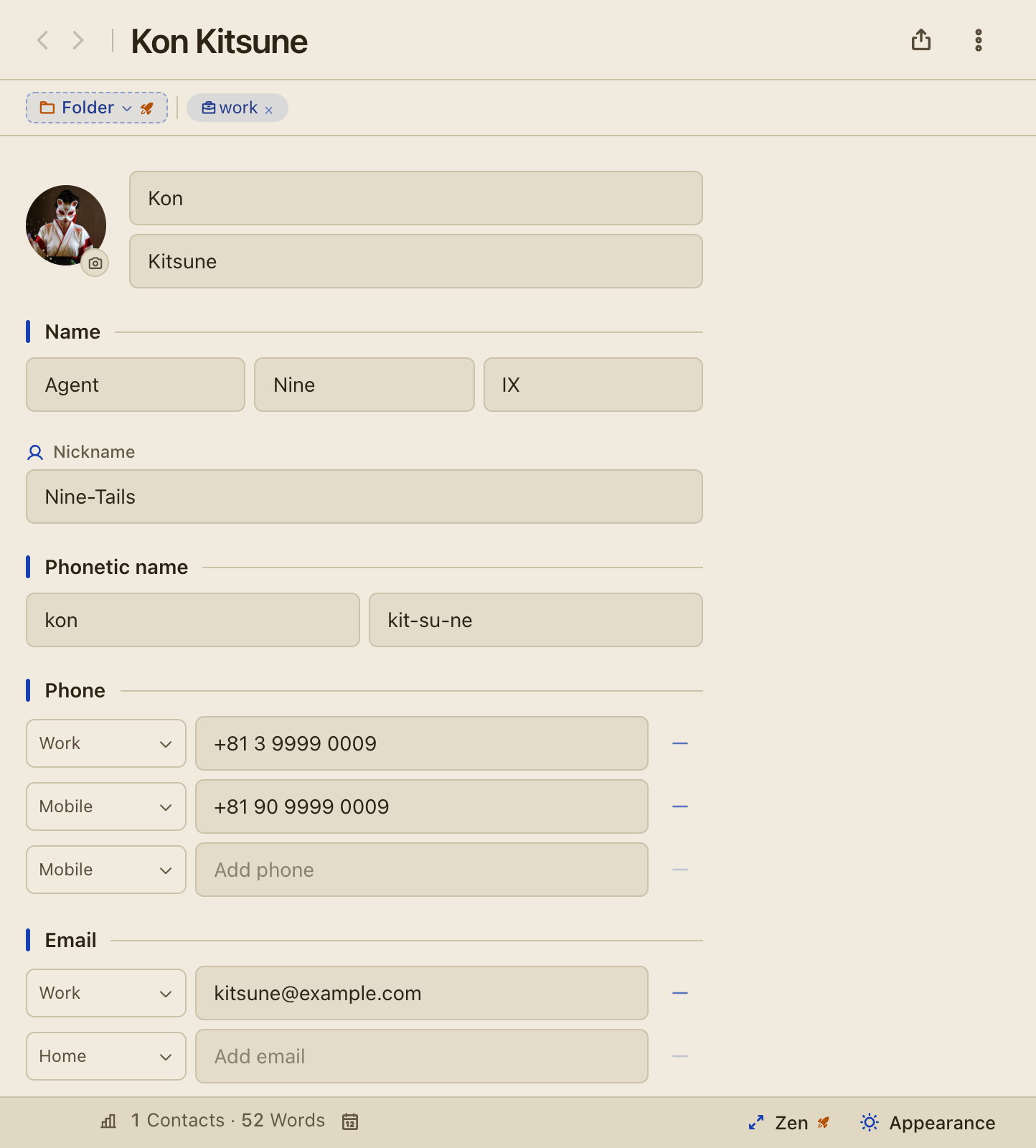
NewChoose, change or remove a contact's photo with the camera badge on the avatar, and an exported vCard carries it. Screenshot
ImprovedOn Android, a share from another app waits for you: a window lists what arrived and saves it only when you tap Save all.
ImprovedOn a phone, a swipe from the left edge inside an open item goes back, as in other apps.
ImprovedA generated SSH key takes its label as the key comment.
v0.565
Oct 4, 2026
Hide the app from screen capture, and safer sync and sign-out
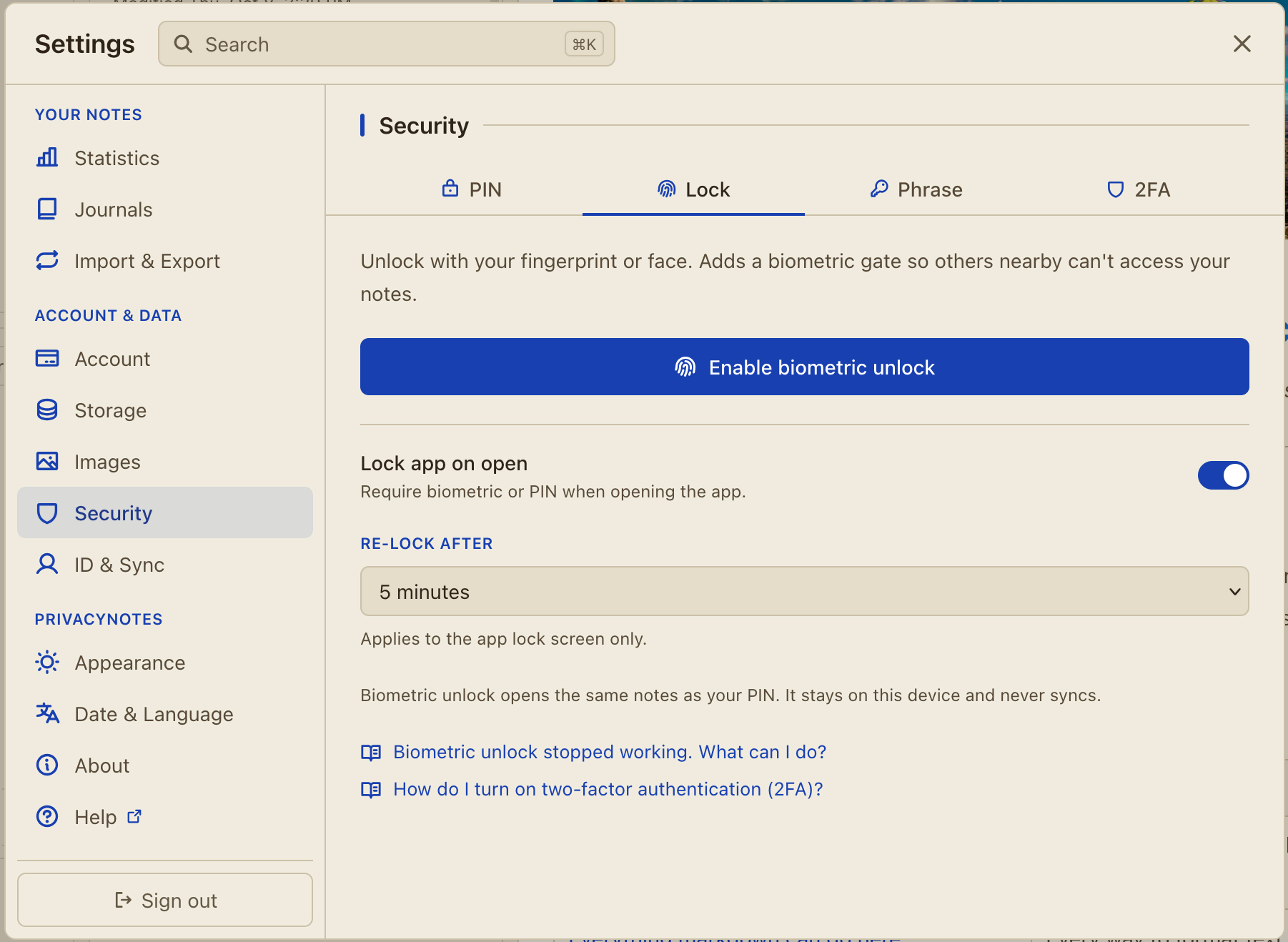
New"Hide from screen capture" in Settings > Security > Lock keeps your notes out of screenshots, screen recordings and screen sharing, where your device allows it. Screenshot
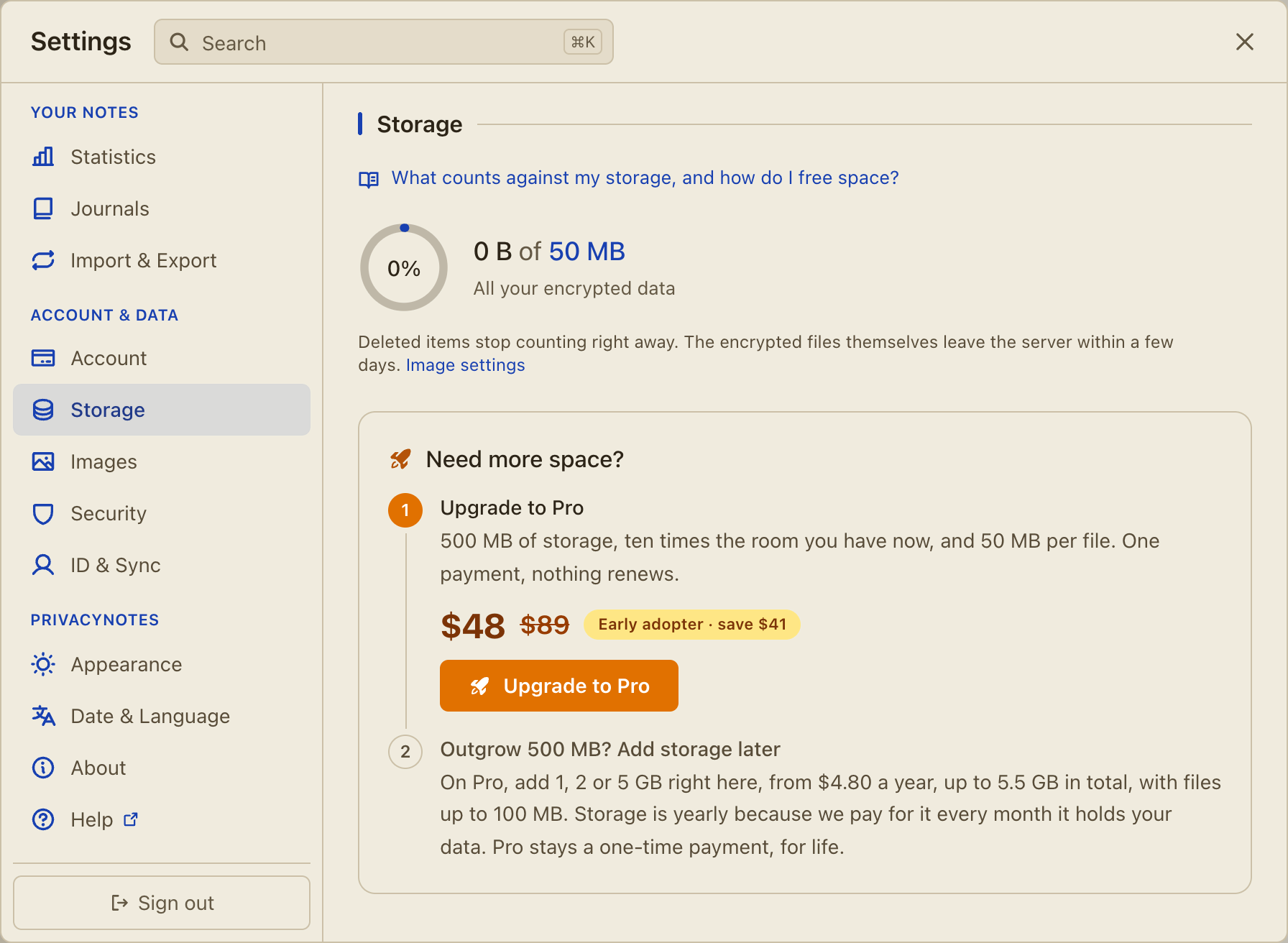
ImprovedSettings > Storage shows a free account that Pro storage can grow with 1, 2 or 5 GB add-ons. Screenshot
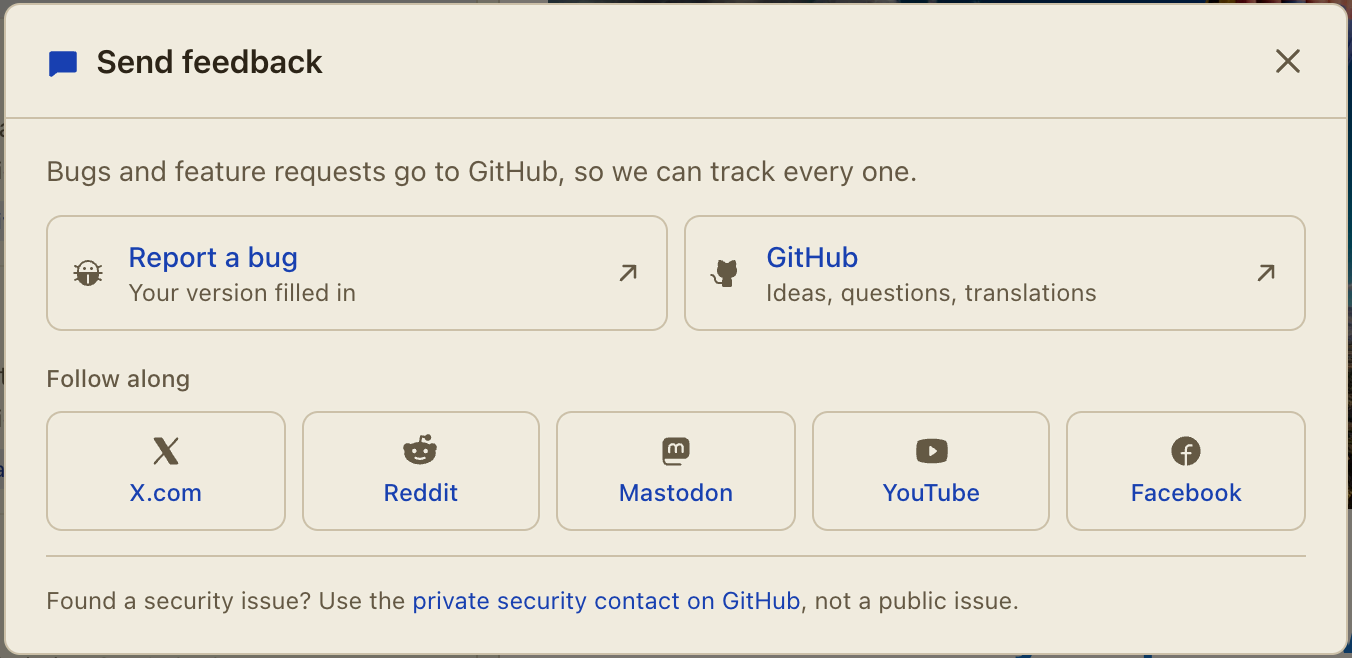
ImprovedSend feedback sends bugs and feature requests to GitHub, and lists our YouTube and Facebook channels beside X, Reddit and Mastodon. Screenshot
ImprovedA deleted note leaves the server at once, history included, and the storage bar drops as soon as the delete syncs.
FixedA sign-out removes everything that could sign you back in, in every open tab, also while a sync is still busy.
FixedA sign-in with your recovery phrase always opens that phrase's own account, also after a cancelled Google, Apple or GitHub sign-in.
FixedThe phone keyboard never autocorrects or learns the words of your recovery phrase.
FixedAn account switch no longer stalls, and finishes on a device at its device limit once a device slot is free.
FixedAn archived note stays archived on every device, also when a device with an older app version edits it.
FixedChanges to a dose or a tracker made on two devices at once both survive.
FixedA picture or a shared file stays safe after a failed upload or a cancelled delete.
FixedList settings you turn off stay off on every device, and a permanently deleted note stays deleted after a long time offline.
v0.560
Oct 1, 2026
Tasks and checklists you can clear, sort, count and drag
ImprovedThe Tasks section lists the task lists you made there first, and checkboxes from other items under "Tasks in other items". Screenshot
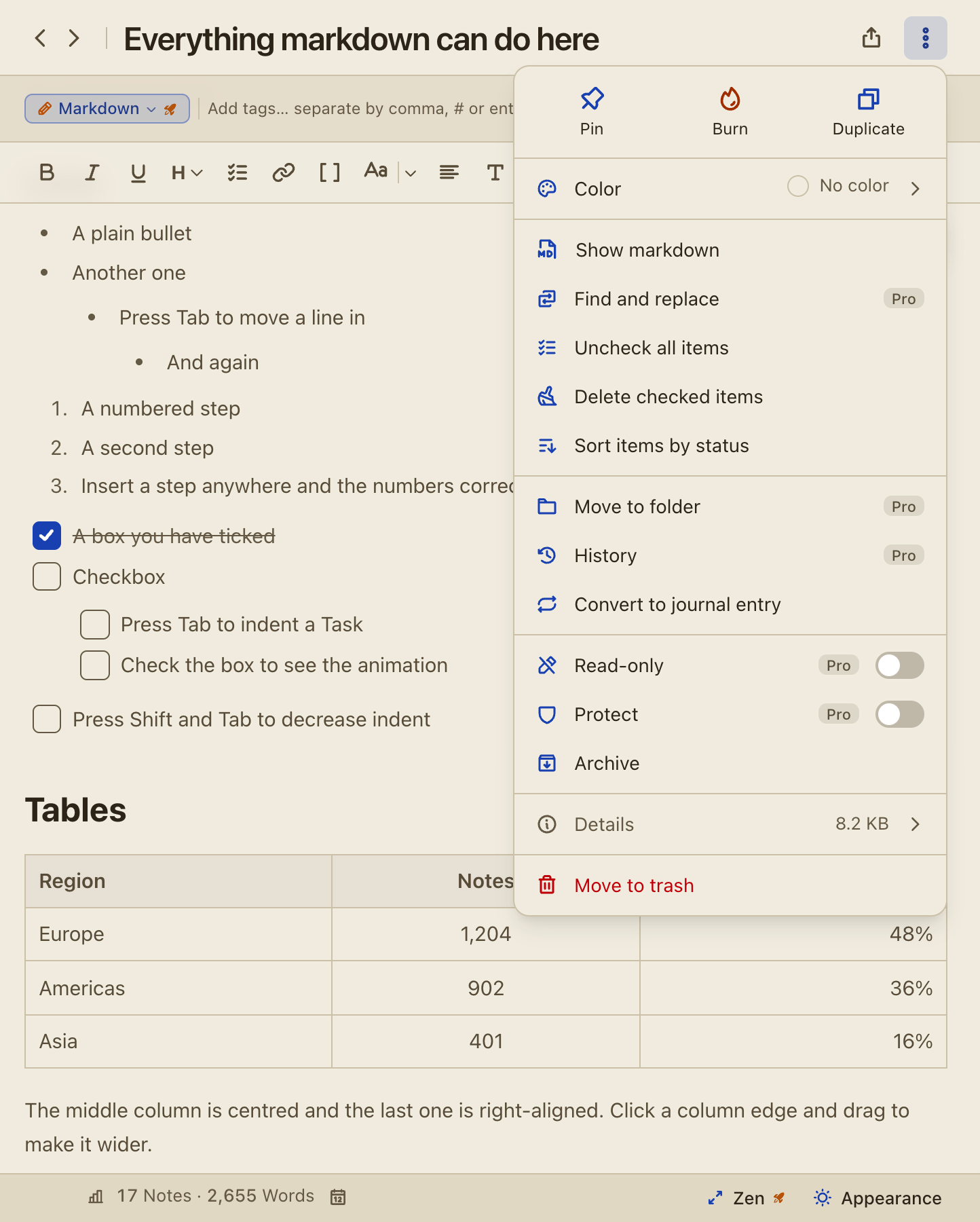
New"Delete checked items" in the note's "..." menu clears the finished items of every checklist in the note. Screenshot
New"Sort items by status" puts the unchecked items of each list first.
NewThe editor footer counts checked items, for example "3 of 6 checked".
NewDrag a checklist item to a new place by the grip at the end of its row, with a mouse, a pen or a finger.
New"Move checked items down" in Settings > Appearance > Lists lets checked items stay where they are, in the editor and in Tasks.
NewA switch in Tasks hides the checkboxes of other items, such as the ingredients of a recipe.
ImprovedTasks shows the whole list at once, and the sidebar count matches what it shows.
ImprovedCmd+Z undoes "Sort items by status", "Uncheck all items" and "Delete checked items".
FixedDragging the whole text of a checklist item moves the item, its checked state and nested items included.
Fixed"Delete checked items" never touches a line inside a code block, and the sort menu in Tasks works again.
// September 2026
v0.554
Sep 28, 2026
A friendlier checkout, and a fix for the Linux app
ImprovedThe checkout confirm page is friendlier and shows the start of your Account ID with the path to find it, the full ID one click away.
ImprovedEach Linux .deb download comes with a signature you can check with minisign.
FixedID & Sync and About in Settings no longer freeze the Linux app.
FixedEscape in an empty search box leaves the box and keeps the open note open.
FixedA picture upload cut off at the wrong moment completes, instead of trying again on every start.
v0.553
Sep 28, 2026
Drag to link, vault custom fields, archive, 2FA and more
NewDrag a note, task, bookmark or contact from a list into an open note to add a note-link to it.
NewIn selection mode, drag the selection into a note to add one link for each selected item.
FixedAn untitled note shows its first line as its title the first time you open it, also after an import or a restore.
v0.552
Sep 28, 2026
Custom fields and more than one website for vault logins
NewA vault login can hold more than one website and any number of custom fields. A field can be text or hidden, and hidden values stay masked and out of search. Free on every plan.
NewVault history shows each earlier version of a login, card or SSH key as labelled rows, with passwords, card numbers and keys hidden until you reveal them.
ImprovedSearch finds a login by its websites, field names and text fields.
ImprovedRestoring an earlier version saves the current one first, so you can always go back.
ImprovedThe Bitwarden import keeps every website and custom field of a login, and the Bitwarden export writes them back out.
v0.551
Sep 28, 2026
Archive, and a faster app for large collections
NewArchive any item to keep it without seeing it in All. Use the right-click menu, the "..." menu or the selection bar. Archived items are in the Archive view at the bottom of Content.
NewTurn on Archive in the All filter menu or in Appearance > Lists to show archived items in All.
ImprovedWith thousands of notes, the pause at start drops from about half a second to about a tenth, and changing views no longer stalls.
ImprovedTyping no longer redraws every row in the list, and a refresh no longer decrypts and re-indexes every note.
ImprovedThe note's "..." menu is more compact. Color and Details open inside it, and Read-only and Protect are switches.
ImprovedGoogle Keep and Standard Notes imports put archived notes in the Archive.
v0.550
Sep 28, 2026
Pick list or grid per device, and longer note previews
NewThe list menu sets Auto, List or Grid for this device only, so Grid on your phone leaves your desktop alone.
New"Longer preview text" under "Show preview" shows up to four lines on a row and six on a tile.
New"Uncheck all tasks" in the note's "..." menu resets a checklist that you use again.
NewText size has a Smallest step, so Default sits in the middle.
ImprovedA closed folder counts the notes in all of its subfolders.
ImprovedThe grid shows two columns on narrower screens, and phone tiles show two lines of preview.
ImprovedThe Accounts tab marks connected accounts as beta, with a link to report a bug.
FixedText copied from inside one list item, quote or heading pastes without its "-", ">" or "#", so a copied command runs in a terminal.
FixedThe Linux app opens on systems whose language setting it could not read.
FixedOn touch screens, the buttons on a bookmark tile no longer cover its title.
v0.547
Sep 28, 2026
Burn links with your own reading time and expiry
NewBefore you create a burn link, pick the reading time (2 to 60 minutes) and how long an unopened link lives (1 hour to 7 days).
New"Collapse all" and "Expand all" for folders, in the folder sort menu and the folder right-click menu.
NewClick a folder or tag icon in the sidebar to change its icon and color.
NewThe rating list links to the App Store.
ImprovedSettings tabs no longer break words in the middle, and the Changelog tab looks like the changelog page.
ImprovedThe lines between tabs follow your color theme.
FixedIf deleting your account stops midway, you can try again.
v0.544
Sep 28, 2026
Optional 2FA and connected login accounts
NewOptional 2FA in Settings > Security > 2FA asks for a code from your authenticator app when you sign in.
NewConnect a Google, Apple or GitHub account to your vault in Settings > Account > Accounts.
NewSettings > Security > Phrase answers "Can somebody guess my phrase?" with the real odds.
NewTab indents text in a paragraph or code block, and Shift+Tab removes the indent.
ImprovedThe Account, Security and other settings pages have new tabs of equal width.
Improved"Forgot your PIN?" also works on the PIN screen in front of your phrase and Key custody.
FixedSpaces at the start of a line stay after you leave the note.
FixedImports store only the files your notes use, so they take no hidden storage.
v0.541
Sep 28, 2026
Import Standard Notes Super notes and Joplin notebooks (beta)
NewImport from Joplin, in beta: notebooks become folders, and tags, attachments and links between notes come across.
ImprovedStandard Notes Super notes import with their formatting, in beta: headings, lists, checklists, tables, code, links and pictures. Nested tags become folders. Files that you uploaded to Standard Notes must be added again.
ImprovedLine spacing reads Tight, Default and Relaxed.
FixedCopy and paste keep a note's lines in Apple Notes, Standard Notes and text editors, and from exports and burn links.
FixedA new empty item in its own tab stays until you close the tab.
v0.539
Sep 28, 2026
Open notes in tabs above the editor
NewOpen items in tabs above the editor on tablets and desktops. Middle-click or Option-click a row, or use "Open in tab" in the note menu. Tabs can be pinned.
New"Open items in tabs" in Appearance > Style opens every item you click in a tab.
NewRename your devices in Settings > Account > Registered devices. Free on every plan.
ImprovedClosing the import offer once hides it in every list and on every device.
FixedA ticked task moves down the list, so the correct box gets the tick and selection follows the order on screen.
v0.537
Sep 28, 2026
Give any note its own color, for free
NewGive one note its own color from the "..." menu, free on every plan. The color fills the whole note.
NewIn an opened Markdown folder, links between files open the file they name, and the [[ menu lists the folder's files.
NewDrag the right edge of a table to make the whole table narrower.
ImprovedThe icon picker has Icon and Color tabs, and on a phone its search stays above the keyboard. More icons.
ImprovedA colored folder or tag tints its row in the sidebar.
ImprovedFind and the outline work on a read-only note.
FixedA file that did not upload before you signed out no longer comes back as an empty entry.
v0.534
Sep 25, 2026
Folder icons and colors, resizable table columns, and search
NewFolders and tags can have an icon and a color, and a note takes the color of its tag or folder. Pick from 301 icons in 15 groups, and search for them in your own language.
NewDrag the line between two table columns to set their widths. "Make columns equal" on the table bar puts them back. Phones show the widths but cannot drag them yet.
NewSettings has a search field (Cmd+K) that finds any setting and opens it for you.
NewPictures and PDFs open in a full-window viewer, and PDFs read inside the app.
New"Picture from Files" in the + menu puts a picture you already uploaded to Files into a note.
NewPrivacyNotes is now available in Ukrainian, Russian and Thai.
NewTight line spacing, for even less space between lines.
NewBoth tabs of Settings > Appearance have a "Reset to defaults" button.
ImprovedPasted text keeps its blank lines from web pages, Gmail, Apple Notes, Google Docs and Word. A copied note keeps its spacing when you paste it into an email.
ImprovedIf two devices change the same note, the app keeps both changes. A star, a tag or a folder move on one device keeps the text written on the other. If both devices change the text, the app asks you which version to keep.
ImprovedSearch finds a word typed without its accents, and finds text inside a word.
ImprovedSign-out and "Delete local data" show how many notes and files are only on this device before you continue.
ImprovedThe vault export includes SSH key passphrases, card billing ZIP codes, tags and folders.
ImprovedThe sync status says so when a sync stops before it finishes.
ImprovedPane dividers snap shut when you drag them past their limit. You can resize or fold the line between Content and your tags or folders.
ImprovedCode blocks wrap and their copy button stays in the corner. Bookmarks and the phone header fit a narrow screen.
FixedRestoring your own backup takes notes out of the trash, and a second restore adds nothing twice.
FixedFolder names with a slash, and titles with quotes, stay the same after a backup and restore.
FixedExport, print and share links include the text you typed a moment ago.
FixedA settings change made during a sync is kept.
FixedThe "..." menus on sidebar folders and tags open on touch screens.
FixedThe desktop app starts when its profile folder name has an accent.
FixedIf the desktop app closes during a save, the file in your Markdown folder stays whole.
v0.524
Sep 22, 2026
Your notes stay out of the app switcher, and sign-in recovers
NewWith the app lock on, your notes are hidden in the app switcher on Android and iPhone, so an open note cannot be read from there.
NewA screen that fails to load now shows what went wrong, with the version and a copy button, instead of an empty window.
ImprovedSigning in with Google or Apple in the desktop app finishes on a page on our own site, which shows a one-time code you paste into the app.
ImprovedIf the app asks for your recovery phrase while it still holds one, it offers to carry on and signs you in with what it has.
ImprovedThe warning about making a second account on a device leads with what happens and says your synced notes are safe.
ImprovedThe iPhone and iPad app needs iOS 17.4 or newer.
FixedA provider sign-in that cannot finish no longer leaves the button reading "Redirecting..." for ever, and the retry screen appears instead.
FixedMaking an account on a device that already holds one no longer loops back to the same question.
FixedThe iPhone and iPad app opens again on iOS 27.
v0.518
Sep 15, 2026
Set your paragraph spacing, and a covered recovery phrase
NewSettings > Appearance > Line spacing sets how much room a paragraph takes: Compact, the new default, or Normal. The choice follows you to every device, because it is how you write rather than a property of one screen.
ImprovedYour recovery phrase stays covered until you ask for it, and it hides itself again after 60 seconds. Copy, Save QR and the .txt download are covered with it.
ImprovedA new note, journal entry or task list opens with the cursor in the body, so you can write before you name it.
ImprovedThe title above the list opens the pillar menu at every window width, so a collapsed sidebar no longer costs you the only other way to switch.
ImprovedA read-only item can no longer be moved to the trash, from the menu, the toolbar, the keyboard shortcut or a tag delete.
ImprovedA right-click on several selected rows acts on all of them, and offers the same actions a single row does.
ImprovedCopying a note puts the text on the clipboard the way it reads on screen, with no extra blank lines and no stray backslashes.
ImprovedText size and Line spacing share one live example, which opens on your first click on either one.
ImprovedThe Journals New button holds the date picker, so its title row fits at any list width.
ImprovedThe tag picker opens in the same window as the folder picker, so it can no longer land away from the button that opened it.
FixedRestoring a backup keeps your untitled notes untitled, so each one still reads by its first line instead of being named "untitled-2".
FixedA Markdown, Obsidian, Notesnook or Apple Notes import no longer names a note after a source file called Untitled.
FixedSign-in works on the Linux app on openSUSE and other distributions that keep their certificates in their own place.
FixedAn import refuses a compressed entry that expands far past its own size, so a crafted backup cannot freeze the app.
FixedUpload in the Files pillar opens a picker that can select a file, on Safari, the Mac app and iOS.
FixedTapping a picture on Android keeps its size, download and delete bar on screen.
FixedA link's website icon stays on the same line as the link on a narrow screen.
FixedA link label keeps its bold, italic, code and highlight in an export, a PDF and a burn note.
FixedFiltering by a tag keeps the full New menu, and a file made under a tag or folder filter stays in the list you made it from.
v0.514
Sep 11, 2026
A passphrase generator, and a password you can read
NewThe password generator has a passphrase mode, with Pro: three to twenty random words, a separator you choose, and an optional capital, digit and symbol.
NewA revealed password colours its digits, capitals and symbols, so a 1 and an l can be told apart at a glance. Every revealed password is monospace.
NewAppearance > Lists picks what the app shows when it opens, so it can start on Notes, Tasks or any other list.
ImprovedThe generator's length takes a typed number and preset sizes, the letter sets are pills, and digits and symbols carry their own counts.
ImprovedThe strength meter reads in bits, counted from the settings you chose.
ImprovedNo button sits over the end of a field any more, so the last characters of a long password stay readable while you check it.
ImprovedThe vault forms and the contact form read the same way while you edit them as they do while you read them.
ImprovedThe Journals icon is a nib, so it is no longer mistaken for Files in the rail.
ImprovedEach package-manager install route on the website says who installs the next version.
FixedChanging your PIN moves the app lock on every device, so the old PIN stops opening it.
FixedOn a device you chose not to trust, the phrase held behind your PIN stays in memory for the session and is never written to that device's disk.
FixedThe "Require PIN to view" switch on a vault item or a contact reads the PIN as it is now, not as it was when you opened the item.
FixedGrid view on the Linux app draws full-height tiles in a vault of a few hundred items.
FixedThe Mac app checks which program answers before it hands a second launch over to it.
v0.511
Sep 11, 2026
Rename any stored file, and seek inside a recording
NewEvery stored file can be renamed, from its chip in the note or from the Rename row in Files.
NewAudio carries a seek bar, so a recording can be played from any point.
ImprovedThe app lock and PIN-protected notes each have their own re-lock time, so moving one no longer moves the other.
Improved"Lock app on open" is on screen on any trusted device, with a line saying it needs a PIN or a fingerprint and a link that creates one, instead of being hidden until one exists.
ImprovedMoving a single note to Trash asks first, the way moving several always has.
ImprovedA backup keeps the name you gave a file, in the zip and on the way back in.
FixedA read-only note no longer offers Rename or Delete on its files, which could not have saved.
v0.509
Sep 11, 2026
Editing a link no longer means opening it first
NewA right click on a link in a note offers Open, Copy, Edit and Remove.
ImprovedA click on a link inside a note places the cursor instead of leaving the app. Hold Cmd, or Ctrl away from a Mac, and click to open it. A tap on a phone still opens it.
ImprovedSelect an address and press the link button to link it on the spot, with no dialog to fill in.
ImprovedA link whose text is its own address follows what you type, so a path can be added to a pasted address by typing it.
ImprovedThe Link text field renames a link.
ImprovedTwo new help pages cover Contacts, and what belongs in an encrypted drawer that a browser or a phone does not already sync to Google, Apple or Mozilla.
FixedPictures brought in by an import reach your other devices instead of only the device that did the import. This covers Google Keep, Apple Notes, Evernote, Notesnook, Samsung Notes and a dropped folder of Markdown.
FixedTapping a picture on an Android phone that carries a stylus or a paired mouse brings up the picture's toolbar and keeps the keyboard down.
FixedA contact file holding an unusual label no longer stops the whole import.
v0.508
Sep 10, 2026
Your folders cannot be lost to an out-of-date device
ImprovedRestoring your own backup repairs your vault instead of filling it with a second copy of everything: the newer note wins, a missing note is added, and your folders come back with it.
FixedA device holding an out-of-date copy of your folder tree can no longer remove the folders on your other devices. Folders now merge by folder, the way notes always have.
FixedA folder you delete stays deleted everywhere, and two devices that each move a folder into the other no longer lose both.
FixedPrint and Save as PDF in the Mac app writes the note onto the page, instead of the right number of blank pages.
FixedBold text and headings read as bold on a device whose system font carries no semibold face, in the app and in everything you export.
FixedEditing a formula no longer adds backslashes to it, and a formula you open for editing comes back.
FixedThe PIN re-lock times, the "Require PIN to view" dialog and every row the app names for you read in your language.
FixedA new contact made inside a folder stays in that folder, opens for editing, and takes the name you type.
FixedUpload in Files accepts any file type on every tab, and "Show files inside notes" applies on every tab instead of only on All.
FixedSigning in on the Mac, Windows and Linux app while a content filter removes third-party authorization headers now names that cause, instead of reporting the service as unreachable.
FixedToo many sign-in attempts says to wait a minute, instead of reporting an outage and trying again.
v0.507
Sep 10, 2026
Contacts (beta), an encrypted address book with vCard import
NewA Contacts pillar, in beta, keeps names, numbers, emails, addresses and photos in the same encrypted store as your notes, free on every plan.
NewContacts import from a vCard file written by iPhone, Mac, Android or Google Contacts, photos included, and export back to one.
NewSettings > Images can shrink large pictures, keep contact photos small, and remove location data before an image is saved.
ImprovedThe statistics charts, the wellness cards, the device list, the doctor report and the AI prompt all read in the language the app is in.
ImprovedA vault login shows its username, password and authenticator key first, and its website last.
ImprovedA contact and a vault item share one detail pane, so both read the same way.
ImprovedAn import that creates a very large folder tree no longer slows every start after it.
ImprovedA large or unusual file no longer freezes the tab while it is read for import.
ImprovedA printed or exported note loads nothing from the internet.
FixedTurning the app lock off gives the device its key back, so the next start opens the vault instead of asking for your twelve words.
FixedA note link that matches more than one note says so and stays put, instead of opening whichever one was newest.
FixedRestoring a backup keeps the images and attachments the account already had.
v0.506
Sep 9, 2026
The search carries into the note, and finds exact phrases
ImprovedA note opened from the list search shows the find bar filled with the word you looked for, its hits marked and the first one in view.
ImprovedA search of several words now finds only the notes that say that phrase as you typed it.
ImprovedSearch no longer offers near-miss words, so a search for "test" stops listing a note that says "best".
ImprovedA photo matches a search by its caption or its filename, and is ringed in the result.
ImprovedmacOS installs straight from Homebrew now, with no tap to add first.
v0.505
Sep 7, 2026
Find and replace, and drag and drop on the desktop
NewA note can find and replace, one match at a time or every match at once. Find stays free; replace is part of Pro.
FixedDropping a file into a note, and dragging text or an image inside one, work in the desktop app on macOS, Windows and Linux.
FixedA file dropped on the sidebar or the note list no longer opens that file in place of the app.
v0.504
Sep 7, 2026
Every registered device gets its own Remove
ImprovedEach device row shows its platform, its short id, when it was added and when it was last active, so two machines of one kind are told apart.
ImprovedTwo app installs never share one slot, so the list matches the device count your plan enforces.
FixedRemoving one Windows PC no longer removes every other install that carries the same name.
v0.503
Sep 7, 2026
A long press on a note-link offers to open or remove it
NewA long press on a note-link on a phone, or a right-click on a computer, offers "Open note" and "Remove link".
FixedA menu no longer flashes and vanishes on the first try when the on-screen keyboard slides away.
v0.502
Sep 7, 2026
The weight tracker reads in pounds
NewThe journal's weight tracker reads in pounds or kilograms, and your choice follows you to every device.
ImprovedSwitching the unit redraws your history, so no entry you already wrote changes meaning.
v0.501
Sep 7, 2026
The security documents are one click from any help page
NewEvery help page links the threat model, the security policy and the verification guide, so you can read them from the app.
NewThe recovery-phrase file can be downloaded from Settings > Security at any time, not only on the day you sign up.
ImprovedThe phrase file carries the words as a single line you can paste straight into a new device.
FixedThe callout fold button and the bookmark "Copy URL" message show their real names instead of an internal label.
v0.500
Sep 5, 2026
A note the server refuses no longer looks synced
NewA note the server will not accept now reads "Not synced", carries a warning, and appears in ID & Sync with the fix it needs.
NewDeleting a note, emptying the trash or signing out warns you first when a note exists on this device only.
ImprovedA note too large to sync stops uploading on every pass, which saves data on every signed-in device.
ImprovedThe markdown view carries a "Show formatted" button beside the tags, and in zen mode.
FixedA note-link comes out with one press of Backspace or Delete, on every platform.
FixedTyping "[[" and then pressing backspace no longer kills the note-title list for the rest of that link.
v0.499
Sep 4, 2026
Clearer Android downloads, and an honest theme picker
ImprovedThe Android downloads lead with Zapstore, the one route that checks the signature of the app before it installs.
ImprovedEach Android download says whether it updates itself or you update it by hand.
ImprovedThe homepage reads more plainly, in every language.
FixedThe Default chip in the theme picker paints the dark palette while dark mode is on, so the extra themes no longer look like the odd ones out.
v0.498
Sep 3, 2026
Tables get a header row and columns that stay put
NewA new table comes with a header row, so it stays a table when you export it or read the source.
NewThe table toolbar adds or removes a header row on any table.
ImprovedTable columns share the width evenly and text wraps inside a cell, so one long sentence no longer squeezes every other column.
ImprovedThe brand page carries an avatar made for a round crop.
FixedThe table toolbar appears when your cursor enters a table, follows the table as it grows, and leaves when you do.
v0.497
Sep 3, 2026
Now on Zapstore, and store installs stop getting update nags
NewPrivacyNotes is on Zapstore, an app store for Android that needs no Google account.
ImprovedIf a store installs your updates for you, such as Zapstore or Obtainium, the app no longer asks you to download them by hand.
FixedThe example card in your vault no longer carries a title naming a different card number.
v0.496
Sep 3, 2026
Note history keeps every version, and scrolls on a phone
ImprovedThe help center now names the exact folder your notes sit in, on every platform.
FixedA new note keeps its first version, instead of starting its history at the second edit.
FixedNote history scrolls on a phone.
FixedThe version list shows more than one entry at a time, so a long history no longer looks like two versions.
v0.495
Sep 2, 2026
The editor stops putting buttons on top of your text
ImprovedThe buttons that floated over the top corner of a note are gone, and search appears only once a note is long enough to scroll past.
ImprovedInvisible characters is now a row in Settings > Appearance, and reading width moved there too.
ImprovedThe note header carries fewer icons, so the title has room; burn, pin and trash live in the note menu, and share stays on screen at every width.
ImprovedThe share menu covers the note you are in, and the three whole-vault backups moved to Settings > Import & Export beside the other exports.
ImprovedUndo and redo show only on a device with no keyboard.
FixedThe share menu opens under its own button instead of on top of it when a banner sits above the app.
v0.494
Sep 2, 2026
A forgotten PIN has a way out
NewYour recovery phrase clears a forgotten PIN, from the lock screen, a protected note, or Settings > Security.
ImprovedThe Security pane is shorter, and the PIN and Biometric tabs say what each lock actually covers.
FixedRemoving your PIN on one device removes it everywhere, instead of leaving the old PIN working on your other devices.
FixedRemoving a PIN on a device with no fingerprint reader no longer switches app lock off for your other devices.
v0.493
Sep 2, 2026
The app lock opens your notes without waiting on the server
ImprovedUnlocking with your PIN or fingerprint opens your notes straight from your device, so a slow or unreachable server cannot keep you out.
ImprovedThe formatting row fits more buttons on a phone, and holds the same ones wherever your cursor sits.
ImprovedBulleted and numbered lists moved into the + menu, and the note link button moved back out beside the link button.
FixedA browser that has lost part of its stored data opens your notes instead of showing the sign-up screen.
FixedFiles beyond the first thousand show their size in the Files view.
FixedThe bookmark mark on a saved link sits in the row's gutter instead of against the screen edge.
v0.492
Sep 1, 2026
A new vault opens on folders
NewA new account opens with its notes already filed into folders, named in your language.
ImprovedA free account can delete a starter folder it does not want.
FixedOn iPad, signing in stays inside the app and Pro is bought through the App Store.
FixedRotating your phone to landscape and back no longer leaves the app blank.
FixedThe app stopped making a needless storage request on every sync, which was slowing the service for everyone.
v0.491
Sep 1, 2026
PrivacyNotes is on the App Store
NewPrivacyNotes is on the App Store. The iPhone and iPad app is the same app as the Mac, Windows, Linux and Android ones, and the download tile on the homepage links straight to it.
NewWindows installs through winget and Scoop now, both listed on the homepage beside the direct download.
FixedThe link and callout buttons are back in the formatting row and work again.
FixedA Scoop install no longer leaves a second copy of the app behind after an update, and the update toast hands you the Scoop command instead.
FixedThe update toast reads in your language instead of English.
// August 2026
v0.490
Aug 31, 2026
A protected note stays open while you're writing in it
ImprovedThe tags on a note now read in alphabetical order, so a long row is something you can scan.
Fixed"Re-ask for PIN after" now counts idle time, so a protected note stays open while you keep typing in it and locks once you stop.
FixedAn edit you are still typing can no longer be overwritten by a copy arriving from sync.
FixedYour PIN digits stay masked on Android instead of showing each one for a second as you tap it.
FixedMove to folder lists your folders in the same order as the sidebar, including your custom order.
v0.489
Aug 31, 2026
The apps are open source, and Android gets fingerprint unlock
NewPrivacyNotes is open source. The apps are published under the AGPL, and the footer links straight to the code.
NewEvery claim about how the app works now has a route to the code behind it: the homepage, the footer and 27 help answers point at the published documents and the encryption source.
NewFingerprint unlock works on Android.
NewThe text colour and highlight buttons remember the colour you picked last, so a repeat is one press. Press the same colour twice to strip it.
NewPrevious and next note buttons sit at the top of the editor, with Cmd/Ctrl+[ and ] to match. They stay on screen on a phone, where the notes list is not.
NewA full backup you can seal with your phrase and open on any device.
NewNote history works in the public demo.
NewRead-only and Protect are on the note row's right-click menu.
ImprovedThe formatting row went from sixteen buttons to twelve, so it fits one line on a phone. Link, note link, quote and callout moved into the + menu.
ImprovedThe editor's control rows share one look now: one button size, one glyph size, hairlines instead of coloured pills.
ImprovedSix actions from the note menu appear as icons in the title row when the pane is wide enough.
ImprovedFind, the markdown switch and invisible characters moved to the top right of the note, beside the outline.
ImprovedYour fingerprint and your PIN are both one press away from either unlock screen.
ImprovedProtecting a note hides it straight away instead of waiting out the unlock window.
ImprovedHelp copy names the labels your language actually shows on screen.
FixedThe collapsed icon rail no longer paints over the footer while you resize the window.
FixedImage options on Android stay up instead of flashing and vanishing.
FixedAn image size button on Android resizes the image instead of jumping to the block below.
FixedA tall photo keeps its size while the keyboard is open.
v0.481
Aug 28, 2026
Folders you can drag, a note column that fits your screen, and links that open on the first click
NewDrag folders into any order you like. Drop near a row's edge to place a folder beside its neighbour, or in the middle to file it inside. Custom order is a new sort option and follows your account.
NewThe note column can be made half again as wide, or uncapped entirely, from the tag row, the zen header, or Settings > Appearance.
NewThe Move dialog draws the same folder tree as the sidebar now: expand arrows, guide lines, the row menu, the New folder button, and it remembers which folders you had open.
ImprovedBuying Pro or extra storage no longer loads a payment script into the app. Checkout opens on a separate address, so payment code cannot reach your notes, your keys or your phrase.
ImprovedSettings > Security > Your Phrase opens covered, behind a banner that asks before showing the words. Copy phrase and Save QR both work without revealing anything.
FixedA note-link opens on the first click, and following one clears whatever filter was hiding its target instead of bouncing you back.
FixedA table cell holding only a note-link or a formula no longer saves itself empty. One save through markdown used to empty the whole column.
FixedTapping a web link inside a note on Android no longer replaces the app with that web page.
FixedThe website-icon cache is cleared when you sign out and when you delete your account. It used to survive both for ninety days, so the next account on a shared machine inherited it.
v0.472
Aug 27, 2026
Your journal stops losing a day, and a new vault opens in your own language
NewThe starter notes now arrive in your own language, picked up from your device with nothing to set, and there is a real set of them: a welcome, a moving-in guide, a markdown tour, a security note, a weekend of journal entries and a recipe.
New"Continue with GitHub" joins Google and Apple on the sign-in card.
NewA "Compare the options" panel on the sign-in card lays out the three privacy levels against each other, and the same comparison now sits in Settings > Security > Your Phrase, which is the one screen where you can actually change it.
NewA filtered list now carries a "Clear filters" entry among its items, so a short list says why it is short instead of reading as your whole collection.
NewA search that found nothing offers to empty the box in one click.
New"Show markdown" is now the first row of the note options menu, not only a small link at the bottom of a note you may have to scroll.
NewLinks on iOS open in a sheet inside the app instead of handing you over to Safari.
ImprovedPlan, Storage and ID & Sync open with your figures already on screen, where they used to show nothing until the first server reply arrived.
ImprovedThe app rides out a flaky connection now instead of failing outright, which was most of what made sync feel broken on some networks.
ImprovedPrinted and exported journal entries carry every tracker value you recorded and the folder the note came from.
ImprovedTapping the status a medication already has clears it, where one mis-tap used to be permanent.
ImprovedThe demo opens with a folder tree that files notes it already had, so folders show what they are for.
ImprovedThe Pro purchase screen carries links to the Terms of Use and the Privacy Policy.
FixedTwo devices no longer overwrite each other's journal day: logging a dose on your phone and another on your laptop used to leave only one of them, and took the mood, sleep and everything else recorded that day with it.
FixedChoosing a callout type with text selected no longer deletes that text. The selection becomes the callout's body.
FixedThe conflict prompt also shows readable text for each version, which matters because that row is how you choose which one to keep.
FixedA custom tracker made on one device is no longer deleted by a settings change on another, which used to orphan every value ever logged against it.
FixedA dosage you correct on one device now reaches your other devices.
FixedA dose you missed counts as missed, where the adherence figure could read 100% for someone taking half their doses.
FixedThe dosage timeline has your history in it, and both timelines name the dose the medication started on rather than the one it is on now.
FixedDeleting a medication no longer erases its record from whichever day you happen to have open.
FixedThe weekly reflection can be typed into and saves.
FixedA number typed into a tracker pill is kept when you click away, not only when you press Enter.
FixedJournal days are read in your own time zone throughout, so a logged value cannot land on the wrong day.
FixedA medication name can no longer run code inside the doctor report.
FixedA journal entry exported on its own carries its trackers.
FixedA backup restored into a fresh vault brings its folders back, where every filed note used to point at a folder that was not there.
FixedFront matter no longer shows up as a block of metadata at the top of your markdown files, and is kept byte for byte when you save.
FixedSaving a file to notes converts it the way an import does, with its real title, tags and trackers instead of raw text.
FixedTracker pills no longer hide off the edge of a narrowed desktop window with no way to reach them.
FixedImage options appear on Android wherever the image sits in the note, not only when it is the last thing in it.
FixedCutting or copying an image inside a note pastes it back.
FixedAn image at the top of a note no longer opens already selected.
FixedA task with highlighted, underlined or subscript text reads as prose in the Tasks list, where it used to show raw markup and run out of room before the sentence began.
FixedA quoted heading no longer shows a stray hash in the notes list.
FixedThe caffeine, water and step pills read "1 cup" rather than "1 cups", in every language.
FixedEditing a bookmark's address onto one you already saved is caught now, and the duplicate check looks at every bookmark you own rather than the ones the current filter shows.
FixedSigning up in a tab that held an old session no longer fails on the first try.
FixedThe Passwords tab in the Import window can be reached on a phone.
FixedYour account ID shows in full on a narrow pane, where it used to shrink to four characters.
v0.462
Aug 26, 2026
Every list keeps its own settings, and Safari's export goes straight in
NewBookmarks, Files, Journal and Vault each keep their own sort order and list settings now, instead of sharing one set with every other list.
NewThose four panes start with settings that suit what they hold, so bookmarks arrive without a date and files without a preview.
NewLinks you have written inside notes show up in Bookmarks from the start, ready to save properly with one click.
NewSafari's export archive can be dropped straight into the bookmark and password importers, with no unzipping first.
NewEvery Linux and direct Android download on the website links its checksum, so you can prove the file is the one we published without trusting the page that offered it.
ImprovedThe Linux download panel works out which processor you have and shows only the builds that fit, with the rest one click away.
ImprovedEach processor heading says in plain words which machines it covers, rather than leaving you to decode "x86_64".
ImprovedThe AppImage is marked as recommended, since it is the only Linux build that can update itself.
ImprovedThe Safari steps in both import guides match the menu Safari actually has today, with screenshots.
ImprovedImport guides are named after the export they walk you through, so they turn up when you search how to get your notes out of the app you are leaving.
ImprovedThe attachment and links-from-notes switches live in one place under the search bar, instead of appearing twice.
Improved"Show tags" now reads "Show folder & tags" in every language, which is what the switch has always controlled.
FixedThe sort and view menu now changes the list you are looking at, where it could previously show one setting while the list obeyed another.
v0.458
Aug 25, 2026
Filters that combine, sessions that hold, and a new device that cannot wipe your folders
NewTags, folders and sections now filter together, so "tasks tagged #work" is something you can ask for.
NewEvery filter you have on shows as a chip above the list, and each one clears on its own.
NewTrash gets its own note menu, carrying Restore and Delete forever.
NewEvery download on the GitHub release site now has a checksum beside it, so you can prove the file you got is the file we published.
ImprovedA list that a filter emptied now says so and offers to clear the filter, instead of reading as though your items are gone.
ImprovedBookmarks carry their edit and delete buttons in every list, not only inside the Bookmarks pane.
ImprovedA saved bookmark wears a corner ribbon, so it is no longer indistinguishable from a vault login for the same site.
ImprovedAn X beside "2 of 15 selected" empties the selection, instead of making you select everything first.
ImprovedThe note menu is colour-coded, and Duplicate and Convert keep their place at every window width.
ImprovedThe tag rail matches the folder rail in size and behaviour, and clicking the tag you are on clears it.
ImprovedVault items and bookmarks sit in a column you can read, rather than stretching the full width of a wide window.
Improvedprivacynotes.app now offers a one-click move to use.privacynotes.app, syncing everything first, instead of running the app on the old address.
FixedSigning in on a new device can no longer wipe the folders, favourite tags and settings on every device you own.
FixedSigning out on one device no longer signs you out of every other device, which is what kept "Session expired" coming back.
Fixed"Session expired" now appears only when the session is really gone, not after a rate limit or a dropped connection.
Fixed"Lock app on open" now actually locks for anyone who already had a PIN, where before it was a switch that did nothing for a while.
FixedA locked app opens on its lock screen instead of dropping you on the website with no way in.
FixedPressing Escape on the device limit dialog no longer signs you out.
FixedBurn, pin, share and trash stay reachable in a narrow editor pane, where they could previously disappear from both the header and the menu.
FixedTurning a section off in the sidebar now works while you are standing in it, rather than needing a reload.
FixedChanging a bookmark's address updates its site icon straight away.
FixedSaving a bookmark, login, card or SSH key shows the new details at once instead of the previous ones.
FixedThe Burn button dims on notes it cannot share, instead of failing when you press it.
FixedThe markdown toolbar button is gone from bookmarks, vault items and locked notes, where there was no toolbar for it to switch.
FixedThe sign-in screen fits a phone: the logo stops colliding with the controls beside it, and long phrase words stay inside their boxes.
FixedThe sign-up help answers name the buttons the app actually has, and stop offering a GitHub login that never existed.
v0.452
Aug 25, 2026
Note-links follow a rename, links to bookmarks open them, and the website gets a real dark mode
NewRenaming a note now repoints every note-link that named it, and tells you how many moved.
NewThe website publishes the Android signing fingerprint, so anyone can prove a sideloaded APK is ours before installing it.
ImprovedThe website follows your light or dark setting instead of forcing light, with a toggle in the header, on a warmer cream-and-ink look.
ImprovedThe app asks for a rating at most twice, only after you have written 25 items of your own, and never in an account's first two weeks.
ImprovedAdding the app to Obtainium on Android is one tap from the download panel or its help answer, with the manual steps still underneath.
ImprovedA bookmark you never named now appears in the note-link menu under its web address, instead of being missing from the list.
FixedA note-link naming a bookmark opens the bookmark instead of landing on an empty Notes pane.
FixedNote-links imported from Obsidian, Evernote, Notesnook and UpNote resolve instead of arriving dead.
FixedA note-link written just after inline code no longer swallows the link behind it.
FixedRating and milestone popups no longer replay from the start when you sign in on a second device.
FixedThe homepage no longer stutters, flashes a wrong storage figure, or hides its App button on iPhone, and its header stops sitting on its own logo at phone width.
v0.448
Aug 24, 2026
Markdown folders import whole, help arrives where the question is, and signups survive a bad connection
NewA zip of Markdown files now imports as real folders, with the pictures and files your notes link to coming along.
NewObsidian imports carry your images and attachments instead of dropping them.
NewFour more apps in the importer list, iA Writer, Nextcloud Notes, Typora and Zettlr, each with its own guide in all seventeen languages.
NewEvery pillar keeps offering its importer after the first item is saved, so your whole collection stays one click away instead of the door closing behind you.
NewSettings and About screens link the help answer for the question they raise, showing the real question rather than a category name.
NewEvery list row and grid tile shows the folder an item lives in, beside its tags.
NewRight-clicking a folder in "Move to folder" offers New subfolder and Rename folder.
NewAndroid gets Obtainium as the recommended route, which keeps the app current on its own.
NewNew help answers for saving browser bookmarks, restoring a backup, and setting up Obtainium.
ImprovedTags are on from the first run on a new account, so a tag you add shows up without hunting for a setting.
ImprovedImporter rows carry a labelled Guide rail instead of a small "?" that was easy to miss.
ImprovedExport and Restore rows show which file format each one produces.
ImprovedThe Markdown importer reads hashtags written in your prose as tags, and accepts .txt, .markdown, .mdown and .mkd.
ImprovedDropping a zip on the Files pillar imports it the same way the Import screen does, folders and attachments included.
ImprovedThe macOS About window links the help center and the roadmap, not just the website and the changelog.
ImprovedThe Android update answers describe the choice you actually have instead of a store that has not launched.
Improved"New folder" reads as a button in the sidebar and in the folder picker rather than as one more folder in the tree.
FixedA dropped connection during signup or sign-in no longer dead-ends on an error screen, because the handshake retries.
FixedThe About window's tabs no longer collapse to a sliver when a tall tab fills the pane.
FixedThe armed "Delete?" button is no longer see-through over the title behind it.
FixedThe demo no longer shows a sync time, a verified count and a green tick for work it never does.
FixedThe import preview no longer claims it restored front matter a note never had.
FixedA link to a file whose name holds a space now resolves on import.
FixedThe two buttons in the empty bookmarks list no longer squeeze together in a narrow pane.
v0.440
Aug 22, 2026
Bookmarks: a new pillar for saved links, your browser's passwords in the Vault, and sync you can pause
NewBookmarks is a new pillar: paste a link and it saves, encrypted like everything else, with the site's icon, tags, folders, favorites, trash and search all working from day one.
NewImport your bookmarks from any browser, folder tree and dates intact, with links you already saved skipped instead of duplicated.
NewExport your bookmarks back out as the standard file every browser reads, so they can go anywhere.
NewImport your saved passwords straight out of Chrome, Firefox, Safari, Edge, Brave, Opera or Vivaldi, each row becoming a Vault login.
NewChoose which rows the sidebar shows and which kinds of item the All list holds, saved to your account rather than to one device.
NewSync can be paused on purpose, on one device, and stays paused until you turn it back on.
NewOn Android, image and attachment uploads can wait for wifi while your note text keeps syncing.
NewThe sync panel keeps a list of recent sync passes, so you can see what moved and when.
NewEighteen new help entries covering folders, tags, note-links, note history, printing, the Vault's authenticator codes, signing in on a second device and more.
NewThe changelog is now published as plain text as well, so you can hand your whole release history to an AI assistant and ask what changed in your own words.
NewTwo new import guides, one for browser bookmarks and one for browser passwords, in all seventeen languages.
ImprovedThe sync panel leads with one status word, how old that answer is and what it is costing you, instead of five rows of facts.
ImprovedOn iPhone and iPad, signing in with Google or Apple happens in a sheet inside the app instead of handing you off to Safari and hoping you come back.
ImprovedSearching for a tag finds it on a bookmark, task, journal, file or Vault item, not only on a plain note.
ImprovedAppearance settings split into Style and Lists, so neither tab needs scrolling.
ImprovedImport & Export calls the passwords tab Passwords, gives Bitwarden its guide, and drops the greyed-out rows that promised a date nobody had set.
ImprovedThe dividers between the panes are half as wide and hand the space back to your notes, with a grip you can see without hovering.
ImprovedDelete account and data moved to the Account tab, beside Sign out.
FixedThe sync panel no longer says everything is synced while the footer says an update is required.
FixedThe editor toolbar names the right shortcut for inserting a link.
FixedTurning on read-only no longer freezes the PIN checkbox, and Vault items and bookmarks now show the hint for turning it back off.
FixedThe Files sort setting for showing attachments is respected instead of ignored.
v0.425
Aug 21, 2026
Checklists that nest, every shortcut on one page, and edits that no longer vanish
NewTab and Shift+Tab nest and un-nest any list item, checklists included, so a to-do can hold its own sub-steps.
NewEvery keyboard shortcut on one printable page, linked from the Hotkeys panel and the site footer.
NewAn Unfiled row in the folder sidebar shows every note that lives in no folder, and clicking it filters the list to those.
NewThe heading menu offers all six heading levels.
NewA help entry on how quickly a feature request or a bug report turns into a release, and how the app gets built.
NewA help entry on how the translations are made, with a report form that now lists every language the app speaks.
ImprovedHeadings step down in a clear size order and follow your text size setting, where the smallest three used to match the paragraph under them or come out smaller.
ImprovedExported and printed notes use one typeface throughout, instead of a serif body under sans-serif headings.
ImprovedCmd+K focuses search everywhere now, including inside the editor, and inserting a link moved to Cmd+Shift+K.
ImprovedZen mode moved to Cmd+Shift+F, works while you are typing, and no longer triggers redo on the way in.
ImprovedPressing an alignment shortcut again returns the block to left, the one alignment key that was missing.
ImprovedThe Markdown syntax help page covers everything the editor can do, with eleven labelled examples instead of eight.
FixedSwitching a note between Formatted and Markdown keeps everything you typed, instead of falling back to the last synced version and saving that over your note.
FixedOpening a note with the outline panel open no longer blanks the app in Firefox.
FixedNested lists arrive as real nested lists in exported HTML, PDF, print and burn notes, instead of raw Markdown text.
FixedHelp links across the app open in the language you are reading, instead of dropping you into English.
FixedOn a phone, a long password or key in the Vault wraps inside its own column instead of drawing over its label.
FixedA note shows its tags when you open it on a phone, instead of starting scrolled past them.
FixedCmd+, no longer opens Settings and turns your text into subscript at the same time.
v0.421
Aug 20, 2026
Authenticator codes in the Vault, and help you can hand to an AI
NewA Vault login can hold an authenticator key beside its password, and Pro turns it into the live rotating code with a countdown.
NewEvery help page ends with a box that hands the whole help center to your AI agent: copy the prompt, paste it into any chat, and ask in your own words.
NewThe downloads section links to every release on GitHub.
ImprovedFolders nest as deep as you want, and importing from another app rebuilds its full folder tree instead of flattening the deep parts into tags.
ImprovedVault items read as labelled fields wherever they leave the app: burn notes, Markdown exports, and printed or PDF copies, instead of a line of raw data.
ImprovedThe help center is published as plain text too, so an AI agent reading it answers from the real pages and links the exact one.
ImprovedFiles rows now mark a file that could not upload because you were out of space, instead of showing it as an ordinary file.
FixedOn your other devices, a file that never finished uploading says so instead of reporting itself as missing.
FixedThe Vault field table keeps its bottom line when you export to PDF.
v0.413
Aug 19, 2026
Exports that look like your notes, and settings that fit on one screen
NewHighlighting text now comes in nine colours, from the same grid as text colours.
NewFormulas render outside the editor for the first time: exported HTML, PDF, print and burn notes show real math instead of raw LaTeX.
NewA new VERIFY.md in the public repo shows how to check the encryption claim yourself, starting with a one-minute check in your browser that needs no tools.
ImprovedExported HTML and PDF match what you see in the editor: line breaks, table alignment, folded callouts, styled checklists and syntax-highlighted code.
ImprovedSettings reads as one design, with accented section headers, readable helper text, and important copy that no longer looks like fine print.
ImprovedAppearance fits on one screen, one row per setting, with text size shown as sized letters instead of words.
ImprovedStorage warnings before an import are accurate, including for Chinese, Japanese and Korean notes, which used to be undercounted by about three times.
ImprovedA file too big for your remaining space is refused before it uploads instead of after.
ImprovedEscape closes the popovers in the editor toolbar.
ImprovedKorean reads in the app's normal register throughout.
FixedTwo devices editing the same note at the same instant settle on the same copy instead of quietly keeping different ones.
FixedEditing an imported table no longer loses its column alignment.
FixedHighlights show up when you print a note.
FixedTapping Verify sync on a phone no longer stacks two labels on top of each other.
v0.409
Aug 19, 2026
Import from UpNote, and storage numbers you can trust
NewImport from UpNote: point the app at the free backup folder and everything comes across, notebooks, tags, pins, trash, note links, highlights, colours, callouts, math and attachments, with the original dates kept.
NewOn a phone, where UpNote cannot write a backup, per-note HTML or Markdown exports import too, one file or a whole zip of them.
ImprovedThe Trash and Files storage bars were redesigned around one clear line, and a refresh button recounts your usage against the server on demand.
ImprovedDeleted notes and files finish clearing from the server in about a day instead of three, and files left behind by a device you no longer have get cleaned up.
ImprovedNotesnook imports keep highlights, formulas and aligned text instead of flattening them.
ImprovedUnderline has a toolbar button, so it is no longer hidden behind a shortcut.
ImprovedThe heading menu goes down to H5, and the button shows H6 when you are in one.
ImprovedDevice spell check now sits at the top of Language settings, where it used to fall off the bottom of the pane.
ImprovedThe Linux AppImage works with AppImageUpdate and similar tools, which download only the parts that changed.
ImprovedAndroid APKs downloaded from the site save under the release version, so you can tell which file is which.
FixedA note open on two devices updates when the other device edits it, instead of showing an old copy until you switch notes.
v0.405
Aug 16, 2026
An out-of-date app stops writing to your notes
ImprovedAn app too old to sync safely now pauses uploads until you update instead of quietly writing notes your other devices have to clean up, and stays fully usable for reading, editing and exporting in the meantime.
ImprovedGroundwork for the iPhone and Android apps: prices read live from the store, purchases can be restored on a new device, and the layout was fixed for iPad and for signing in on Android.
ImprovedA .txt file carries its own icon, so it no longer looks identical to a Markdown file with the same name.
ImprovedA Markdown folder opens on its first file, like every other part of the app.
FixedThe Linux AppImage opens your notes again on machines that also have the .deb installed.
FixedInstalling on Windows no longer makes the app your default Markdown editor without asking.
FixedIn grid mode, an open Markdown file can be closed again.
v0.400
Aug 14, 2026
Open a folder of Markdown files and edit them in place
NewA Markdown folder: point the app at a folder of .md files on your disk and read, search, tag and edit them in the same editor as your notes. Free, and none of it is encrypted, synced or uploaded.
NewEdits save straight back to the file, so the same folder stays open in Obsidian, in a git repo, or in front of an AI agent.
NewDouble-click a .md file and it opens here. One button makes PrivacyNotes the default Markdown app on macOS and Linux.
NewDrag or paste an image into a local file and it becomes a real image file in an attachments folder beside it, linked by a plain relative path any other Markdown app can follow.
NewSave to my notes copies a local file into your encrypted notes, one file or a whole selection, and leaves the original where it is.
ImprovedBig lists open instantly. A vault of a couple of thousand items used to pause for over half a second before drawing; it now starts on screen and fills in as you scroll.
v0.309
Aug 12, 2026
The app reads right-to-left, and speaks Arabic
NewArabic, the seventeenth language, complete across the app, the website and every help page.
NewThe whole interface reads right-to-left in Arabic, and arrows point the way the text runs.
ImprovedA note keeps its own direction whatever language the app is in, block by block, so an English note under an Arabic interface still reads left-to-right and a mixed note gets both right.
ImprovedSearching in Arabic matches with or without diacritics, and a query typed in either set of digits finds the other.
ImprovedDates, counts and file sizes in the Arabic interface use the same digits as your notes.
v0.308
Aug 12, 2026
The app speaks Turkish and Swedish
NewTurkish and Swedish, the fifteenth and sixteenth languages, complete across the app, the website and every help page.
ImprovedTranslations are now checked for missing numbers and broken formatting before they can ship, so a count or a highlighted word cannot go missing in your language.
FixedThe demo banner is translated now, instead of staying in English whatever language you use.
v0.307
Aug 12, 2026
Install it with one command, and share it in your own language
NewThe downloads section lists package manager installs, starting with Homebrew on macOS.
NewEvery release is published on GitHub as well, with a checksum file for each platform, so a download can be checked against a second source.
ImprovedSharing the homepage in your language now previews in that language, instead of always in English.
ImprovedCommands on the site have a copy button, and copy the full one-line command even where it wraps on screen.
v0.306
Aug 12, 2026
A way in to every note, and downloads that say what they need
NewEvery note opens with a blank clickable line above its first block, so a note that starts with an image, a table or a quote can be typed in front of.
NewEvery download states what it needs before you take it: macOS 13, Windows 10, iOS 15, Android 7.
ImprovedThe outline button sits in a row of its own, so it no longer pushes your first lines around or lands on top of a callout.
ImprovedThe magnifier beside Undo closes the find bar as well as opening it.
ImprovedPinned, protected and read-only icons sit beside the date instead of hugging the far edge of a widened list.
FixedThe Mac app no longer installs on macOS 12 only to open to a grey screen.
FixedAn Evernote .enex can be picked on Android again, along with backup files, and a single .enex no longer needs zipping first.
v0.305
Aug 11, 2026
Align anything, and exports that match what you see
NewImages, checklists, bullets and numbered lists can all be aligned now, and the bullet, number or checkbox moves with the text.
NewUpdate notices on the direct Android download and the Linux .deb can be put off for 48 hours, and they show the download size up front so you can decide whether now is the moment.
NewWhile an update is waiting, the Downloads button in the sidebar carries a dot, so a notice you dismissed is not a notice you forgot.
ImprovedVery large notes open in a fraction of the time, and a note you have opened before comes back instantly.
ImprovedThe app stays responsive in a large vault: background sync checks no longer redraw everything, starting up does less repeated work, formatting a whole document applies at once, and dragging the panel dividers is smooth.
ImprovedExported files and burn notes carry your formatting and nothing else, so a page opened straight from disk behaves the way the app does.
FixedUnderline, highlight, superscript, subscript, font size and font family now come through properly in HTML exports, printed PDFs and burn notes.
FixedImports from Apple Notes keep their original dates and folder tags, and an Obsidian tag written inside a comment no longer arrives on its own.
v0.304
Aug 10, 2026
Faster in a big vault, and clearer about your storage
NewWebsite icons on links can be turned off, in Appearance settings.
ImprovedSearch stays instant however large your vault grows, and an open window does less background work between sync checks.
ImprovedYour storage figure now reads the same on every device you use, and your note count updates the moment something moves to trash.
ImprovedA file too large for your plan is caught before the upload starts, with a clear message instead of a silent retry, and it stays safe on your device with a label so you know it is waiting.
ImprovedAn upload reports Done only once the file has actually reached the server.
ImprovedThe selected option in every Appearance control is now bold, so what is active reads the same on every row.
FixedAttaching several files to a note no longer leaves a growing gap between them, and notes already saved that way tidy themselves when you open them.
FixedRestoring a backup keeps your notes exactly as they were, including notes that begin with indented code.
FixedA link to a site with no icon no longer leaves an empty white box in the middle of your sentence.
v0.303
Aug 9, 2026
Sign-in that stays signed in
ImprovedReconnecting to your account is far more reliable. The app used to treat every reconnect as a brand new sign-in, which eventually ran into a rate limit and surfaced as "Session expired".
Fixed"Session expired" no longer interrupts you while the app is refreshing in the background, and it clears itself the moment the refresh comes good.
v0.302
Aug 9, 2026
Apple Journal, imported whole
NewImport from Apple Journal. Export from Journal on Mac or iPhone, drop the zip in, and every entry lands as a real journal entry on the day it was written, photos, videos and voice memos included.
NewPlaces recorded in an entry become map links, and Apple's State of Mind fills in your mood and emotion trackers.
ImprovedEvery import now warns you up front when a backup holds files larger than your plan allows, and a failed photo or attachment says what went wrong instead of closing on a success message.
v0.301
Aug 9, 2026
A calmer editor on mobile, and file selection that actually selects
NewUndo and redo now reach the note title, so a paste that clobbered a title takes one press to put right.
NewShift-click selects a range of files in the Files view, the gesture notes and tasks already had.
ImprovedThe sync indicator says "Uploading" with a count while files are still on their way, and only turns green once everything has left your device.
ImprovedThe Pinned row in the sidebar appears only when you actually have something pinned.
FixedThe keyboard stays down on Android when you tick a checkbox, long press, or undo, and the note no longer jumps back to the top when it does.
FixedSelecting files in the Files view works. Clicking a file row used to leave nothing selected, so favorite, tag, move, export and trash had nothing to act on.
FixedPrint / Save as PDF works in the Android app, where it used to close the menu and do nothing.
FixedPasting no longer grows blank lines, including from the Android keyboard's clipboard panel and from pages that put images in their own block.
FixedThe paragraph mark no longer sits on top of the "Start writing" placeholder in an empty note.
FixedNumbered lists past 99 show their whole number. 100 used to lose its first digit.
FixedShift-clicking a range of rows no longer highlights the text underneath it.
v0.300
Aug 8, 2026
A serious writing surface: alignment, fonts, and math you can edit
NewAlign paragraphs and headings left, centered, right or justified, from the new alignment button in the toolbar.
NewSet the font and size of any passage. Three families to pick from, and sizes that scale with your own text size setting instead of overriding it.
NewClick any formula to edit it. Display equations now sit centered on their own line, and there is a separate insert option for them.
NewA pilcrow in the editor footer reveals every space, line break and paragraph mark while you proofread, and hides them again when you are done.
NewFind in note has a magnifier in the toolbar instead of being tucked away in the note menu.
NewThe keyboard shortcuts panel now lists every editor shortcut, grouped under Formatting and Alignment.
ImprovedIf a payment takes a moment to confirm, the device limit screen now says so and blocks a second charge instead of leaving you waiting.
ImprovedSpell check now lives in Language settings, next to the app language, since it is the language of your writing that decides whether you want it.
ImprovedThe line that shows where dragged content will land is now visible in every theme, so dragging text around a note is something you can aim rather than guess at.
FixedPro unlocks immediately after you pay, on the device that paid and on every other one, including when you upgrade from the device limit screen.
FixedImages and file attachments can be dragged to a new position inside a note. They never could before, on any theme or platform.
FixedPrint / Save as PDF opens the system print dialog in the Mac app, where it used to do nothing at all.
FixedClosing find in note leaves you at the match you were reading instead of jumping back to the top of the note.
FixedThe close button on the find bar works again.
FixedLinks and email addresses in imported markdown files are clickable straight away.
FixedEmail links show the address itself rather than a mailto prefix in front of it.
v0.299
Aug 5, 2026
The demo drops every Pro limit, and journal stats count the right days
NewThe public demo unlocks every Pro feature: color themes, PIN protect, folders, read only notes, custom trackers, wellness insights, week in review, doctor report, medication timeline and the full attachment limit.
ImprovedThe Linux download panel now shows the single command that installs an update over an existing .deb, so there is no need to uninstall first.
FixedJournal statistics count an entry under the day it is for, not the day you typed it. Backfilled entries no longer skew streaks, mood charts or medication adherence.
FixedTwo journal entries on the same day counted as two tracked days. They now count as one.
FixedBrowser verification and Google/Apple sign-in now complete on Linux, where the hand-back from your browser used to vanish with no error.
FixedThe sign-in screen no longer picks up the app's theme colors.
v0.298
Aug 5, 2026
Storage that reflects exactly what you use
ImprovedYour storage figure now matches what your notes actually hold. A daily check reclaims leftover files nothing refers to any more, and it runs several safety checks before it touches anything.
ImprovedDeleting a note or file frees the space straight away, from any device.
ImprovedStorage totals have been recalculated across every account, so anyone whose figure read high now sees the right number and has full use of their account.
FixedThe Trash bar after "delete forever", and the storage figure after a multi file upload, both refresh immediately.
v0.297
Aug 4, 2026
Imports that bring everything across, exactly as it was
ImprovedBulk actions on hundreds of notes are far faster. Trashing, restoring, starring, retagging or filing 500 notes now takes seconds.
ImprovedArchived notes from Standard Notes and Google Keep import as ordinary notes tagged "archived", so they stay in your library.
ImprovedStandard Notes checklists import as real tasks and land in Tasks.
FixedNotes imported into the trash now arrive with the full 30 day retention window, so an old backup keeps every one of them. This covers Standard Notes, Google Keep and Simplenote.
FixedStandard Notes imports carry the modified date the app itself showed, not its sync timestamp.
FixedAn encrypted Standard Notes backup now tells you to re-export decrypted, up front, before anything is imported.
v0.296
Aug 4, 2026
A changelog you can search, and one navigation across the site
NewThe changelog page has live search, New/Improved/Fixed filters, a month index, and a shareable link per release.
NewAn RSS feed for the changelog, at PrivacyNotes.app/changelog/feed.xml.
ImprovedEvery page of the site shares one header, so Help, Changelog, Roadmap and Brand are reachable from anywhere.
ImprovedThe roadmap shows its own progress, with fifteen new milestones and a marker for where things stand today.
FixedThe section rail no longer sits on top of the text on narrow screens.
v0.295
Aug 4, 2026
Stronger safeguards around your files
ImprovedAttachments now have a safety net. An image or file leaves the server only after a clean sync and a 72 hour wait, and if any device still refers to it, it stays put.
ImprovedAn upload that cannot finish because storage is full now retries on its own once you free space or upgrade. The file stays safe on your device in the meantime, and sync status shows how many are still waiting.
ImprovedSigning out now waits for settings and attachments to finish saving properly before it clears your keys.
FixedResolving a sync conflict now sticks. Your choice appears in the open note straight away and stays there.
FixedSelecting the text of an unchecked task no longer draws a line through it.
v0.294
Aug 4, 2026
File a whole selection at once, and sync gets a sturdier clock
NewMulti-select can now file notes into a folder in one step. A Folder button in the selection toolbar opens the picker for the whole selection.
NewEvery search field has a clear button, so emptying a search on a phone no longer means holding backspace.
ImprovedSync now takes all of its timing from the server instead of each device's clock. Notes edited offline, and devices whose clocks run fast or slow, deliver their changes and deletions to your other devices just as reliably as everything else.
ImprovedSigning out mid-sync is safer in every direction: unsaved changes are kept, nothing is uploaded half-finished, and a note with a pending conflict waits for your decision instead of being resolved on the way out.
ImprovedThe phone footer button now matches what is on screen: Zen while a note is open, Appearance while you are browsing your lists.
FixedThe folder picker no longer offers "Unfiled" to a note that is already unfiled, and the bulk tag menu stays fully on screen on phones.
v0.293
Aug 4, 2026
Your notes stay in step across devices, and now you can check
NewVerify sync, in Settings > ID & Sync. It compares this device against the server and tells you plainly what is missing here, what is older than the server’s copy, what was deleted elsewhere, and what has never been uploaded, with a one click re-download when something is off. It reads only identifiers and timestamps, never your note contents.
ImprovedThe "Synced" indicator is now a button. Clicking it runs that check, so the green tick is something you can confirm rather than take on faith.
ImprovedThe Zen, Appearance and Sign out buttons only show hover labels when the window is too narrow to show their names.
FixedA device that had quietly fallen behind the server now catches up on its own: every device does one full refresh on its next sync, and Verify sync can confirm the result.
v0.292
Aug 4, 2026
Desktop sign-in restored, and faster large imports
ImprovedImporting a large collection is far faster. A 500 note import that used to trickle in over several minutes now arrives in seconds.
ImprovedRows in the Files list use the full width, so previews and dates no longer cut off much earlier than they do in Notes.
ImprovedEmptying the trash is now confirmed with the server before the app reports it done.
FixedSigning in with your recovery phrase works again in the macOS and Linux apps, where the sign-in security check could stall without an error.
FixedA brief connection problem could sign you out unexpectedly on some devices. Sessions now ride out network hiccups.
FixedFile notes no longer show their size twice, and PIN-protected files use the same shield marker as every other view.
v0.291
Aug 3, 2026
Drag the panes to fit, and a roomier phone screen
NewEvery pane now sizes to your screen. Drag the edge of the sidebar or the notes list to widen it, with a live width readout as you go, so long folder names finally have somewhere to go. In grid view the open editor gets the same divider: drag it to trade space with the grid, or click it to give the editor the whole window. Widths are remembered per device, so a laptop and a large monitor each keep their own shape, and "Reset Pane Widths" in the right-click menu puts all three back.
NewA Device spell check switch in Settings > Appearance. If you write in a language your computer is not set to, the red underlines under every word can now be turned off, which matters most in the Windows app, where the dictionary follows the Windows display language and nothing else. It stays on the device you set it on, so turning it off on a Windows laptop leaves your phone and browser as they were.
NewTasks now has the same sort control as your notes and files. Sort by date created, date modified, title or size, in either direction, and the aggregate list, the note rows, the hybrid strip and the grid all follow.
ImprovedThe phone gives you a row of screen back. The app name bar above every list is gone, folded into the list's own title row, which is now also how you switch between Notes, Tasks, Journals and Files: tap the title and pick. That is about a full note card of extra list on every phone screen.
ImprovedPinned task lists sit on top in Tasks, in every view, and the aggregate now shows a pin marker so the order makes sense at a glance.
ImprovedZen mode is properly bare. The word count and the markdown link no longer sit under your text, and the button that opens the formatting toolbar is now the same size and shape as Exit Zen beside it, so it reads as a button instead of a label.
ImprovedThe quick Appearance popover in the footer no longer scrolls. It carries Mode, Themes and Text size, and the rest is one click away in Settings > Appearance.
FixedGrid view remembers where you were. Scroll down, open a note, press back, and you land exactly where you left off instead of somewhere in the middle.
FixedThe microphone button in the editor now works on Android. Voice notes record, encrypt and attach the way they always have everywhere else.
FixedLong-pressing belongs to the platform again on phones. Text in Settings can be selected and copied, and a long press on a note row starts multi-select without a menu appearing on top of it.
FixedThe strips behind the Android status and navigation bars now take the color of your theme, instead of leaving black bands above and below Cream, Slate or Navy.
FixedOn Android, Back walks back the way you came. From Trash, a pillar, a tag or a folder it returns you to All Items first, and only the press after that leaves the app.
FixedSelecting several tasks at once only ever touches rows you can actually see. A shift-range or Select all no longer reaches past a search, a folder or a hidden PIN-protected note.
v0.286
Aug 3, 2026
Sign out safely, and a window that remembers
NewThe desktop app now remembers your window size and position between launches, and a first launch opens roomier, with the full sidebar showing.
ImprovedSigning out now waits for your notes. Anything not yet uploaded is sent first, anything still unsent is kept on the device instead of cleared, and the confirmation tells you how many are outstanding before you go.
ImprovedThe same care applies when the app signs you out for you, after a session expires or a device is removed: you get the confirmation, the chance to save your recovery phrase, and your notes. Signing in on a new device also no longer quietly removes the devices you already use.
ImprovedThe sign-up bot check now runs on every platform, including the desktop and mobile apps and QR sign-ins, recovers from network trouble on its own, offers a way back if a check stalls, and getting in is a round trip faster.
ImprovedEvery export now verifies the file it saved and reports a failed save immediately, and opening a backup in the wrong account explains that in plain words instead of a technical error.
ImprovedThe note screen on phones is roomier and simpler. The app name steps aside while you write and comes back with your list when you tap Back, the bottom bar is slimmer, and the sync status sits properly in the middle of it.
FixedJournal entries keep the title you give them, even before you write anything in the body, and a blank entry you leave behind goes to Trash where you can restore it.
FixedAdding a callout in the Android app is smooth again, whether you use the toolbar or type the shortcut.
FixedEvery app icon in the Import list shows correctly in the web app.
FixedChoosing Automatic in the website language menu now lands on the site in your language every time.
// July 2026
v0.282
Jul 31, 2026
Evernote import, attachments and all
NewImport from Evernote. Export a notebook as .enex and everything comes across: formatting, tables, checklists, code and formula blocks, tags, text colors, and every attached image, PDF and voice note. Each file becomes its own folder, so zipping several together rebuilds a whole account in one pass, and links between notes are rebuilt as note-links.
NewAn Evernote import guide in the help center, in every language. It covers the part Evernote documents nowhere: why a large notebook export dies partway through, and why simply running it again gets further each time.
NewA brand kit at PrivacyNotes.app/brand. The logo, icon and wordmark in SVG and PNG for light and dark backgrounds, plus the palette, clearspace rules and a press fact sheet, for anyone writing about or listing the app.
ImprovedHelp center search is far better. The topic list stays put and tells you how many matches each topic holds instead of vanishing on a bad query, there is a clear button and a real "nothing found" message, and every answer page has a live typeahead that finds any question as you type. Search and navigation now also load for every visitor, whatever language their browser is set to.
ImprovedThe live demo contacts no server at all. Settings, imports, exports, file attachments and the danger zone all run entirely in your browser, and burn links, which genuinely need a server, say so plainly instead of appearing to work.
ImprovedOpening the app address while signed out takes you straight to the sign-in card, in your chosen theme, instead of a second copy of the homepage.
FixedText size options no longer wrap onto two lines in German, Spanish, Catalan and Italian. Each option now sizes to its own label.
v0.275
Jul 31, 2026
Tidier headers and footers across the site
NewThe footer now has a Download section: the open core on GitHub, and every platform's build one click away.
ImprovedThe help center, roadmap and changelog pages share one control rail at the top: Home, the language menu, the theme toggle, and a single button into the app.
ImprovedLog in follows you down the website in the sticky header, and Help and Changelog joined the top navigation.
ImprovedNo more loading animation flashing when you switch language or browse the site while signed in.
FixedThe logo on the help center, roadmap and changelog pages takes you to the homepage in your language, not into your account.
v0.271
Jul 30, 2026
You decide where your recovery phrase lives
NewYou can now change who keeps your recovery phrase, at any time. A new Key custody section in Security > Your Phrase offers the same two choices you made at signup, with your current one marked: let us hold an encrypted copy so a new device signs in with your account and nothing to type, or keep the only copy yourself.
NewMoving to self-custody deletes our copy for good. Confirming asks you to retype three of the twelve words by position first, because after that they are the only way in.
ImprovedOnly your own device can store a recovery phrase on your account. The request now carries a cryptographic signature from the keys on your device, so being signed in is not by itself enough.
v0.270
Jul 30, 2026
Now in Czech, and your fingerprint opens the app
NewPrivacyNotes now speaks Czech. The app, the website and all 59 help center answers are translated, which makes fourteen languages, and Slovak readers should find it perfectly readable too.
NewUnlock the Mac app with Touch ID. Biometric Lock in Security now uses the operating system's own fingerprint prompt instead of asking the browser for one, which never worked inside a desktop app. Face ID on iPhone and Windows Hello are rolling out on the same foundation.
ImprovedMenus and labels fit properly in every language. The New menu no longer wraps its longest entries, the Vault filter row stays on one line, and the language picker shows its full setting instead of trimming it, in Spanish, Portuguese, Catalan, Italian, Polish and French alike.
v0.267
Jul 29, 2026
Follows your system, and fits how you write
NewThe app now follows your system theme. Set Auto in Appearance and it turns dark at sunset and light at sunrise with the rest of your device, live, no reload. Light and Dark are still there to pin, and the choice is per device, so your phone and your laptop can disagree.
NewJournal entry titles are yours to shape. A new Journals pane in Settings offers five date formats plus an optional suffix of your own, with today's date previewed in every option as you pick. New entries only, so anything you have already renamed stays as you wrote it.
NewFour text sizes for the editor, in Appearance. Paragraphs, headings, lists, code and tables scale together, and the setting stays on the device you set it on, so a phone at arm's length and a large monitor can each get the size that suits them.
ImprovedJournal and task titles are written in your own language. A German or Japanese account no longer gets an English date on a new entry.
FixedRenaming a journal entry no longer disconnects it from the Week in Review card or its weekly reflection. Entries remember their own date now, so the title is free text you can change at will.
FixedAttaching files works again. Uploads and downloads on the web app had been failing since v0.264, and both are back to normal.
v0.266
Jul 29, 2026
A homepage that fits your phone, and a clearer storage picker
NewA "See it live" section on the homepage: a real screenshot of the app with a play button straight into the live demo, and quick links to every import guide.
ImprovedThe website now works properly on phones and tablets. One compact header row with a menu button, a full-screen navigation overlay, and a slim header that follows you down the page so Downloads, Pricing, Roadmap and Help stay one tap away.
ImprovedThe storage add-on picker has been rebuilt: side-by-side plan cards where there is room, and stacked rows with a bar showing exactly how much storage you end up with where there is not. Prices, savings and the confirmation step are unchanged, and the description now matches the current tiered pricing.
ImprovedCream and Slate now theme every control surface, including the Light and Dark, View and Editor switches and the helper text throughout Settings.
ImprovedThe editor's insert menu reads clearer: plain names (Table, Divider), a table icon that actually looks like a table, and Table in the first slot.
ImprovedThe downloads link in the help center now takes you to the downloads section instead of opening the app when you are signed in.
v0.264
Jul 29, 2026
Much smaller apps
ImprovedFaster downloads and updates on desktop and mobile. The apps now carry only what they actually run, bringing them to about a fifth of their previous size: roughly 11 MB off each build, and around 22 MB off the universal macOS one.
ImprovedThe web app is lighter too, shipping only the font formats and icon weights it uses.
ImprovedHelp in the app now opens the full help center, with its topic sidebar, per-question pages, import guides and shareable links, instead of the smaller copy that used to live inside the About window. You will find it in Settings, under About.
v0.263
Jul 28, 2026
A new home for the app
NewThe app has moved to use.privacynotes.app. One click moves you: it syncs everything first and only hands you over once every note is safely on the server, then reminds you to update your bookmark. Nothing to re-enter, no device slot used, and your desktop and mobile apps carry on exactly as before.
NewThe move puts the app on its own origin, which is a security boundary rather than just a new address. Browsers isolate storage and scripts per origin, so the public website now runs in a completely separate sandbox from your vault, and the app host serves nothing but the app: no marketing pages, no search engine indexing, a tighter content policy.
ImprovedThe app starts noticeably faster, fetching only the language you read in rather than all thirteen. About two thirds off the initial download.
ImprovedThe homepage paints straight away for first-time visitors, instead of showing a loading animation while the app loads behind it.
ImprovedSwitching accounts in the same browser is now airtight. A tab left open on a previous account can no longer act on data belonging to the new one, everything scoped to the old account is cleared on the way out, and app lock stays locked until you unlock it yourself.
ImprovedSign in problems are loud now. If something fails part way through, you get a clear message telling you that sign in did not finish and that your account and notes are safe, with a retry, instead of being dropped on the new account screen.
ImprovedPayment update and billing reminder emails now open checkout directly instead of landing on the homepage.
FixedSigning in by QR code could bring back the welcome notes in an established account and overwrite edits you had made to them. Welcome notes are now only ever created for a genuinely new vault.
v0.258
Jul 28, 2026
Quick actions in the sidebar, and clearer downloads
NewA Rate option in the sidebar footer with direct links to leave a review on AlternativeTo, Capterra, SaaSHub or PrivacyTools.
ImprovedThe sidebar footer now holds five quick actions (Help, Downloads, Import, Feedback and Rate) as a compact icon row that expands to full labels as you hover, and the collapsed rail links straight to the help center.
ImprovedEach download tile on the homepage now shows the exact version available for that platform, so you know what you are getting before you click.
ImprovedThe roadmap is up to date: Windows, Linux and Android are marked as shipped, Google Play is listed as next, and the security audit entry now says plainly that we commission it the day we can fund it properly.
FixedLinks to downloads, the changelog and the import guides now work from the demo instead of looping back into the sandbox.
v0.256
Jul 24, 2026
Clipboard honesty and a tidier New menu
ImprovedThe New menu on the All and Pinned views now lists item types in the same order as the sidebar, and its dropdown sizes to fit each language.
FixedRemoved the 30-second clipboard auto-clear. Browsers cannot clear the clipboard once you switch away, and a delayed wipe risked deleting something else you had copied, so we would rather not promise protection we cannot deliver.
v0.255
Jul 24, 2026
A bigger help center, searchable and in every language
NewTwo interactive help pages: a Markdown guide that renders formatting as you read it, and a keyboard-shortcuts page with a visual key grid.
ImprovedThe help center grew from 39 to 59 answers, covering trash and auto-delete, device limits, storage and backups, importing, closing your account, and your privacy rights, in all thirteen languages.
ImprovedEvery help page now has its own search box, so you can jump straight to an answer.
v0.254
Jul 23, 2026
The New button starts anything, plus Android and Linux fixes
NewThe New button on the All and Pinned views now opens a menu to start any item type (note, task, journal, login, or file) without switching sections first.
FixedThe Linux AppImage no longer crashes on launch on current Wayland-based distributions.
FixedThe Android app no longer drains battery in the background while the screen is off.
FixedOn short or empty notes, the word count and Show markdown link now sit at the bottom of the editor instead of floating in the middle.
v0.253
Jul 21, 2026
Japanese, Korean, Traditional Chinese and Catalan
NewFour new languages: Japanese, Korean, Traditional Chinese and Catalan, bringing the app to thirteen.
ImprovedSearch and word count now understand Japanese and Chinese, which are written without spaces between words.
ImprovedThe language picker now lists every language alphabetically by its own name.
FixedOpening a new note and closing it without typing anything no longer leaves an empty note behind.
FixedThe count of selected notes no longer includes notes you deleted or that otherwise left the list.
FixedThe Tags and Folders switch now sizes to fit its labels, so longer translated words are no longer cut off.
v0.252
Jul 16, 2026
Code that colors itself, math, and a big engine refresh
NewCode blocks now highlight your code: tag one with a language (like ```js) and it colors itself, in about 40 languages.
NewWrite math anywhere: $ ... $ renders inline formulas as you type, $$ ... $$ centers an equation on its own line.
NewHighlight text with the new highlighter button, or type ==double equals== around it. Superscript and subscript joined too.
NewThe toolbar got a labeled + menu for things you insert now and then (tables, code blocks, dividers, math), leaving the everyday buttons less crowded.
ImprovedTask checkboxes are bigger and rounder, and the check mark draws itself in when you tick one.
ImprovedNotes breathe better: headings, paragraphs and lists follow one consistent spacing rhythm, headings stay close to their content, numbered lists line up past 9., and code blocks scroll sideways instead of wrapping.
ImprovedThe list header now says All, matching the sidebar.
ImprovedUnder the hood, nearly every tool the app is built on moved to its newest generation this release, including security patches. We tested every corner, but a change this size can leave small rough edges: if anything looks or behaves off, please tell us via Feedback then Report a bug in the sidebar (it pre-fills your version for you).
FixedNotes mixing plain bullets and task lists no longer grow a phantom empty checkbox.
FixedSigning in with Google or Apple no longer fails on the first try with an account-link error, and the sign-in no longer flashes the homepage while it finishes.
FixedThe outline button no longer covers the stop button while recording audio.
v0.251
Jul 15, 2026
Imported notes now reach all your devices
FixedNotes you import from another app now appear on all your devices, not just the one you imported them on.
FixedImported notes that never arrived on one of your devices reappear there on their own once that device updates.
v0.250
Jul 15, 2026
Deeper folders, a slimmer sidebar, and translated labels that fit
NewFolders now nest up to six levels deep, up from three.
NewThe folder you are filtering by shows as a chip above the list, so a filtered list explains itself and one click clears it.
ImprovedThe sidebar folder tree is more compact, so more folders fit without scrolling.
ImprovedImporting from Obsidian or Notesnook now keeps up to six levels of your folder structure.
ImprovedLong folder and note names show in full on hover when they are cut off.
ImprovedThe desktop footer and the sidebar's Feedback and Import row are slimmer, returning about a note row of space to your list.
ImprovedTooltips are now one consistent style app-wide, appearing faster and reading clearly on both themes.
FixedLabels no longer truncate in translated languages: the Tags and Folders switch, the Feedback and Import buttons, and the Import & Export and ID & Sync settings rows.
FixedThe SSH key form showed English labels in translated languages, and is now translated.
FixedHelp center steps referenced settings rows by names that did not match what the app showed.
FixedFooter tooltips no longer get cut off at the edge of the window.
FixedIn grid view, the small type icons no longer overlap the first letters of note titles on Macs, iPhones and iPads.
FixedThe Android app now also checks for updates when you come back to it, so update prompts appear even if the app is never fully closed.
v0.248
Jul 15, 2026
Dutch, Polish and European Portuguese
NewThree new languages: Dutch, Polish and European Portuguese, taking the app to nine.
NewPortuguese is now two separate choices, European and Brazilian, each with its own page and wording.
ImprovedAround 330 wording fixes across all eight translated languages: number words, plural grammar, literal translations that read oddly, and inconsistent terminology.
FixedPortuguese speakers outside Brazil and Portugal were served English, and now land on European Portuguese.
FixedPolish counts now use the right word ending, so "5 notatek" instead of "5 notatki".
FixedSettings subtitles, the desktop About window, storage and Pro descriptions, and store purchase errors were still English in every translated language.
FixedThe FAQ's threat-model answer quoted English button names that do not exist in your language, and now quotes the buttons you actually see.
FixedThe language menu listed "Português" twice with nothing to tell the rows apart.
v0.247
Jul 15, 2026
Chrome that adapts to your window
ImprovedThe sidebar now follows your window width: full width on large screens, a compact icon rail when space gets tight, so your notes list and editor keep their room.
ImprovedOn short windows the footer stays a slim row with Settings, sync, stats and Zen, instead of taking a tall bite out of the app.
ImprovedThe compact footer now shows your note and word counts on tablets.
FixedThe collapsed icon rail no longer paints over the footer on short windows.
FixedTablets and narrow desktop windows no longer get iPhone-style notch padding at the bottom.
v0.246
Jul 14, 2026
Bring your notes over from Notesnook
NewImport from Notesnook: export your notes as HTML, drop the zip in, and your notebooks arrive as real folders, with tags, original dates, attachments, checklists, and the links between your notes intact.
NewPinned and favorited Notesnook notes arrive already pinned.
NewThe import preview tells you what your export left behind, so if you picked one of Notesnook's Markdown formats instead of HTML you find out before you commit, not after.
NewA step-by-step Notesnook guide in the Help center, with a screenshot of exactly which export option to pick, in every supported language.
v0.245
Jul 14, 2026
Write in plain markdown when you want to
NewMarkdown mode: write and edit any note as plain markdown source instead of the formatted editor. Pick your default in Settings > Appearance and it follows you to every device.
NewA "Show markdown" link under any note flips just that note to source view for the session, handy when one note's formatting misbehaves.
v0.244
Jul 14, 2026
Obsidian imports keep your folders, and callouts you can remove
ImprovedImporting an Obsidian vault now recreates your folder structure as real folders and files each note into place, instead of flattening every folder into tags.
ImprovedRe-importing the same Obsidian vault reuses the folders you already have instead of duplicating them, and any folders deeper than three levels keep their extra path as tags so nothing is lost.
FixedCallouts can now be removed: a Remove option appears in the callout menu, and pressing Backspace at the start of a callout turns it back into plain text without losing what you wrote.
FixedCallout boxes now wrap around the outline panel instead of sliding underneath it, so their collapse button always stays visible and reachable.
FixedJumping to a heading or callout from the outline now lands it neatly below the toolbar instead of hidden behind it.
FixedThe cursor above a callout, image, or table at the very top of a note is now clearly visible: it used to hide behind the toolbar and blend into dark themes.
FixedOn the desktop app, import guide links now open in your browser instead of doing nothing.
FixedThe Obsidian import preview now shows the correct number of tags it will add when you choose to tag notes by folder.
v0.243
Jul 13, 2026
A searchable Help center and easier importing
NewA searchable Help center where every question has its own answer page you can link to directly.
NewStep-by-step import guides for eight apps, from Apple Notes and Google Keep to Obsidian and Standard Notes, in every supported language.
NewA clear answer on whether your 12-word recovery phrase can be guessed, and why PrivacyNotes uses it instead of 2FA.
ImprovedThe import screen now shows each app's icon with a direct link to its guide, and lists every source alphabetically.
ImprovedIn-app help is now searchable, renamed Help & FAQ, and answers far more questions than before.
v0.241
Jul 12, 2026
Smoother mobile navigation
NewSwipe right anywhere on the note list to open the sidebar, no more stretching for the menu button in the corner.
ImprovedThe sidebar drawer now slides in smoothly and closes with a swipe left, a tap on the background, or the back button.
FixedThe Android back button now steps back inside the app, closing menus, the sidebar, or the open note, and only minimizes the app when there is nothing left to close, instead of quitting from any screen.
v0.240
Jul 12, 2026
Jump straight to your files
NewClicking a file in the Files view now opens its note scrolled to that exact attachment, briefly highlighted so you spot it instantly, instead of at the top of the note.
ImprovedFind in note (Cmd/Ctrl+F) now also matches the filenames of attached files, and searching a filename from any list opens the note right at that file.
ImprovedGrid and list views got a polish: status icons now sit neatly beside the date, dates line up across rows, and grids add columns on wide screens instead of stretching tiles.
ImprovedSSH keys now have their own terminal-style look, with clearer icons for logins and keys throughout.
ImprovedOn short windows the app now hides less-essential elements gracefully instead of letting them overlap.
FixedToolbar dropdowns and right-click menus now always stay fully on screen instead of clipping at the edges, especially on phones.
v0.239
Jul 10, 2026
PrivacyNotes comes to Android
NewPrivacyNotes is now on Android: grab the APK from the Downloads section on the homepage. Google Play is coming soon.
NewThe Android app is Google-free: no Google account and no Google billing needed, with Pro unlocked through the regular web checkout.
NewThe app alerts you when a new Android version is ready and takes you straight to the download; two taps and you are up to date.
ImprovedCreating an account is dramatically faster: new vaults open instantly with their starter notes instead of waiting on the first sync.
ImprovedSigning in is quicker too: the slowest steps now warm up in the background while you read your recovery phrase.
FixedNew accounts could show sync errors right after signup; signup now recovers cleanly on its own.
v0.238
Jul 9, 2026
Folders: organize your notes into projects
NewFolders: organize notes, tasks, journals, and vault items into a nested folder tree, up to three levels deep.
NewThe sidebar now switches between Tags and Folders, and a folder combines with any view, so you can browse just the tasks or files inside one project.
NewFile anything via the folder chip in the editor, the note menus, or by creating it while a folder is open, all through one searchable folder picker.
NewFolders sync end-to-end encrypted across your devices, and deleting a folder never deletes notes: its contents move up a level.
NewSort folders by name or note count, and everything you file stays reachable from All Items, tags, and search.
NewBrowsing folders is open to every account; creating and managing folders is part of Pro.
ImprovedThe tag bar in the editor scrolls sideways instead of wrapping, so long tag lists never squeeze the note.
ImprovedTasks now show the tag bar like every other note type.
ImprovedRight-clicking a tag now opens its actions menu, and the app menu gained New File for quick uploads.
ImprovedEncrypted backups now carry your folder structure, and Import moved to a permanent button beside Feedback.
FixedOlder app versions can no longer erase settings created by newer versions when they sync.
v0.237
Jul 7, 2026
Bigger uploads, any file type, and polished Linux apps
NewYour file vault now accepts any file type, with per-file size the only limit.
NewStorage subscribers can now attach files up to 100 MB each, up from 50 MB on Pro and 5 MB on free.
NewLinux now installs as a native one-click .deb package, alongside the existing portable AppImage.
NewThe Linux app now runs on ARM devices like Raspberry Pi and ARM laptops, not just Intel and AMD.
NewYou can now upload a photo of your sign-in QR code when reusing a recovery phrase, no camera needed.
ImprovedFile sizes and storage now use the same decimal units as your operating system, so the app's numbers match what Finder or your file manager reports.
ImprovedGrid view keeps two columns when the editor is docked beside your notes instead of collapsing into one.
ImprovedSettings screens now share one consistent design, with a short description under each category.
ImprovedFile tiles now look and read the same across the All Items and Files views.
FixedWebsite icons (favicons) now appear on your links and vault logins in the desktop and mobile apps.
FixedOn Android, the on-screen keyboard no longer pushes the app header off the top of the screen.
FixedThe Linux app no longer launches to a blank window on some graphics setups.
FixedYou can now add text above a callout that sits at the very top of a note.
FixedThe upload progress window now has a close button, and its upgrade link no longer hides the upgrade screen.
v0.232
Jul 5, 2026
Callouts: colorful, foldable boxes for your notes
NewCallouts: colored, foldable boxes that structure your notes, with styles like info, tip, success, warning, and danger, each with its own title and body.
NewThree callout styles are free, and the full set of twelve is included with Pro.
NewCallouts use Obsidian's syntax, so notes carry over cleanly between the two apps, and they appear in your note outline and in HTML and PDF exports.
NewA Share and Burn After Reading button now sits in the note toolbar for quick one-time share links.
NewPro members can view and add extra storage straight from the Files panel.
v0.230
Jul 4, 2026
Zen mode controls and interface polish
ImprovedZen mode now lets you show or hide the formatting toolbar without leaving it, with a cleaner header.
ImprovedWhen the note outline is open, your text wraps neatly beside it and reclaims the full width below.
ImprovedThe desktop footer is tidier, grouping Zen and the light and dark toggle into one control.
ImprovedSigning out now shows an immediate confirmation instead of a brief pause.
ImprovedDemo visitors can try Zen mode before signing up.
FixedTooltips no longer get clipped at the screen edges, and the note title no longer shrinks unexpectedly on small windows.
v0.229
Jul 4, 2026
Native app polish, with mobile in the works
NewWe've started work on Android and iOS apps to join the Mac, Windows, and Linux apps.
NewThe Mac app has a redesigned About window with quick links to the site and what's new.
ImprovedThe Mac app icon now renders crisply in light, dark, and tinted modes.
FixedThe audio recorder and QR photo sign-in now work in the Mac app.
FixedSigning in is smoother: a failed login no longer hangs on the loading screen, and the loading animation no longer plays twice.
FixedReopening the app no longer sometimes asks for your recovery phrase again.
FixedFirst-time visitors no longer see a "Welcome back" greeting on the sign-in screen.
v0.227
Jul 3, 2026
A cleaner zen mode and mobile polish
ImprovedZen mode is now a clean writing surface: your title and text stay put while the toolbar, tags, trackers, and footer step aside, and an open note fills and centers the screen.
ImprovedNew accounts now open with the note list beside the editor, so your first note is right there instead of hidden behind a full-width grid.
ImprovedOn phones, the grid view now fits two notes per row instead of collapsing into a single column.
ImprovedThe note outline tucks into the top-right corner when collapsed, letting your writing use the full width of the page.
ImprovedDates now drop the year for anything from this year, so recent notes read cleaner while older ones keep the year for context.
ImprovedThe mobile footer is tidier, with the light and dark theme toggle moved into Settings.
FixedZen mode no longer blanks the screen when no note is open, and the Exit Zen button is always within reach.
FixedThe menu button no longer vanishes when you shrink a desktop window.
FixedOn Android, the footer and header no longer overlap the gesture bar or status bar.
v0.226
Jul 2, 2026
A grid view for your notes
NewA new grid view lays your notes out as full-width tiles instead of a narrow list, and it works across every section: notes, tasks, journals, vault, files, and trash.
NewA new Auto layout picks grid on wide screens and list on narrow ones for you, or you can pin List or Grid yourself from the sidebar or Settings > Appearance.
NewImage files now show a thumbnail preview in grid view instead of a generic file icon, decrypted on your device as you scroll.
ImprovedOpening a note in grid view docks the editor beside your tiles so you can keep browsing while you write, and Escape or the close button returns you to the grid.
ImprovedNote rows in list view were redesigned so the full date fits on one line and the layout uses the reclaimed width.
v0.224
Jul 1, 2026
Desktop app fixes and a live character count
NewThe editor now shows a live character count beside the word count, handy when you're writing to a length limit.
FixedSaving and downloads now work throughout the Mac, Windows, and Linux apps: note exports, attachment and image downloads, and recovery-phrase backups now open a Save dialog instead of doing nothing.
FixedCross-device QR sign-in and Burn After Reading share links now generate correctly in the Mac, Windows, and Linux apps.
FixedOn phones and tablets, ticking a checkbox no longer pops the on-screen keyboard open.
v0.218
Jul 1, 2026
PrivacyNotes now speaks six languages
NewPrivacyNotes is now available in German, French, Italian, Spanish, and Brazilian Portuguese, in addition to English.
NewChoose your language from a new Language section in settings, or let the app follow your system setting; the homepage has a switcher too.
ImprovedCheckout now opens faster by skipping an extra redirect.
ImprovedThe homepage download tiles got a cleaner, more colorful redesign.
// June 2026
v0.214
Jun 29, 2026
Windows and Linux apps arrive (beta)
NewWindows and Linux desktop apps are now available to download from the homepage, joining the Mac app.
NewThese new Windows and Linux apps are in beta, so the web app stays the most stable and polished way to use PrivacyNotes for now.
NewA public roadmap at /roadmap (and a Roadmap tab in the app) showing what's shipped and what's coming.
FixedUpgrading to Pro and buying storage now work in the Mac app.
v0.212
Jun 28, 2026
Top security grade and a smoother large vault
ImprovedStrengthened how the app is delivered to your browser to the strictest standards, now earning a top A+ grade with all 10 of Mozilla's independent HTTP Observatory tests passed.
ImprovedThe note list stays fast no matter how large your vault grows.
ImprovedThe editor now flags a very large table and suggests splitting the note, since big tables can make editing slow.
FixedWord counts are accurate again in notes that contain tables.
FixedYou can now place the cursor and type above a table, image, or file that sits at the very top of a note.
v0.211
Jun 25, 2026
A document outline for your notes
NewA new outline panel lists every heading in your note so you can jump to any section with a click and see which one you're in as you scroll; open it from the top-right of a note or with Cmd/Ctrl+Shift+O.
v0.210
Jun 25, 2026
Find text inside a note
NewSearch within a note: press Cmd/Ctrl+F (or use the note's options menu) to highlight every match as you type and step through them with Enter.
ImprovedLong-note warnings are calmer and clearer, easing you in with a gentle heads-up as a note grows instead of one alarming message.
FixedA single very large note no longer triggers a false "Storage full" warning when your storage is nearly empty.
v0.209
Jun 22, 2026
Accurate storage usage
FixedYour storage meter now reflects what you're actually using, and frees up correctly when you delete files and empty the trash.
v0.208
Jun 18, 2026
Sturdier storage and faster Mac updates
ImprovedYour notes are now protected from being automatically cleared when your device runs low on storage.
ImprovedFull backups now keep your original file names, so attachments come back out exactly as you saved them instead of as scrambled internal IDs.
ImprovedThe Mac app now checks for updates when you return to it, not just at launch, so fixes reach you sooner.
v0.207
Jun 15, 2026
Cleaner note titles and working links in the Mac app
FixedLinks in your notes now open in your default browser from the Mac app.
ImprovedLong note titles stay on one line with a clean fade instead of getting cramped or clipped in narrow windows.
ImprovedThe title bar buttons step aside on narrow windows so your note title always has room.
v0.206
Jun 15, 2026
The Mac app is here
NewPrivacyNotes now has a native macOS app: one universal download that runs on both Apple Silicon and Intel Macs.
NewDownload it straight from the homepage's new Downloads section. Windows, Linux, Android, and iOS are on the way.
ImprovedYour color theme now carries through every menu, dialog, and settings screen instead of some staying plain white.
ImprovedThe Mac app spots new versions and updates itself with a single click to restart.
FixedSigning in with Google or Apple in the Mac app no longer gets stuck on "Redirecting."
FixedNote titles no longer look cramped after you resize the window.
v0.204
Jun 11, 2026
A much faster app and an expanded FAQ
ImprovedThe app now opens nearly instantly for returning users, showing your notes right away instead of waiting on the server.
ImprovedStartup and first sync are lighter on the network, and the app downloads far less on repeat visits.
ImprovedThe FAQ grew by over a dozen entries covering account recovery, security, your data, and pricing, now grouped by topic with a quick way to send feedback if your question is not answered.
ImprovedThe homepage now has clear log in options for returning users.
FixedSigning in with a mistyped recovery phrase now shows a clear "New vault created" notice instead of starter content that could be mistaken for your notes.
FixedLayout issues on narrow phone screens on the homepage.
v0.198
Jun 11, 2026
A bold new homepage, public FAQ, and easier phrase backups
NewA public FAQ at /faq, also available in the app under About > FAQ.
NewA public changelog at /changelog; update notifications now link straight to it.
NewSave your recovery phrase as a .txt file or QR code when creating your account, replacing the unreliable browser password-save prompt.
NewThe FAQ and changelog pages match your system light or dark mode and include a manual toggle that the app remembers too.
ImprovedThe homepage has a completely new, bolder design, and signing up now happens in its own distraction-free view that instantly matches your light or dark mode preference.
ImprovedEvery icon in the app was replaced with a crisper, more consistent set.
ImprovedBurn After Reading sharing gained abuse protection to keep the service fast and reliable for everyone.
FixedThe "Update available" notice no longer appears when you are signed out.
FixedEditor toolbar buttons show their hover labels again.
v0.194
Jun 10, 2026
Sign in with Apple, a reworked toolbar, and mobile polish
NewSign in with Apple, now offered alongside Google when you create your account.
ImprovedThe editor toolbar is reworked into a responsive bar: buttons are ordered by how often you use them, anything that does not fit tucks into an expandable second row, and there is a quick "[]" shortcut for task lists.
ImprovedThe storage add-on screen is redesigned into compact rows that read clearly at any screen width.
ImprovedThe "Cancel" button in Import & Export is now consistent across every tab.
FixedContent no longer collides with the notch or Dynamic Island on phones, across the header, side menu, and landing page.
FixedThe heading menu in the editor toolbar no longer stretches too wide.
v0.191
Jun 9, 2026
Editor toolbar refresh and a pile of fixes
ImprovedThe editor toolbar is redesigned: one compact heading dropdown, buttons ordered by how you actually write, horizontal scrolling instead of wrapping to a second row, and clearer text-color and strikethrough icons.
ImprovedOn wide screens, notes now sit in a centered reading column instead of stretching uncomfortably edge to edge.
ImprovedThe recovery-phrase screen is easier to read on phones, showing your words first with the QR code one tap away.
ImprovedSecurity settings labels are shorter and clearer.
FixedBold, italic, and code text now take the text color you choose.
FixedTransparent images no longer turn black when uploaded.
FixedImages keep their correct aspect ratio instead of stretching.
FixedTable fixes: borders are now visible on every theme, Tab moves between cells that contain images, and adding a second image to a cell no longer breaks the table apart.
FixedSelecting several lines and pressing the code-block button now makes a single block instead of one per line.
FixedObsidian and markdown imports keep each note's original creation date.
FixedThe word count in Statistics now matches the count shown in the editor.
FixedNumber trackers now respect decimals and step increments instead of dropping or snapping your values.
FixedMedication entries no longer get wiped when syncing across devices.
FixedVault entry titles no longer revert when you save.
FixedThe print dialog no longer reopens after you cancel it.
FixedImage editing controls are now hidden in locked and read-only notes.
FixedTracker action buttons no longer get clipped by the scrollbar on mobile.
v0.188
Jun 8, 2026
Try it before you sign up
NewTry PrivacyNotes instantly at try.privacynotes.app, a full sandbox with no signup that saves nothing, makes no server calls, and clears the moment you close the tab.
NewA "Try the demo" button on the homepage so you can test-drive everything before creating an account.
ImprovedThe recovery-phrase screen is tidier: the QR code now lines up cleanly with your word grid, and "Save QR" sits next to "Copy phrase."
v0.186
Jun 7, 2026
Activity stats you can tune, plus mobile and export fixes
NewChoose the time range for your activity chart, from 7 days up to 12 months, and it now opens on the range that best fits how long you've been using the app.
ImprovedShorter activity ranges now render as a daily bar chart, so a single week reads clearly instead of as a handful of tiny squares.
ImprovedUpgrading your storage now shows the exact prorated amount you'll pay today and asks you to confirm before charging.
ImprovedSettings is reorganized into clearer grouped categories that are easier to scan.
FixedNotes no longer go blank on mobile after the app wakes from the background.
FixedYour activity heatmap no longer hides the most recent weeks, so new accounts see their streak instead of an empty grid.
FixedTall images no longer slide under the mobile browser toolbar.
FixedResized images now export at the correct size in HTML, PDF, and print, and empty lines no longer show a literal " ".
FixedImported audio and other files keep their name and play back correctly.
FixedThe file count in the Files header now matches the category tab you're viewing.
FixedFile names no longer get garbled in the Files list for notes that mix a task list with an attachment.
FixedThe correct files now show after switching between the Images, Audio, and Files tabs.
FixedStrikethrough text no longer leaks raw tildes into note previews.
v0.180
Jun 6, 2026
Storage add-ons, redesigned settings, and smoother checkout
NewStorage add-ons: buy 1, 2, or 5 GB of extra space, with larger packages costing less per GB.
NewManage your storage add-on right in the app: cancel anytime or upgrade to a larger package.
ImprovedRedesigned settings: one window with a category list beside the detail pane, so closing a section returns you to the list instead of dismissing everything.
ImprovedPreview any color theme live before choosing it.
Fixed"Upgrade to Pro" checkout no longer fails to open.
FixedApple Pay and Google Pay are now available at checkout.
v0.175
Jun 6, 2026
Custodial sign-in, text color, and a sync/import overhaul
NewText color: highlight any text and pick from a 9-color palette in the editor toolbar.
NewSimpler Google sign-in: choose "Keep it simple" to let us securely store your key, or "Maximum security" to manage your own recovery phrase.
NewCompleted tasks now sink to the bottom of the list so active tasks stay together at the top.
NewAn account "Me" tab in the account modal.
ImprovedNote size estimates now reflect real server storage cost, consistently across the app.
ImprovedCustom tracker name input shows a character counter.
ImprovedSecurity hardening: stricter signature verification and blocking re-registration of revoked devices.
FixedA range of Google sign-in reliability issues: no more losing your account on sign-out/sign-in, stuck "Redirecting..." button, and missing welcome notes.
FixedCross-device sync no longer skips notes due to clock differences, and failed image downloads now retry automatically.
FixedImages inside table cells now appear in PDF, print, and HTML export.
FixedEmpty line spacing is preserved after reopening notes, and horizontal rules render correctly inside bullet lists.
FixedNote-links are no longer deleted from paragraphs that contain only a link.
FixedRestoring a note version (Pro) now updates the open editor immediately.
FixedGoogle Keep import places images at the top like Keep does, and image links no longer break.
FixedBackup restore no longer deletes images when an upload fails.
FixedVault items export as formatted tables instead of raw JSON.
FixedQR scan camera works on production.
FixedTracker config modal scrolls on mobile, long titles wrap on mobile, and journal UI overflow is fixed.
Fixed"Import or store?" modal dismisses correctly and navigates after import.
// May 2026
v0.169
May 22, 2026
Import everything, save your phrase, and faster sync
NewSave your recovery phrase to your browser's password manager (iCloud Keychain, Google Password Manager, 1Password, etc.) with one tap.
NewVault items now show website favicons in both the sidebar and detail view.
New"Copy URL, user and password" button in vault login detail for quick pasting.
NewSamsung Notes imports now include embedded images.
NewGoogle Keep imports now preserve bold, italic, underline, strikethrough, and images.
NewApple Notes imports now include images, audio, and other attachments.
NewObsidian imports now render highlights, math blocks, comments, and footnotes.
NewUpload a .md or .zip file and choose whether to import it as notes or store it as a file.
NewUnderline formatting support (Cmd/Ctrl+U) with toolbar button.
NewAudio recordings have a 15-minute limit with a visible countdown timer.
NewNotes now sync automatically across devices every 30 seconds (no more manual refresh).
NewSync conflict modal redesigned: auto-selects the newer version with a clear confirm-or-override flow.
ImprovedEditor performance dramatically better for large notes (deferred serialization, adaptive debounce, decoupled from React state).
ImprovedFirst-time visitors and incognito tabs skip the loading screen entirely.
ImprovedRevoked devices sign out the instant you switch back to the tab.
ImprovedFooter stats now count only the current view, not all notes.
ImprovedTag sort option renamed from "Modified" to "Last Active" for clarity.
ImprovedVault detail view tooltips no longer clip off-screen.
FixedOAuth login no longer breaks after signing out and back in.
FixedFiles no longer vanish from filtered views when the "Show notes with attachments" toggle is off.
FixedFile notes no longer disappear when you add text to them.
FixedEmpty spaces no longer accumulate between images and attachments.
Fixed"Show notes with attachments" toggle no longer resets when navigating away.
FixedTask notes stay visible in Tasks view even after removing all checkboxes.
FixedEditor updates immediately when toggling a task checkbox from the sidebar.
FixedImages pasted from WhatsApp or Telegram no longer show broken placeholders.
FixedDeleting a pasted copy of an attachment no longer deletes the original.
FixedTheme toggle stays in sync after changing appearance in the popup.
FixedAudio and attachments no longer show "Bucket not found" on stale sessions.
FixedAuto-delete toggle no longer flickers on sync.
Fixed"Storage full" banner clears when quota recovers.
FixedHeadings apply to the current line only, not the entire note.
FixedSticky toolbar no longer scrolls away on wide content.
FixedCtrl+K link insertion works consistently; Escape closes the link sheet.
FixedNotes display correctly after re-login with existing phrase.
FixedMulti-select works on Tasks page (bulk favorite, tag, export, trash).
FixedTag input on mobile splits correctly on comma and space.
FixedBitwarden identity import fields match expected ordering.
FixedMulti-select toolbar tooltips no longer clip above the viewport.
FixedSearch keyword now persists when switching to Tasks view.
FixedLists render with correct indentation in exports and burn notes.
FixedBackup restore now uploads restored files to the server.
FixedBulk imports no longer fail with sync errors on 500+ notes.
FixedEscape key clears search even when the input is focused.
FixedAccess token no longer visible in the URL after OAuth sign-in.
FixedTracker pill labels no longer collapse incorrectly on mobile.
FixedBurn notes no longer show native share sheet on desktop.
FixedSame-filename files no longer cross-select each other in Files view.
FixedEmpty checklist items no longer degrade to raw brackets after reload.

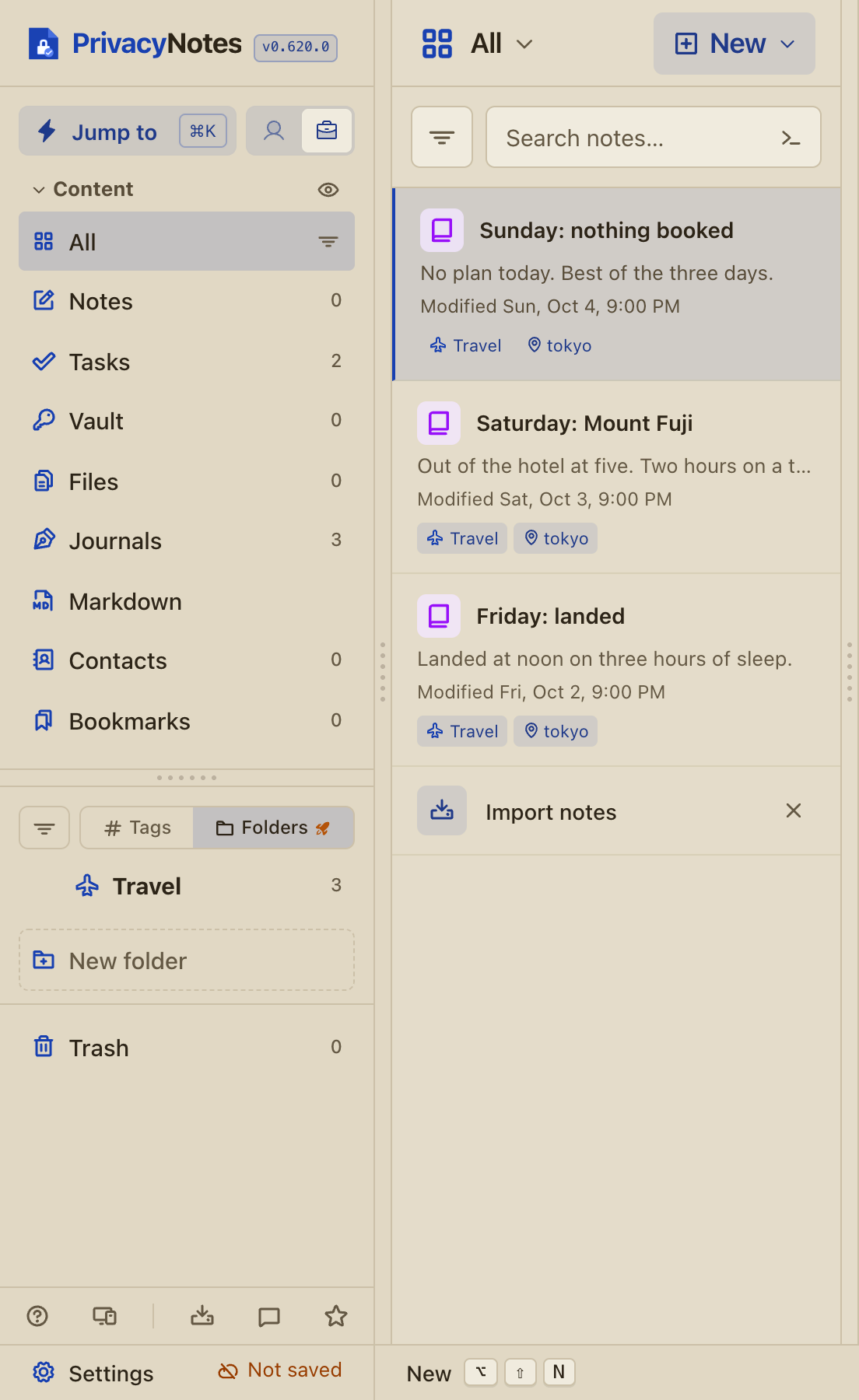
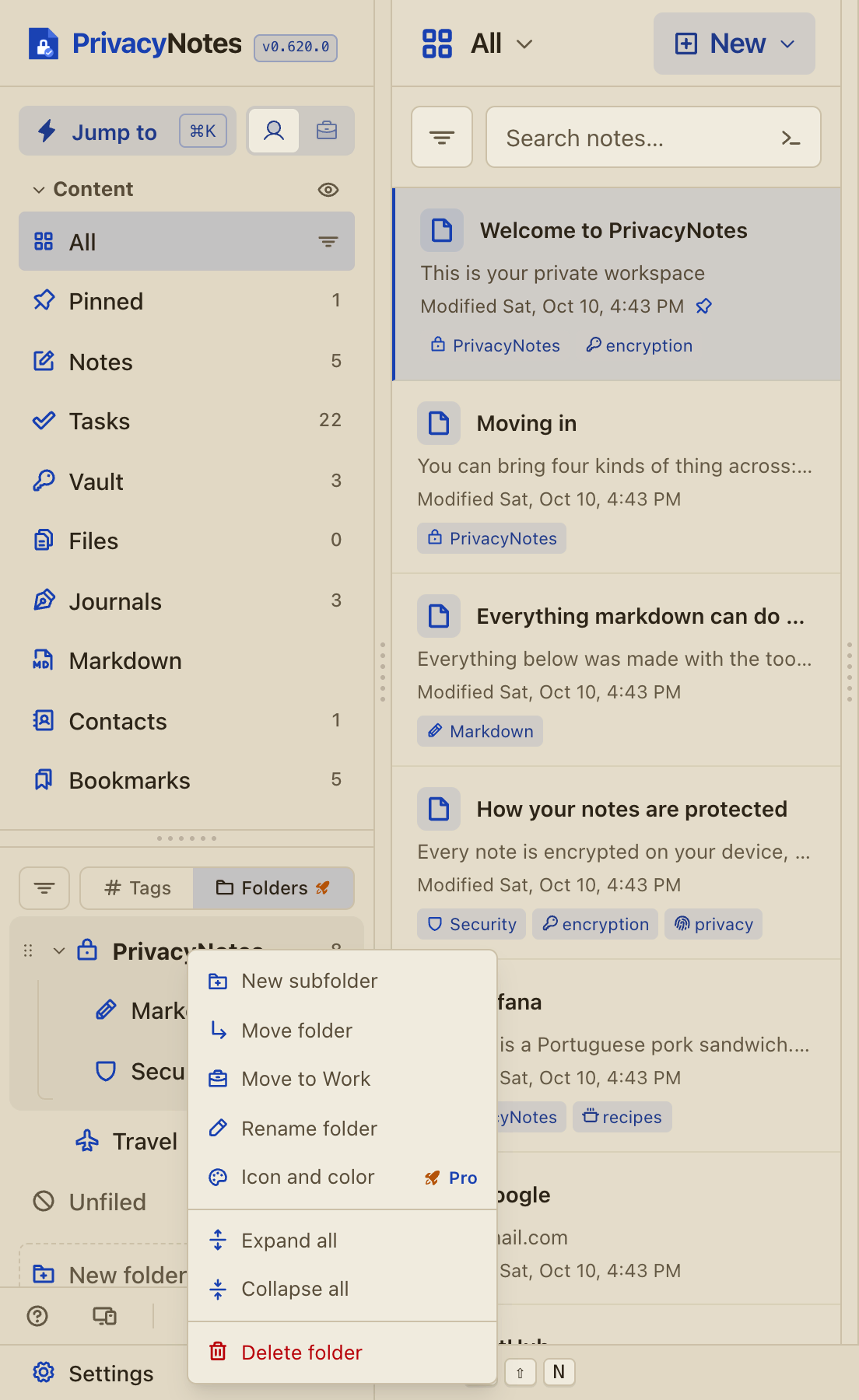
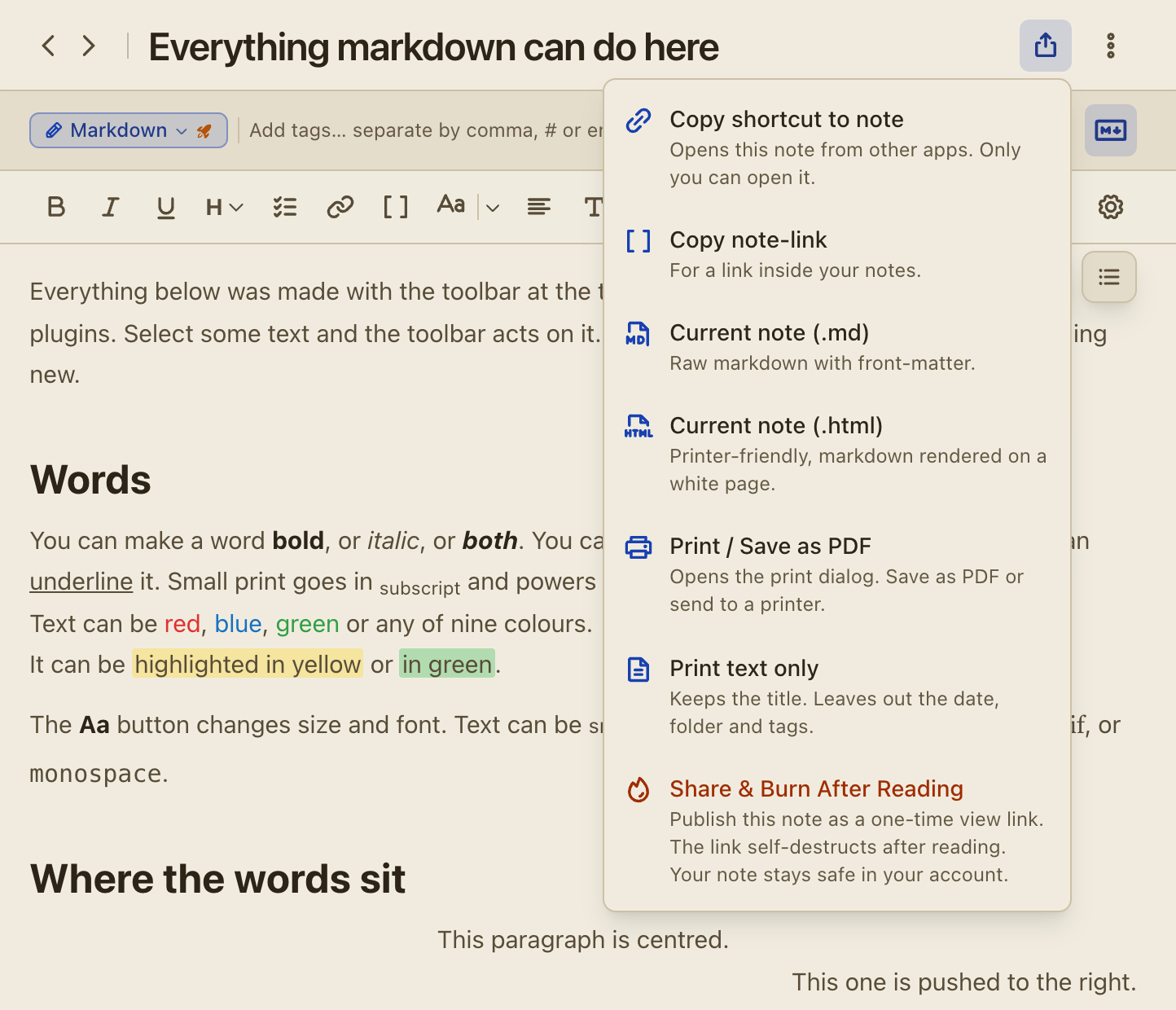
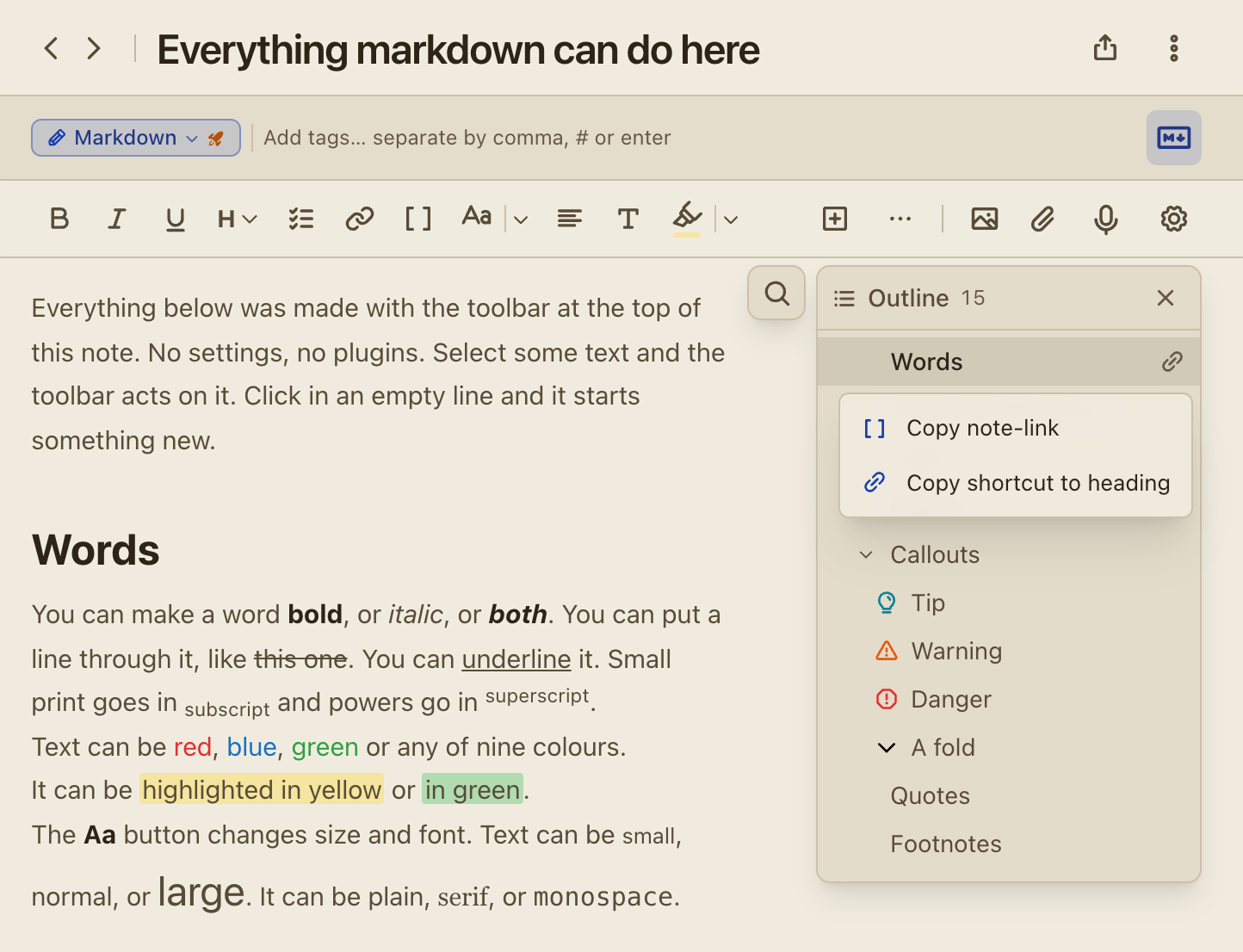
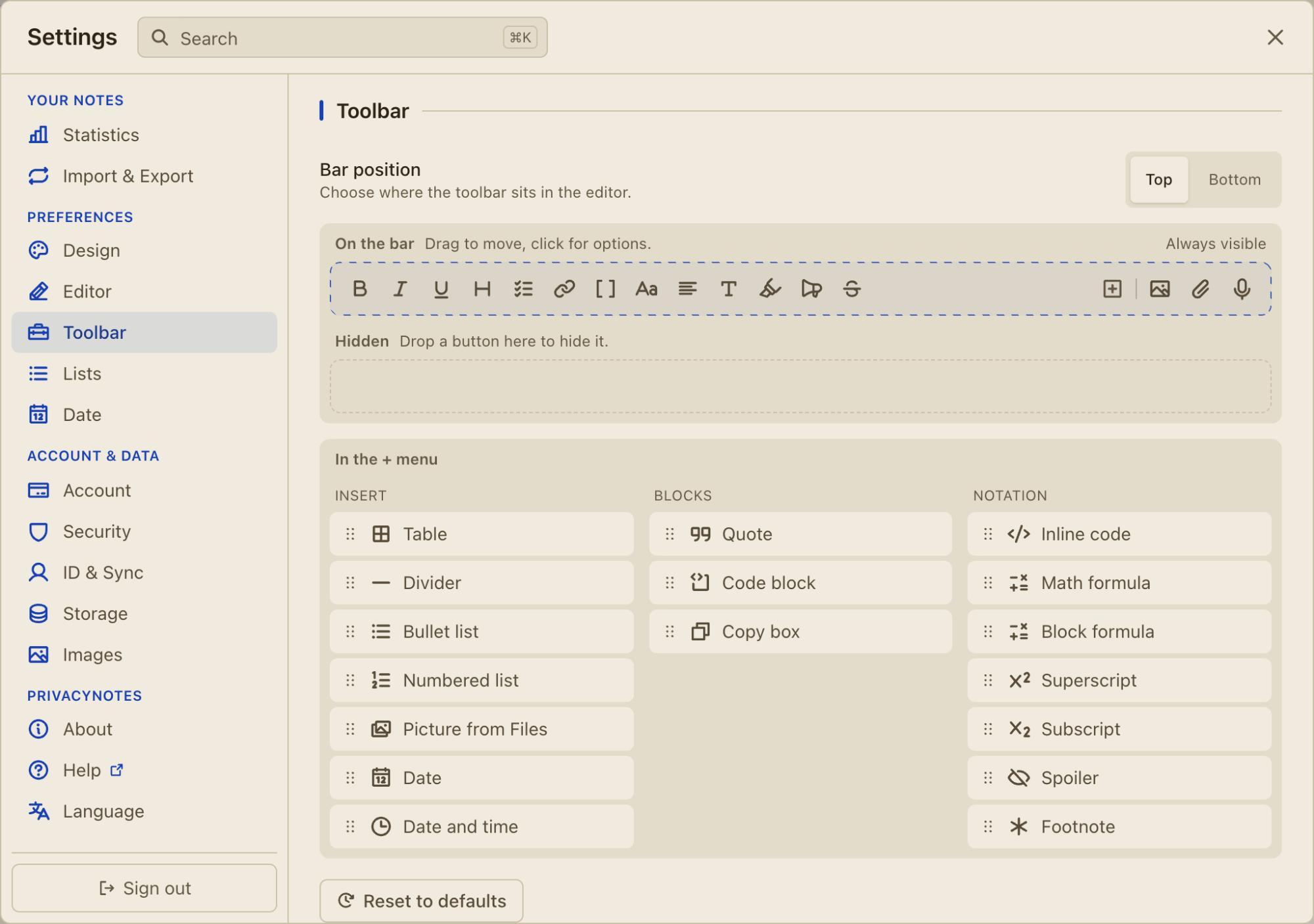
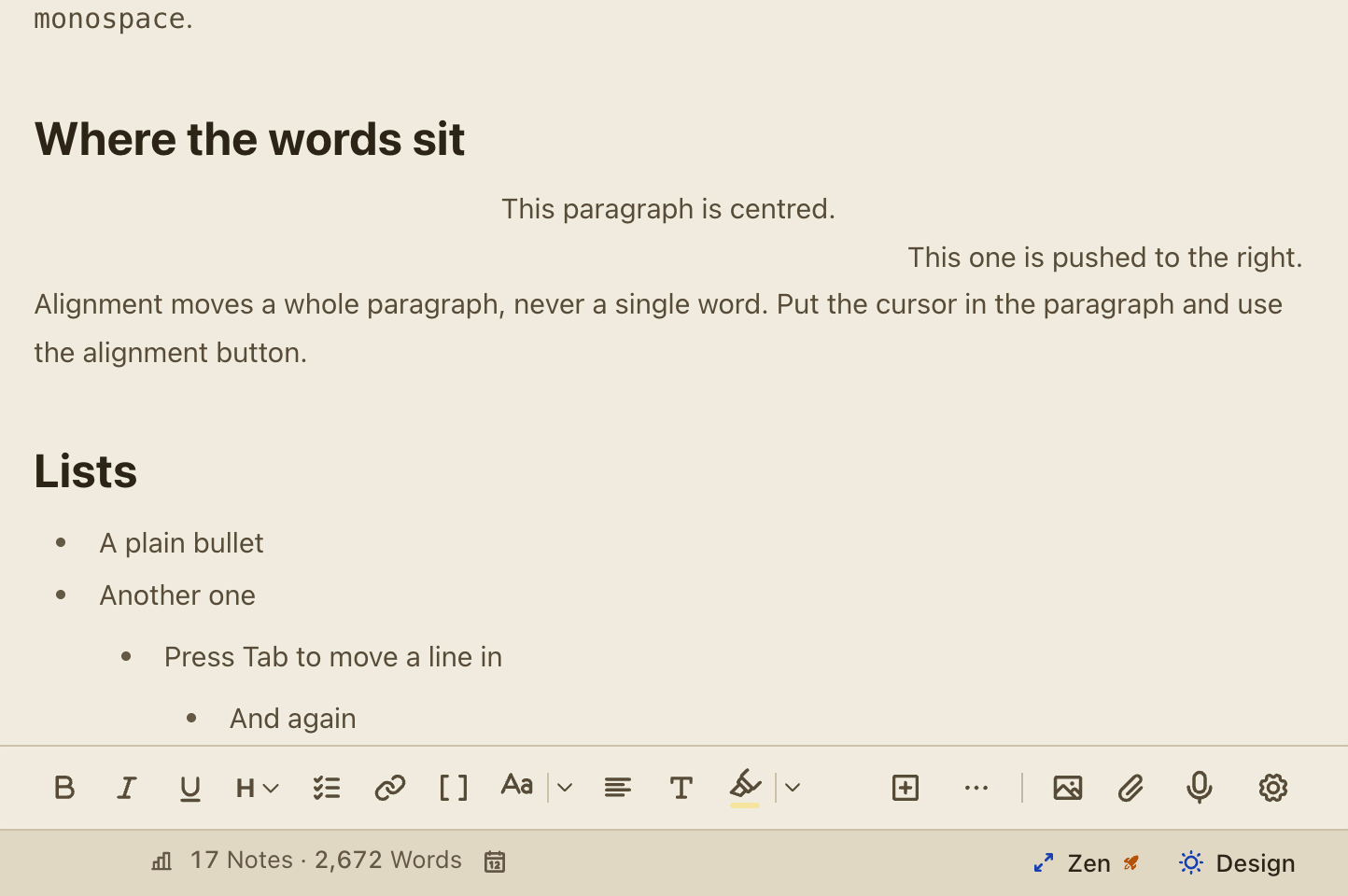
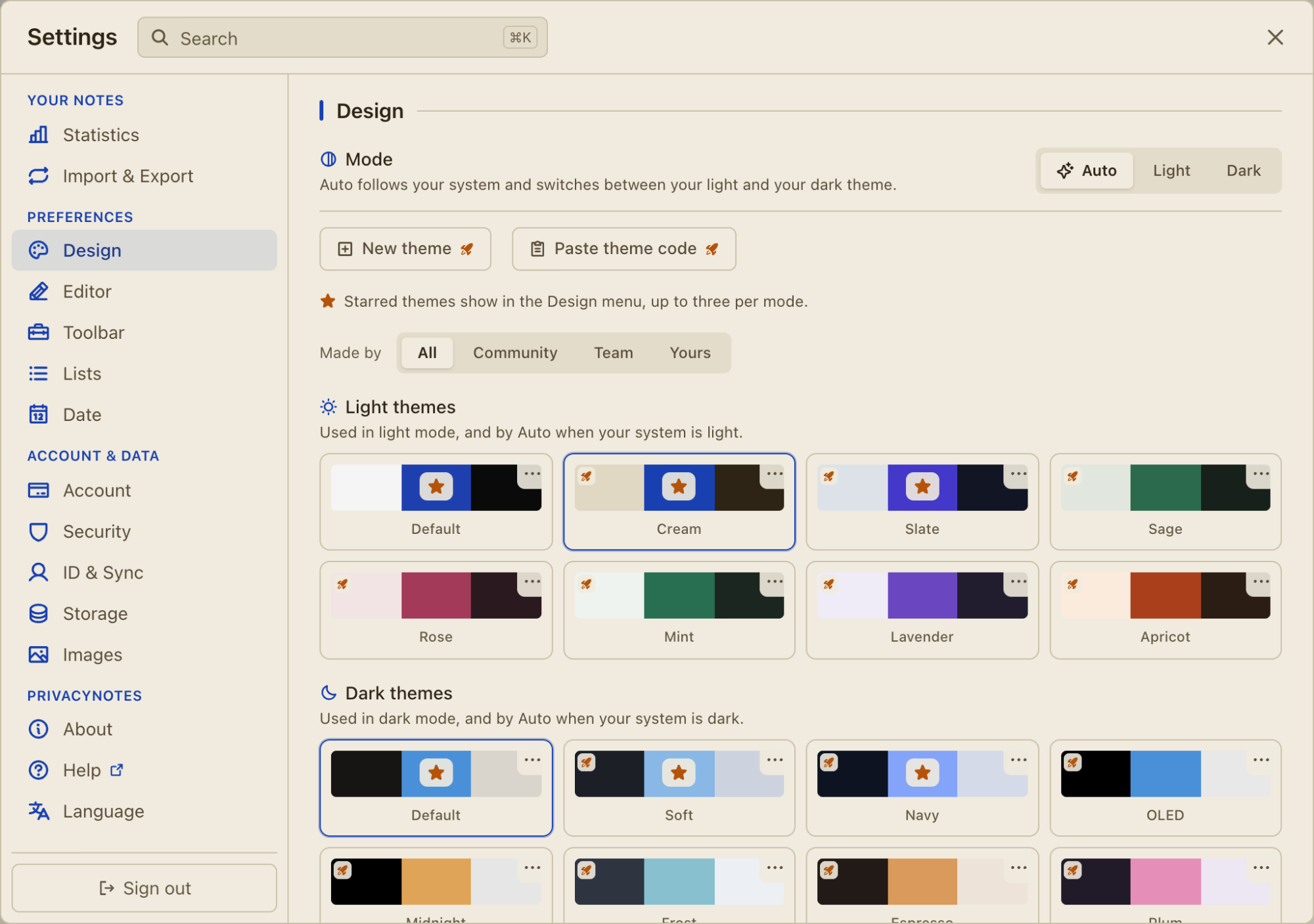
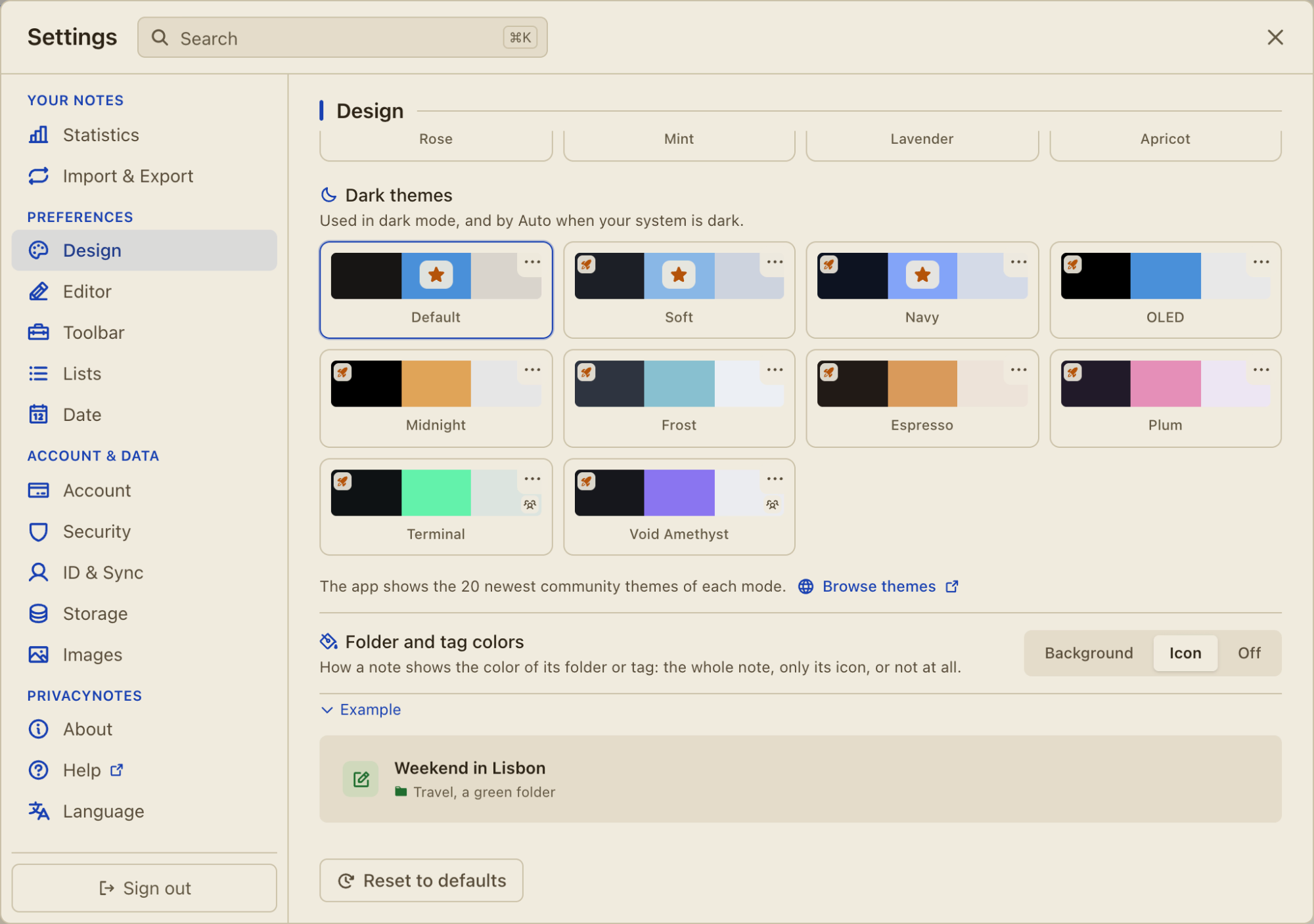
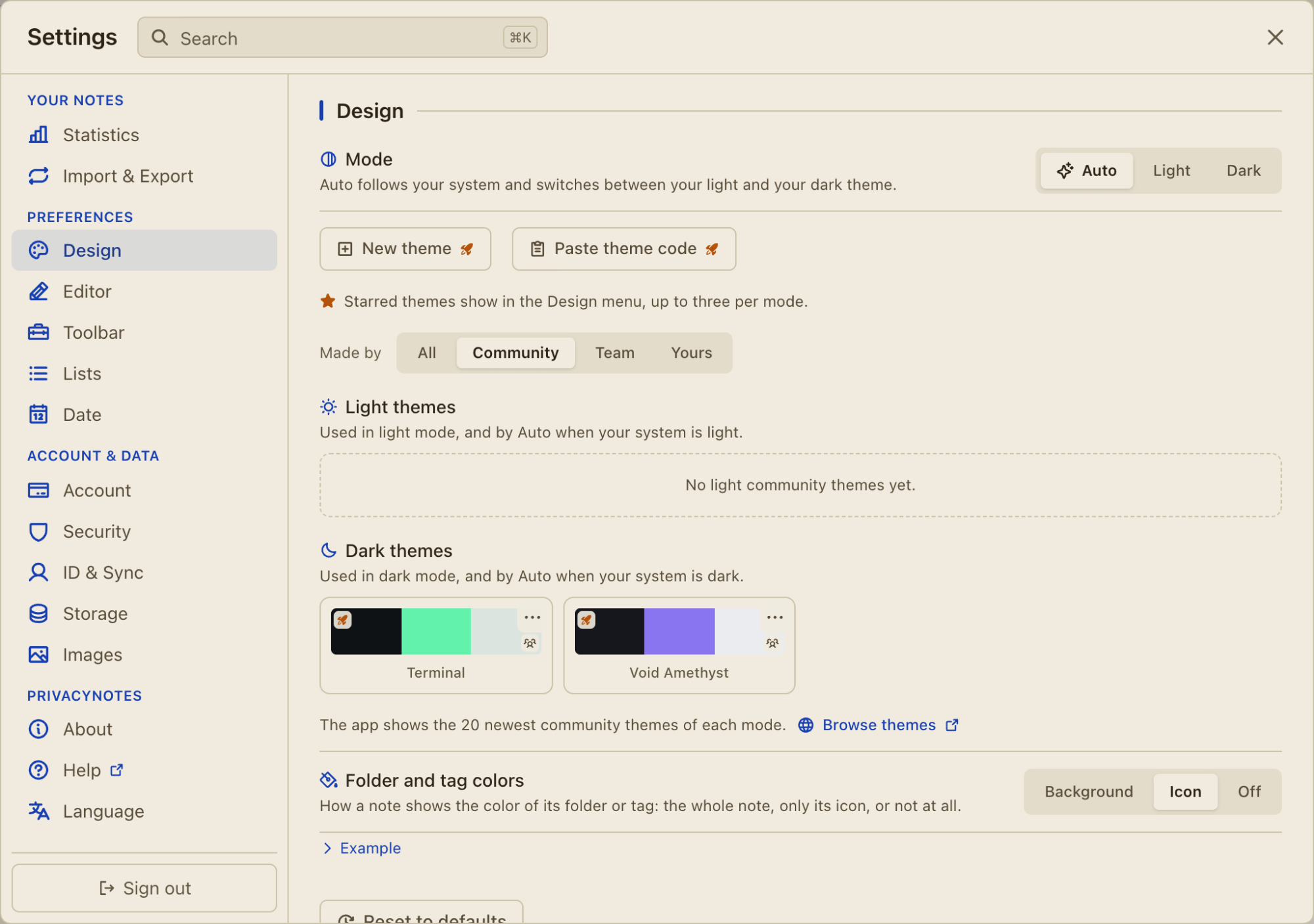
![Fold is a plain block that opens and closes, with no box and no color: pick Fold in the callout menu, or write > [!fold].](/marketing/changelog/0.614/fold.webp)
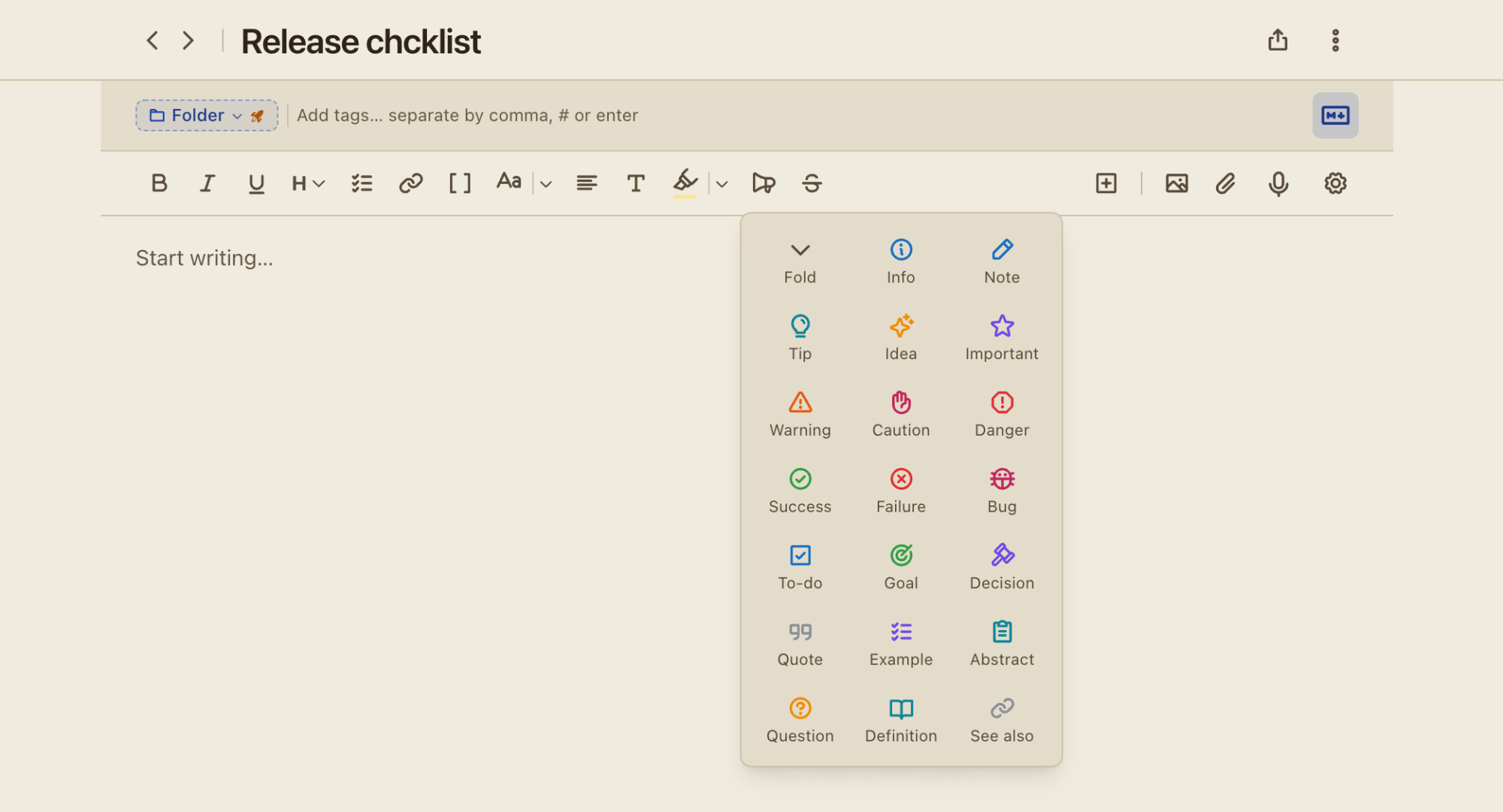
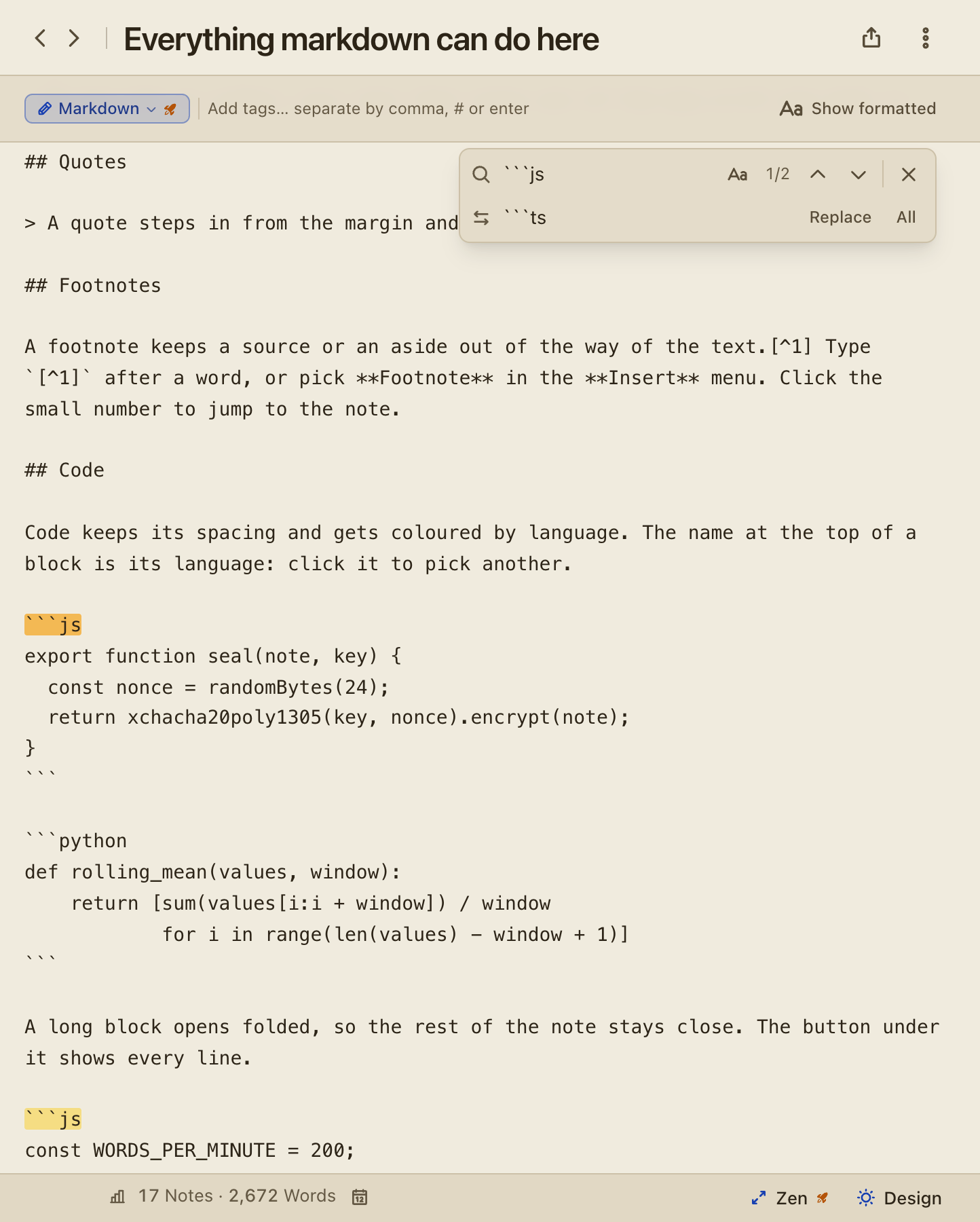
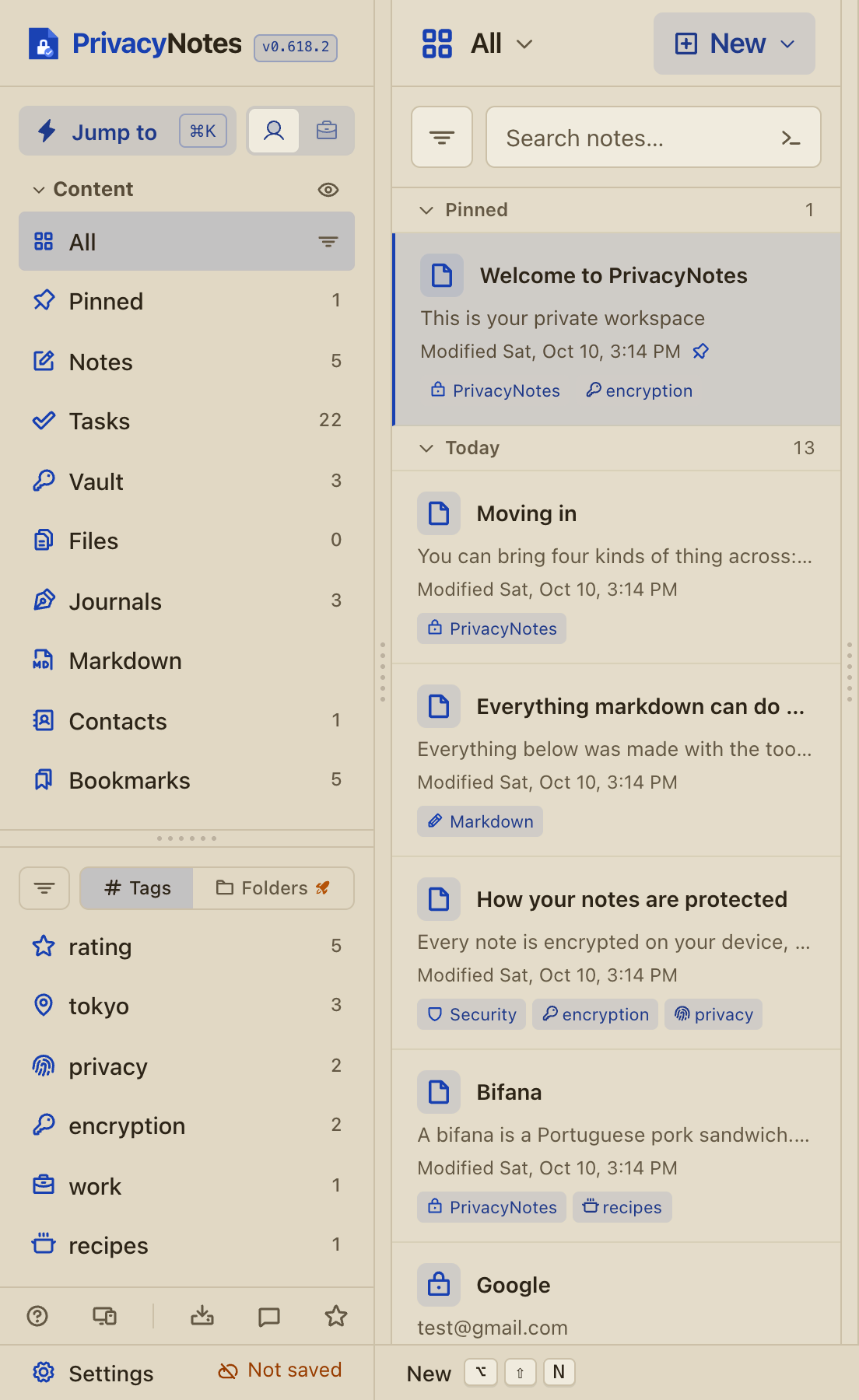
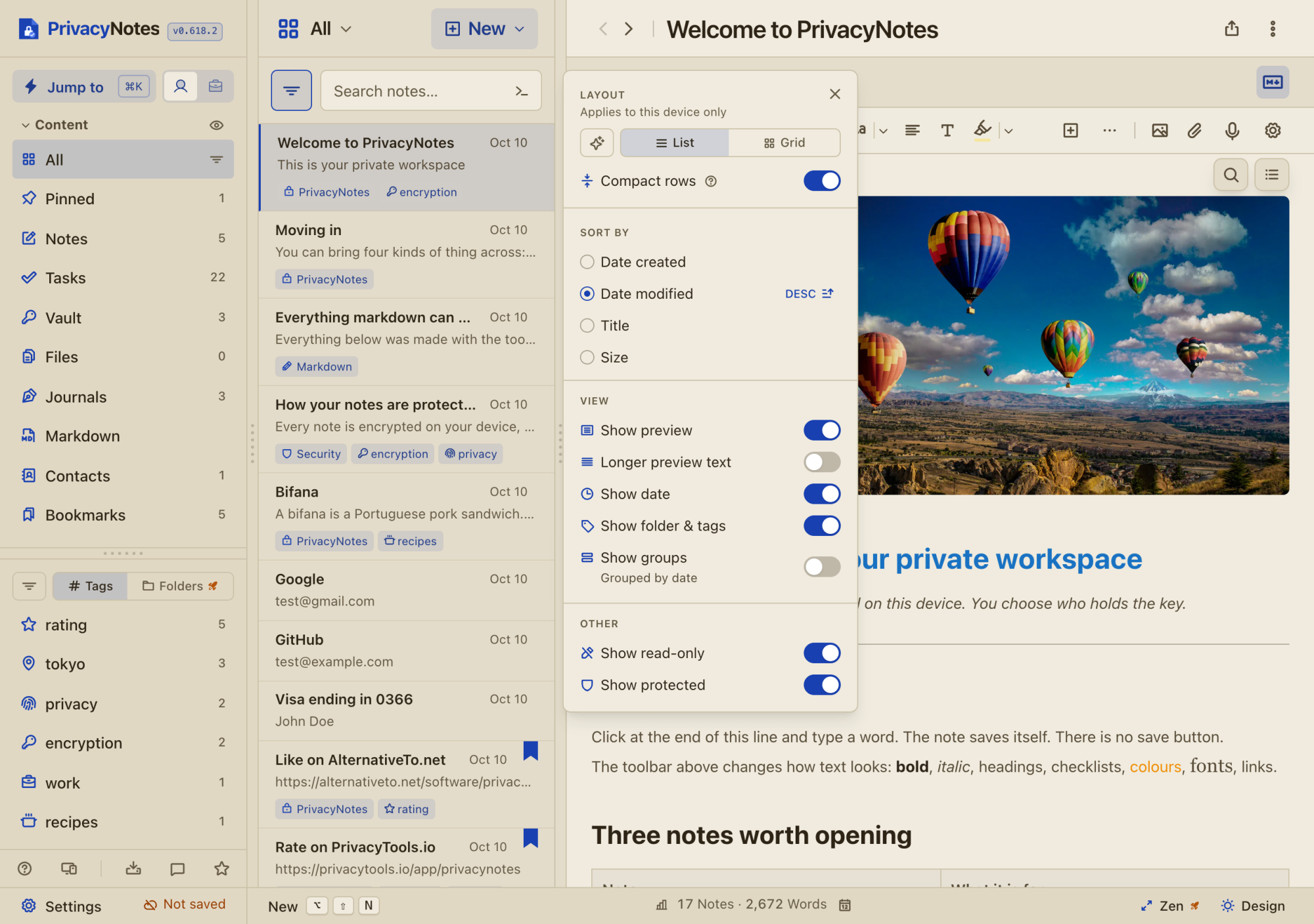
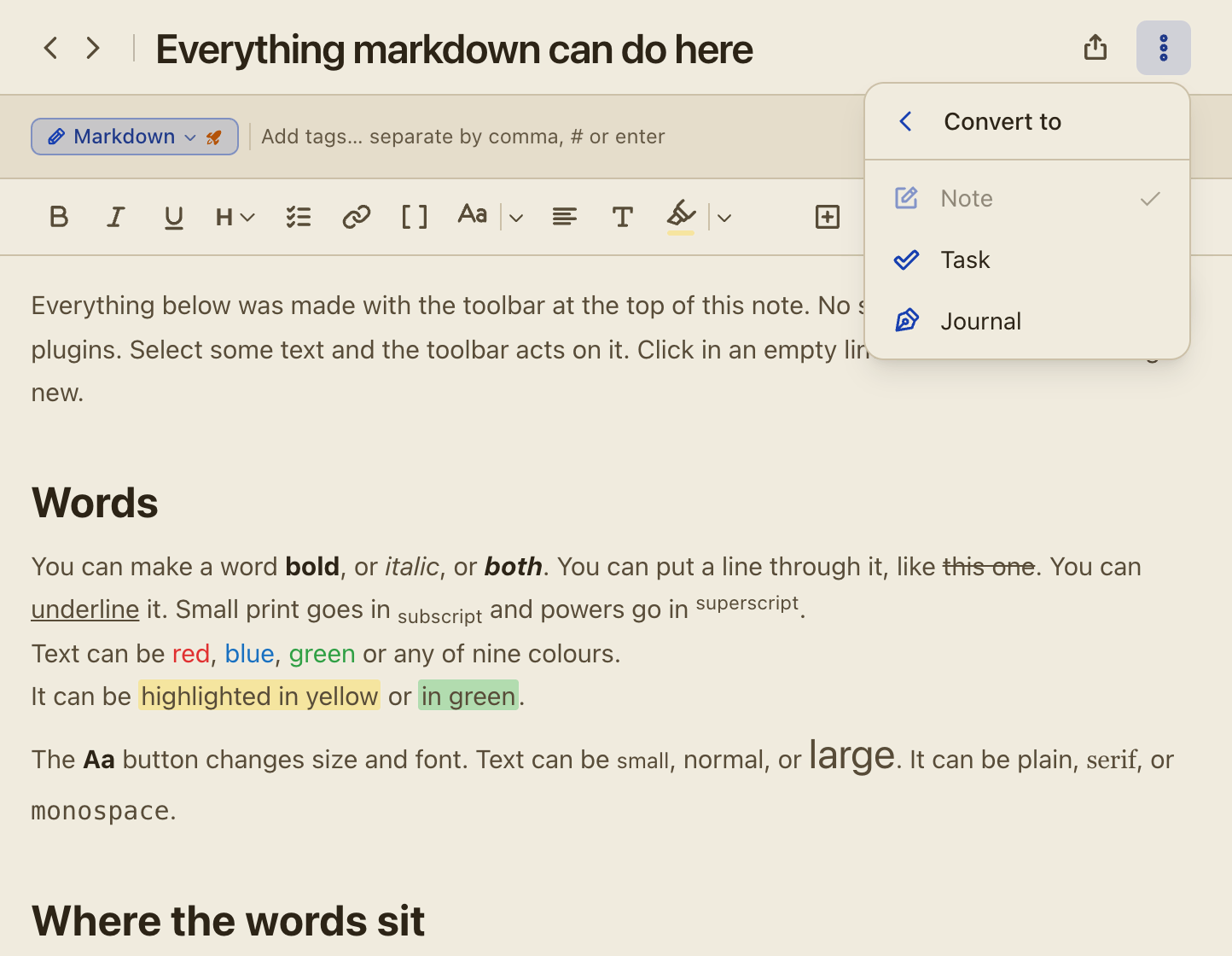
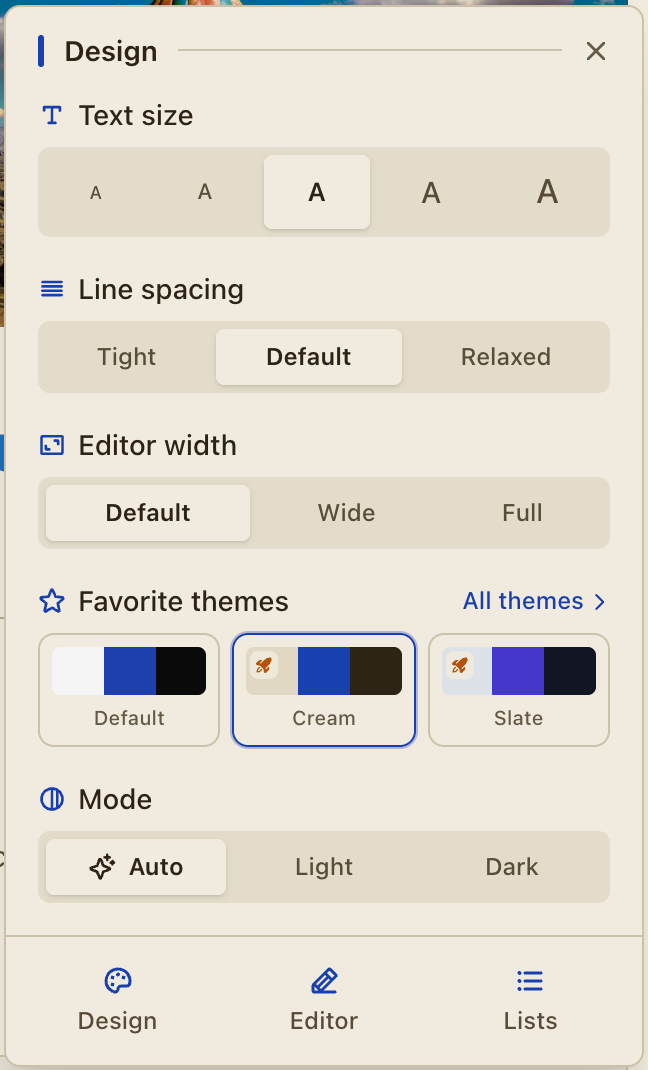
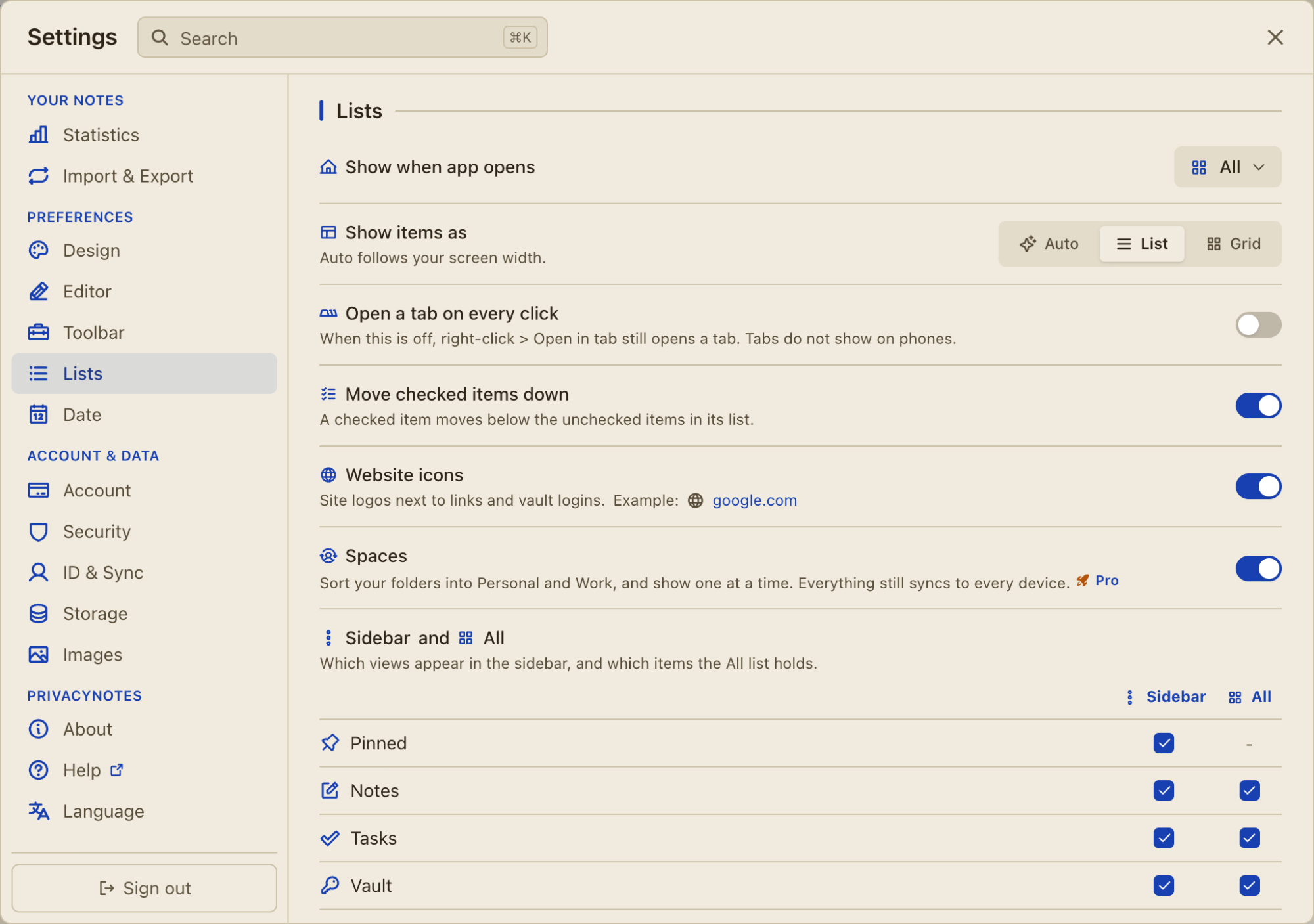
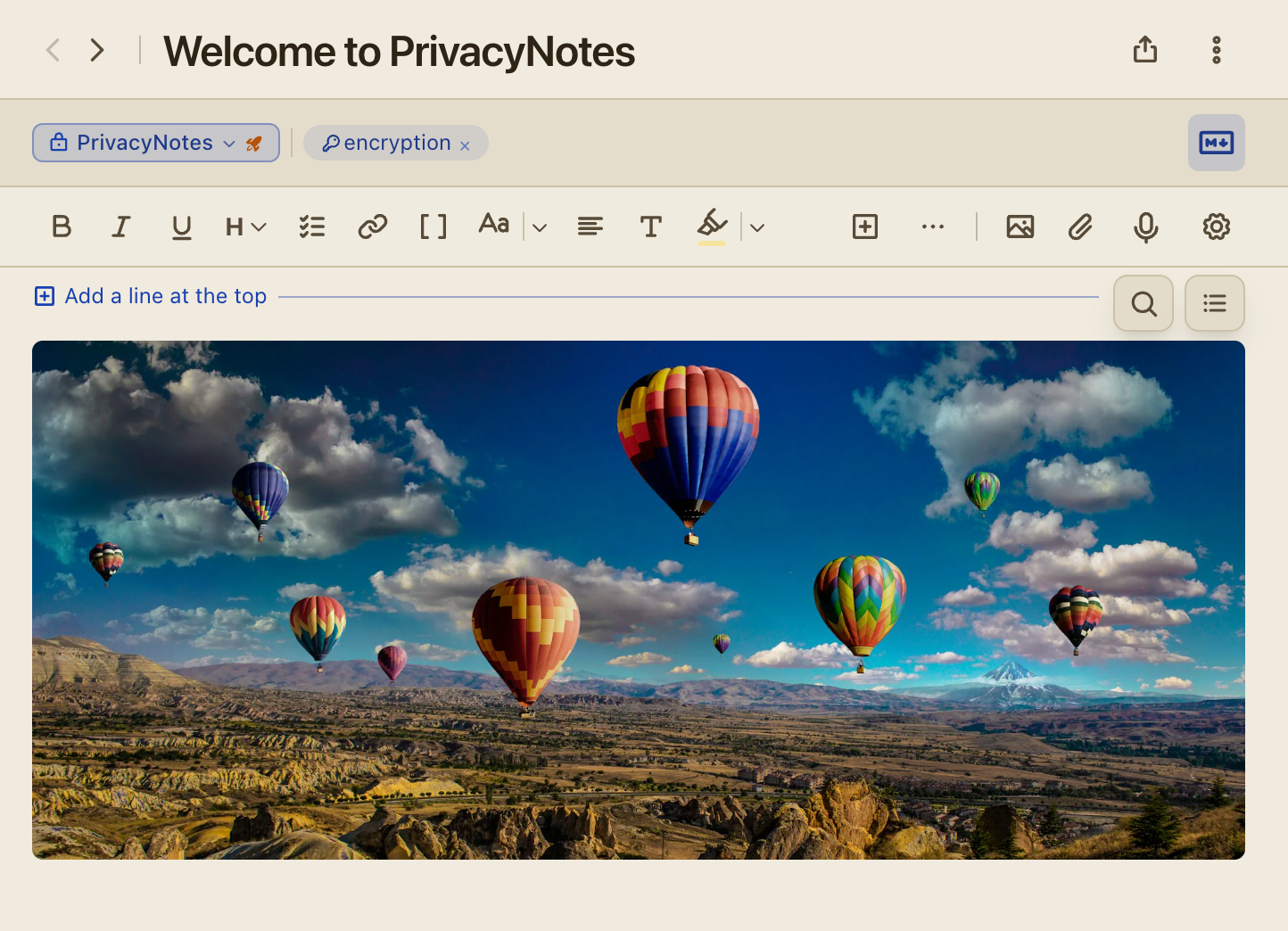
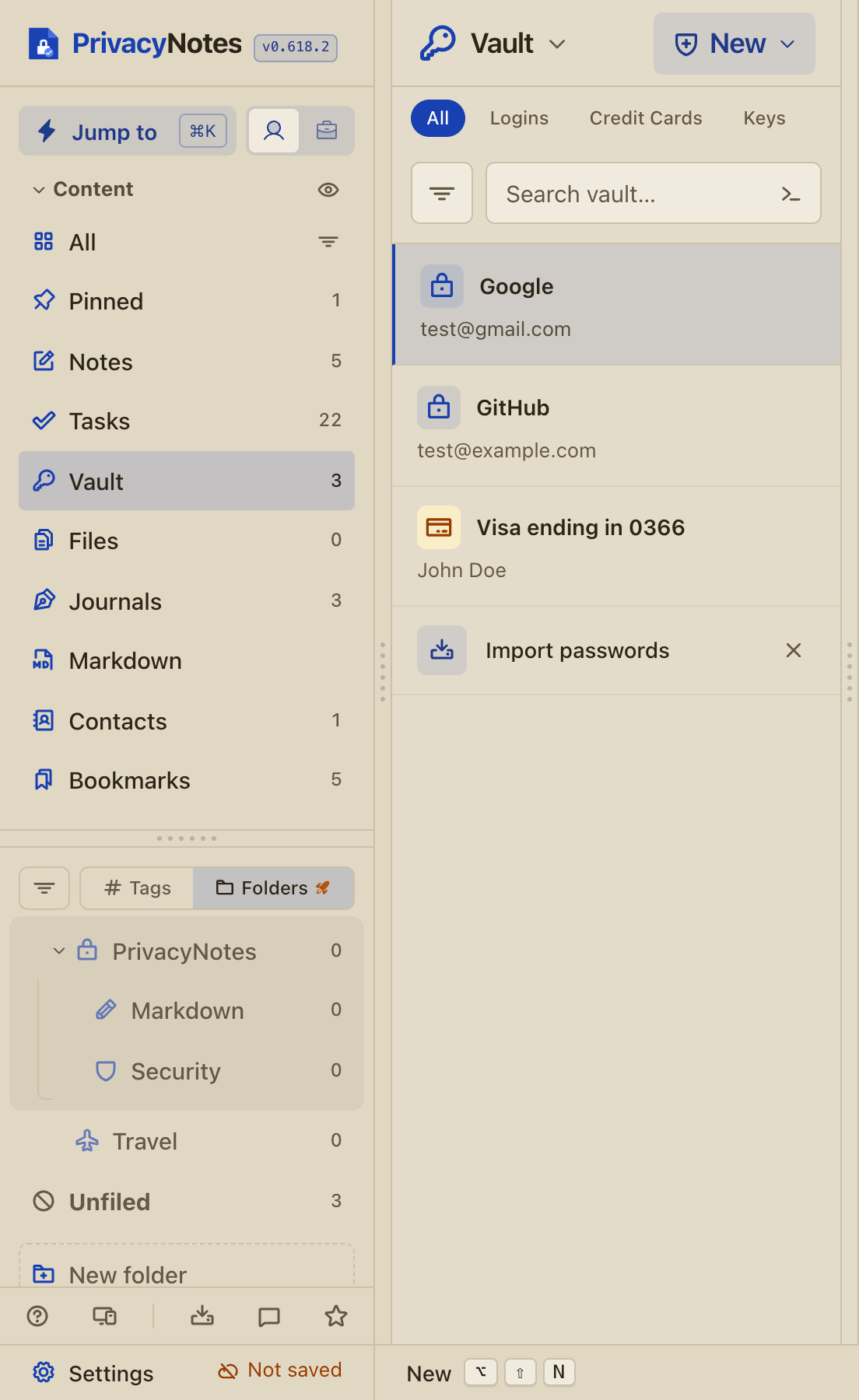
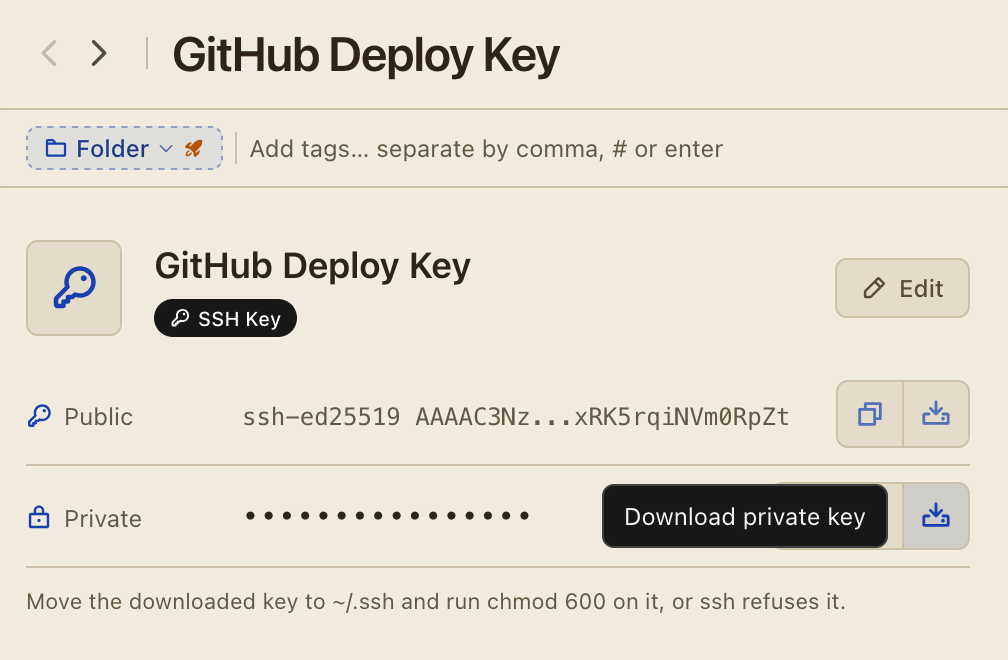
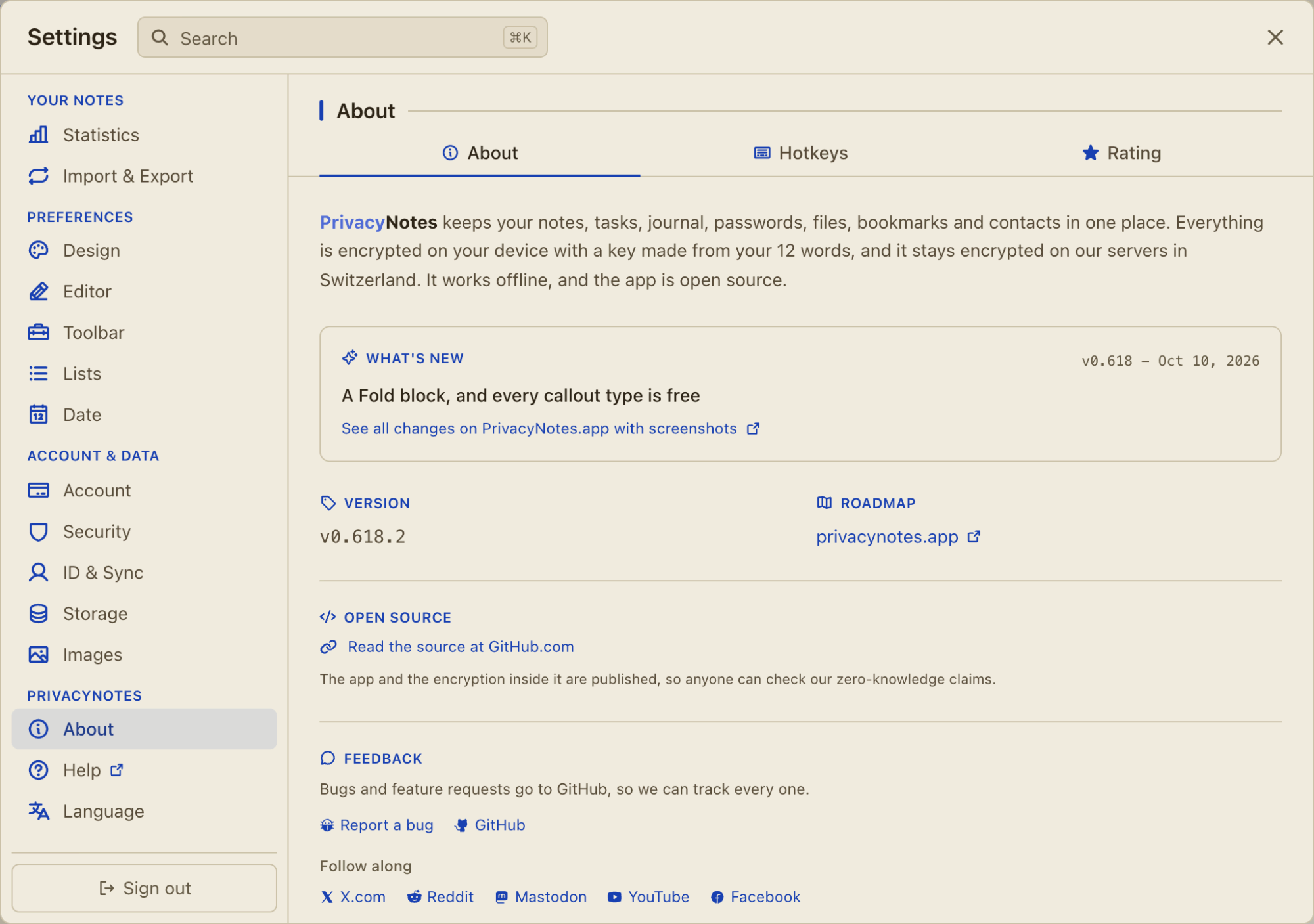
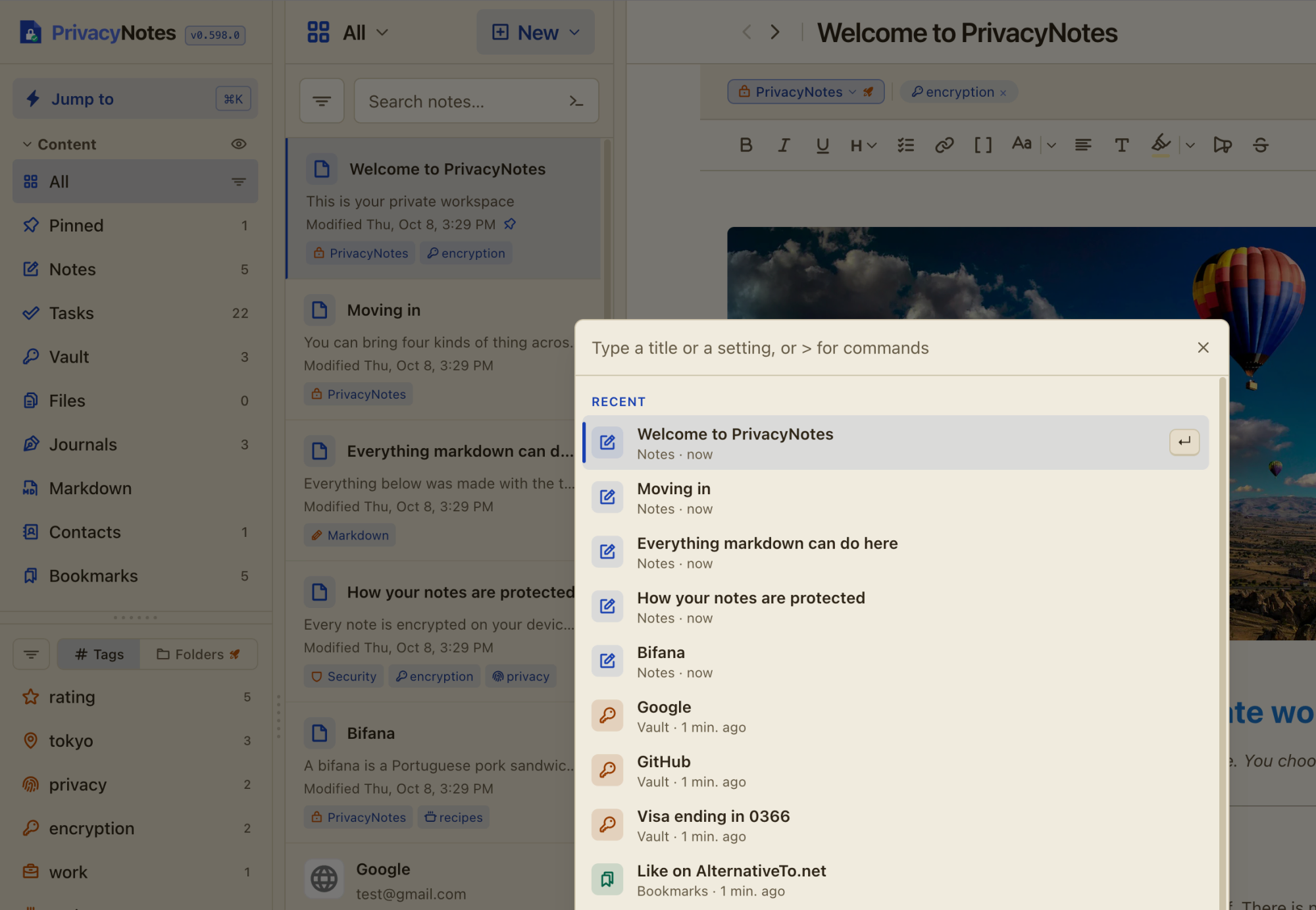
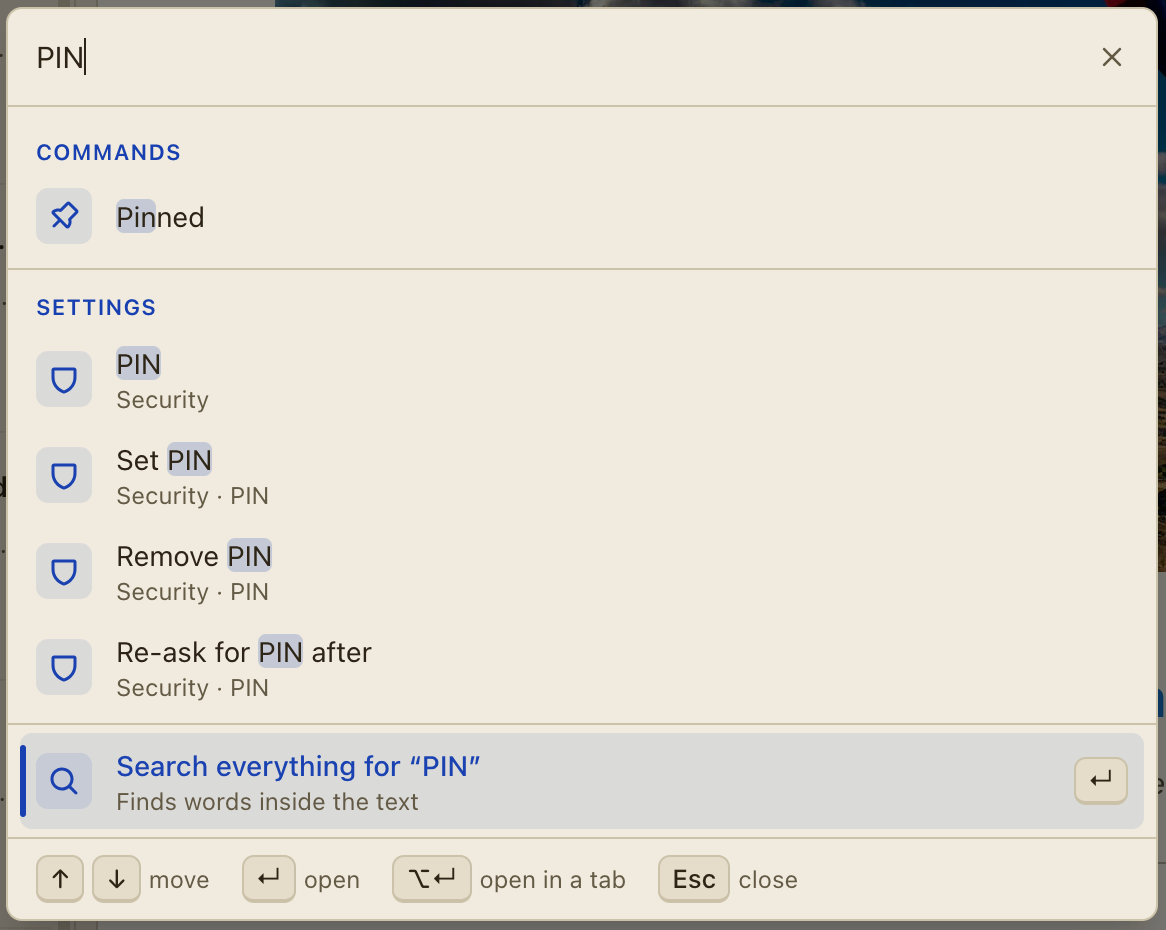
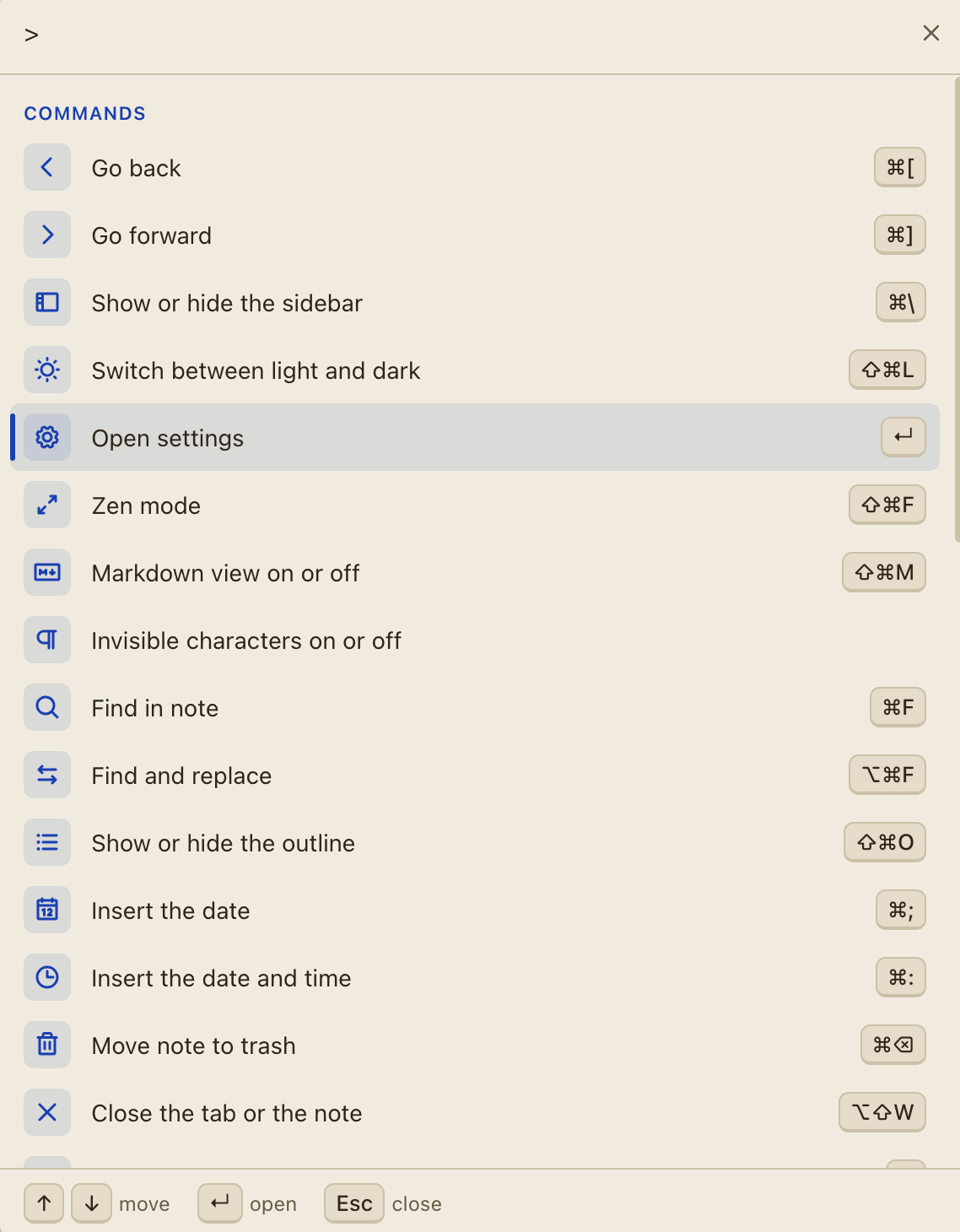
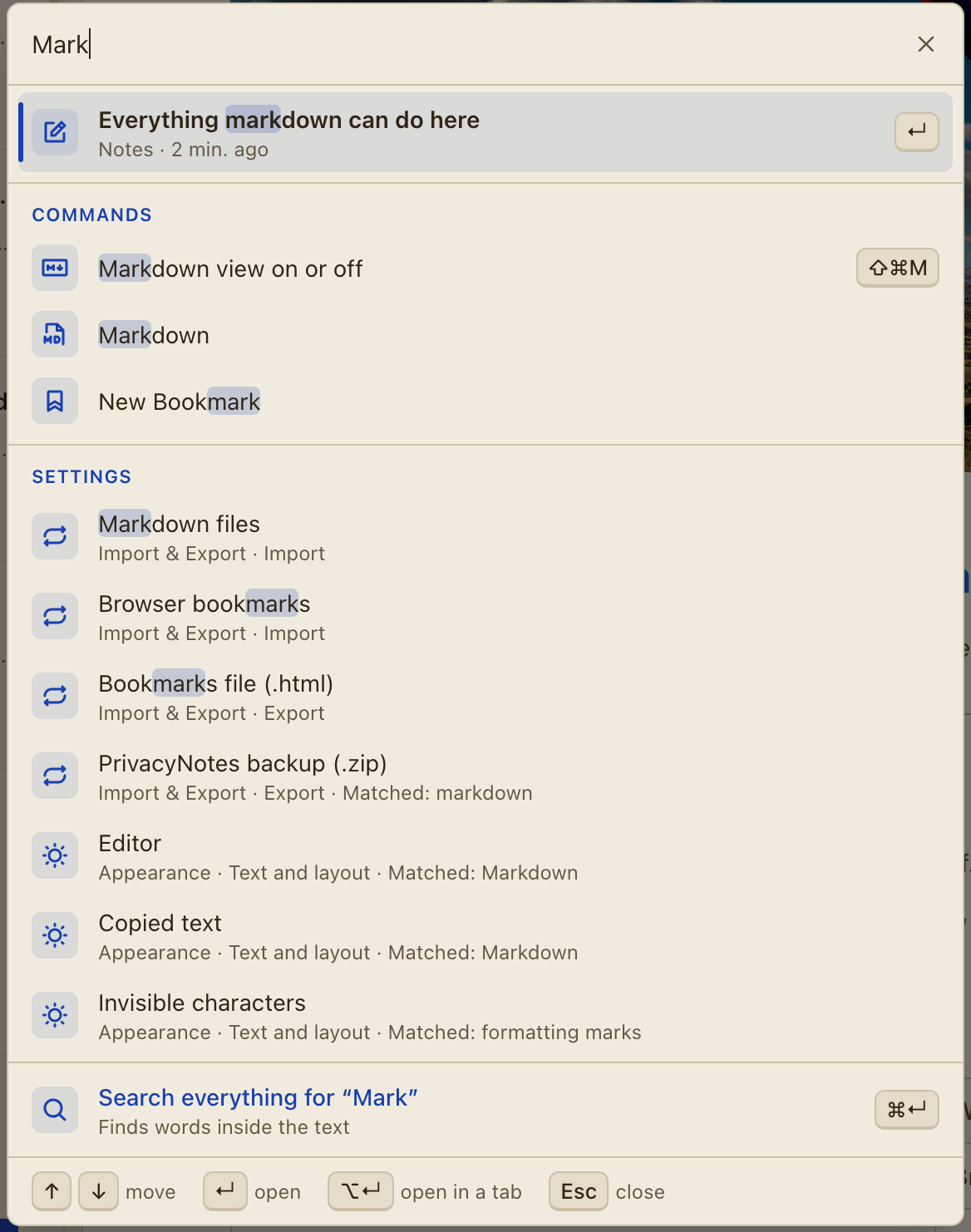
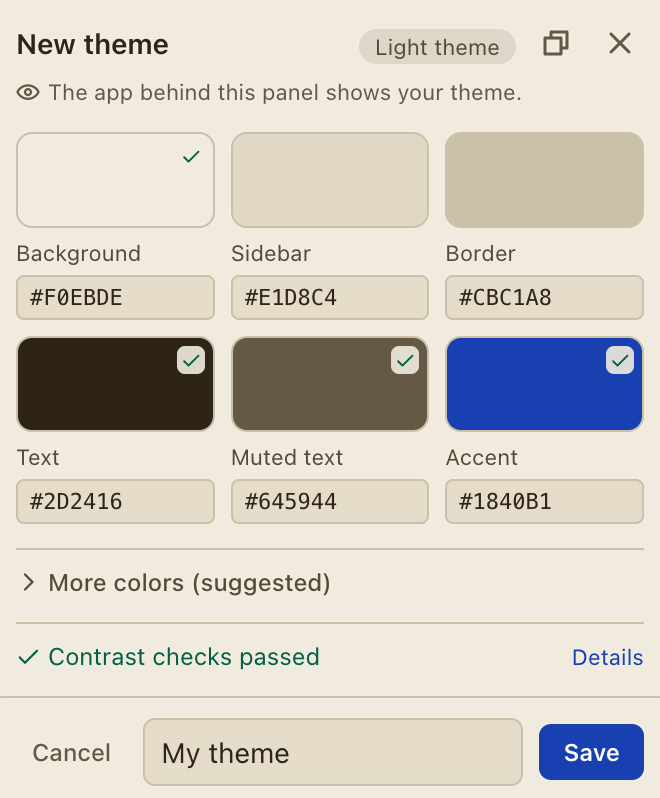
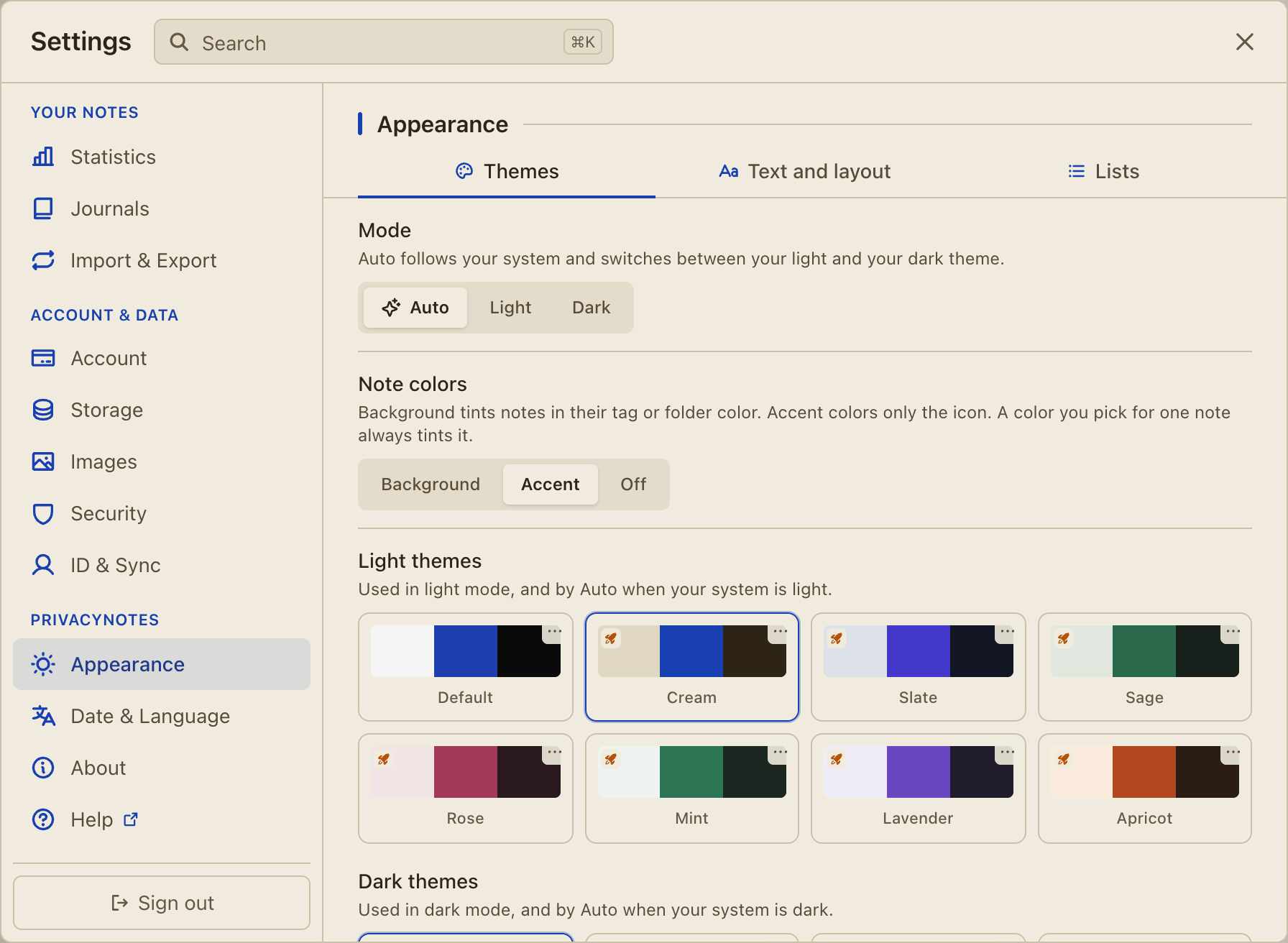
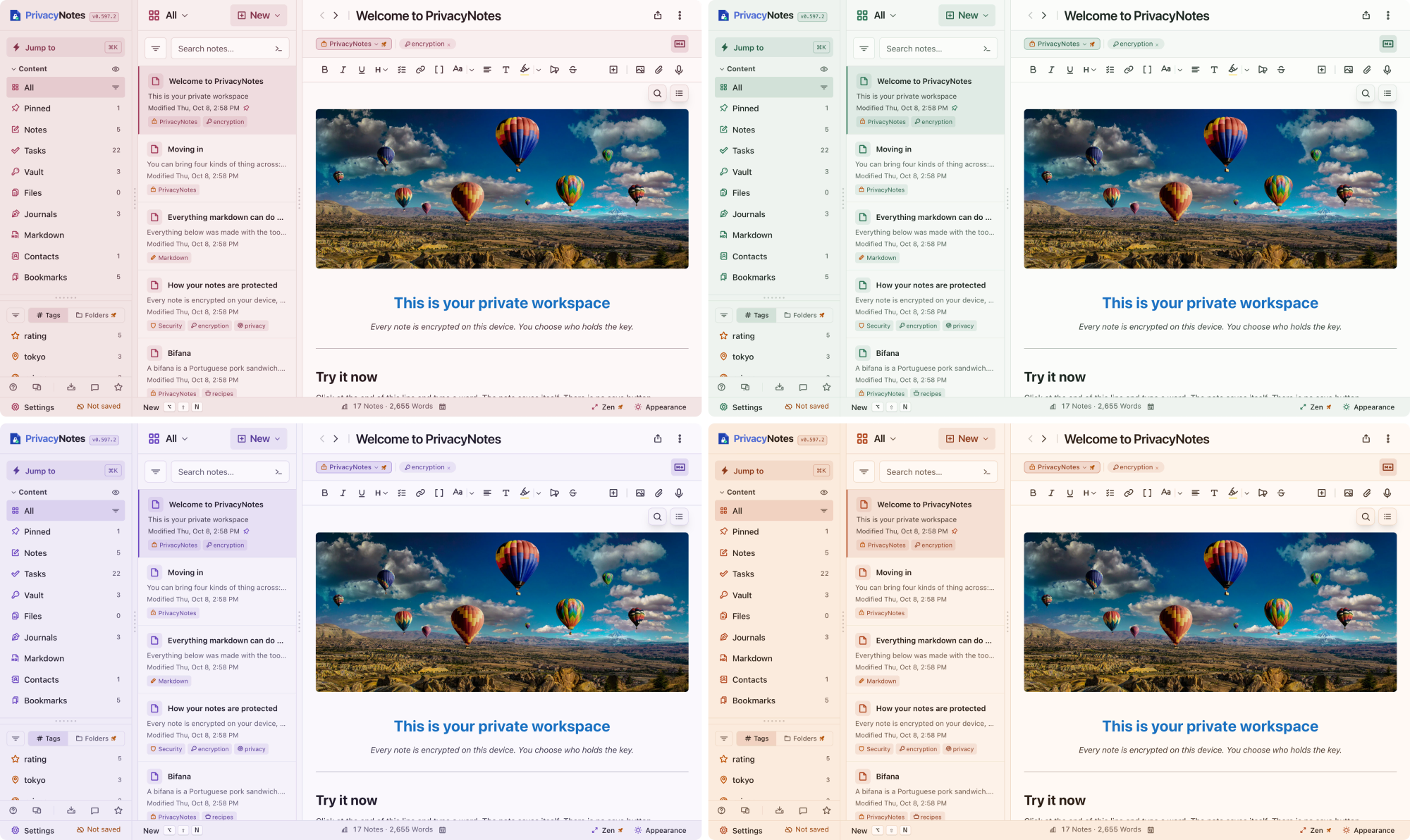
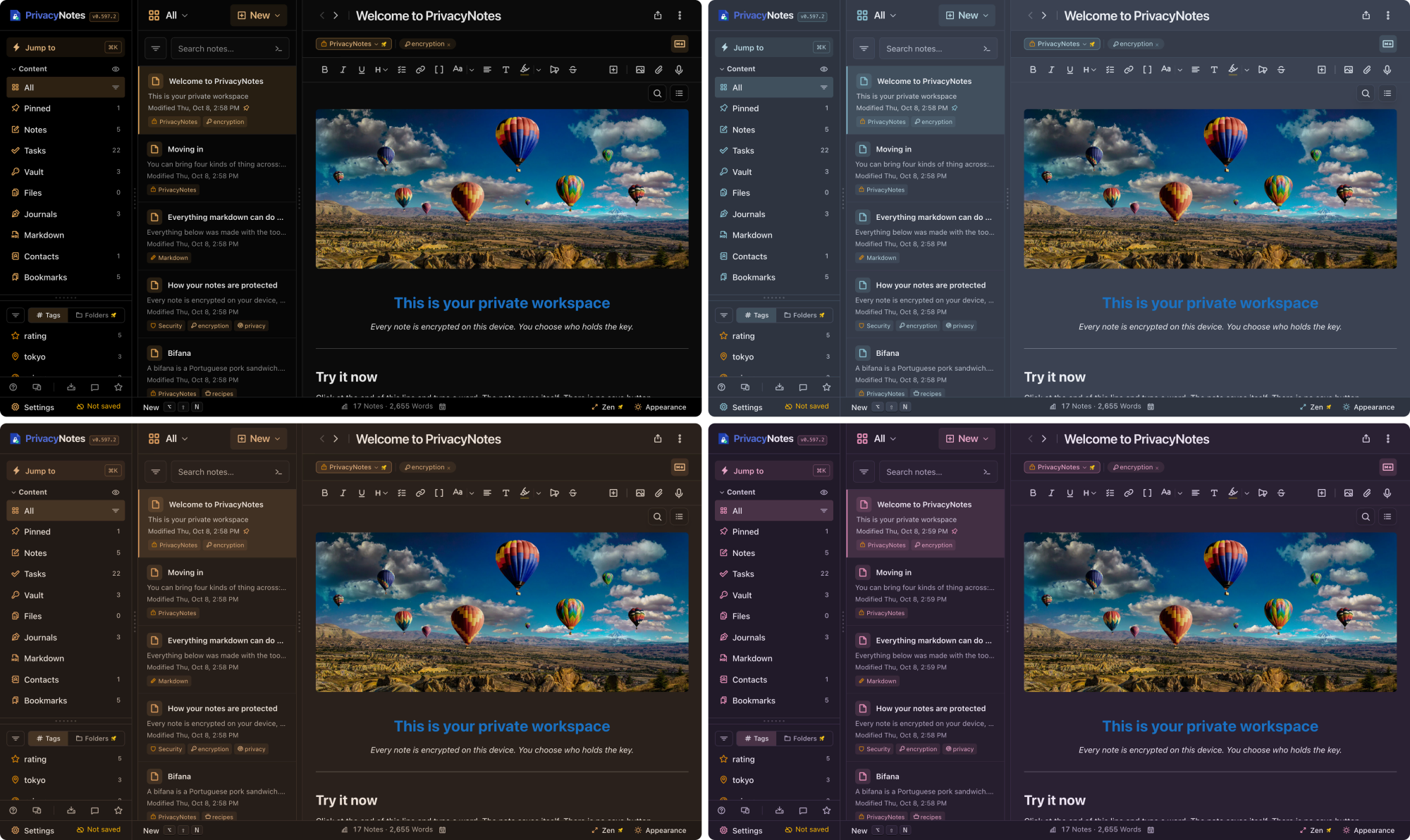
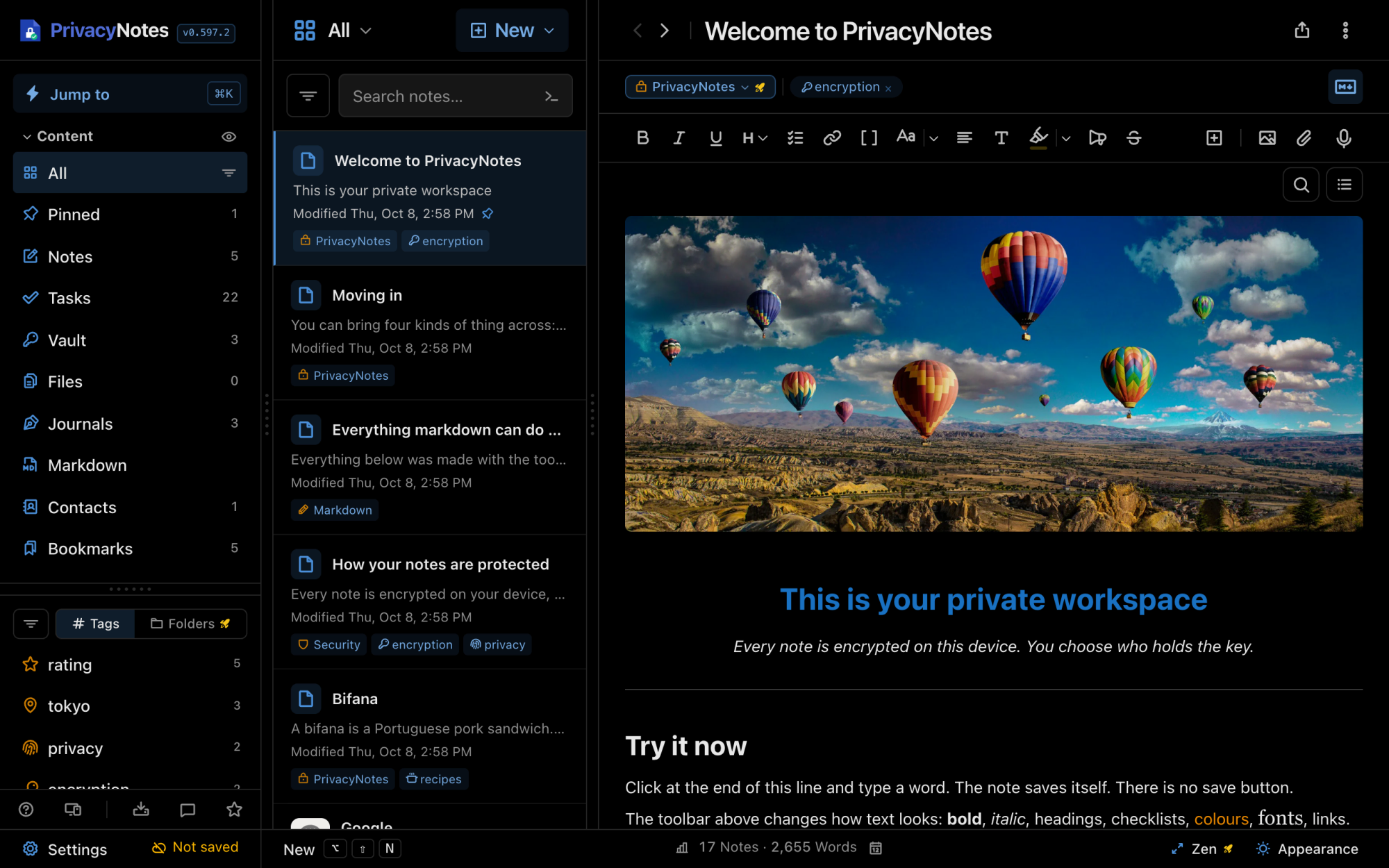
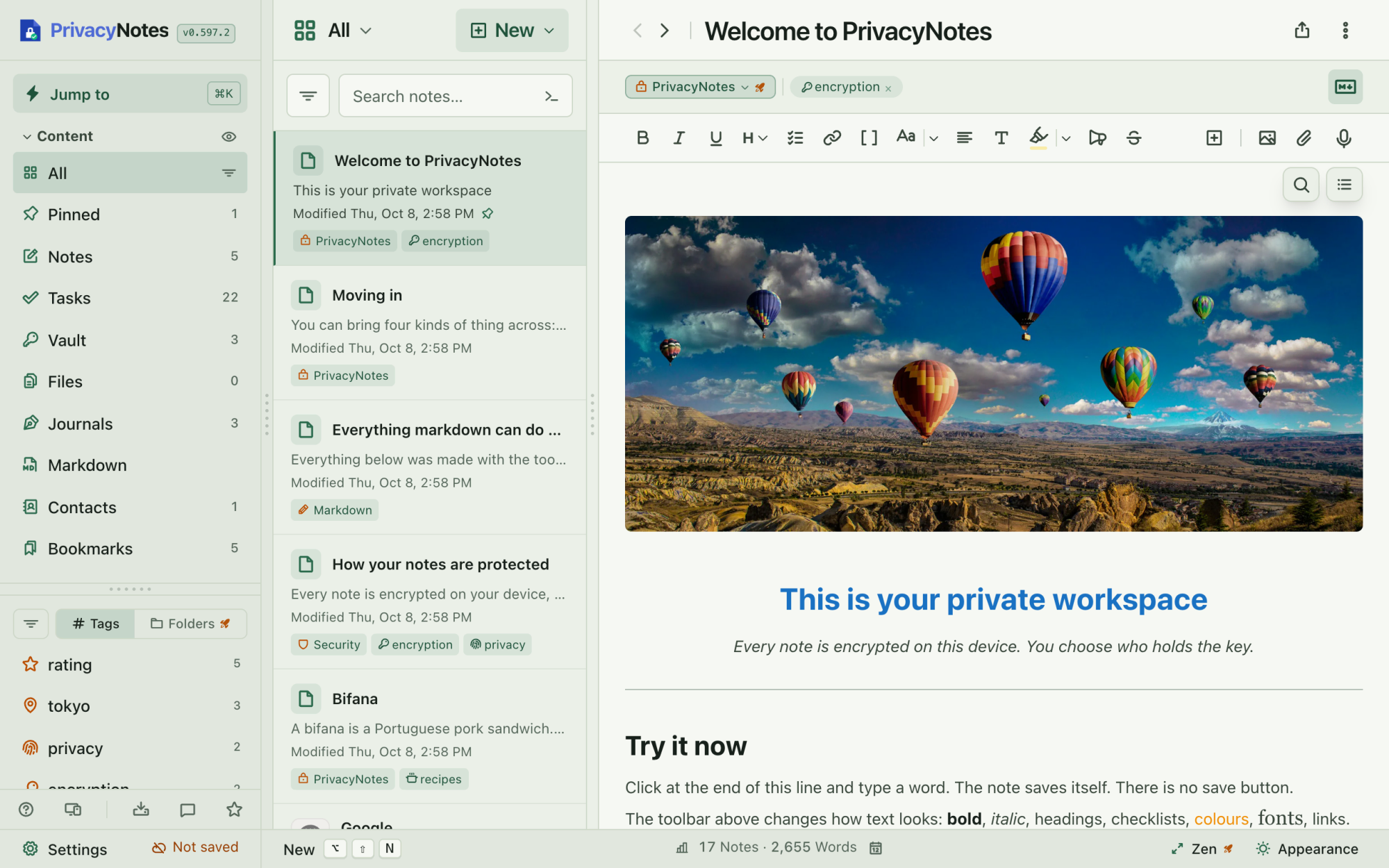
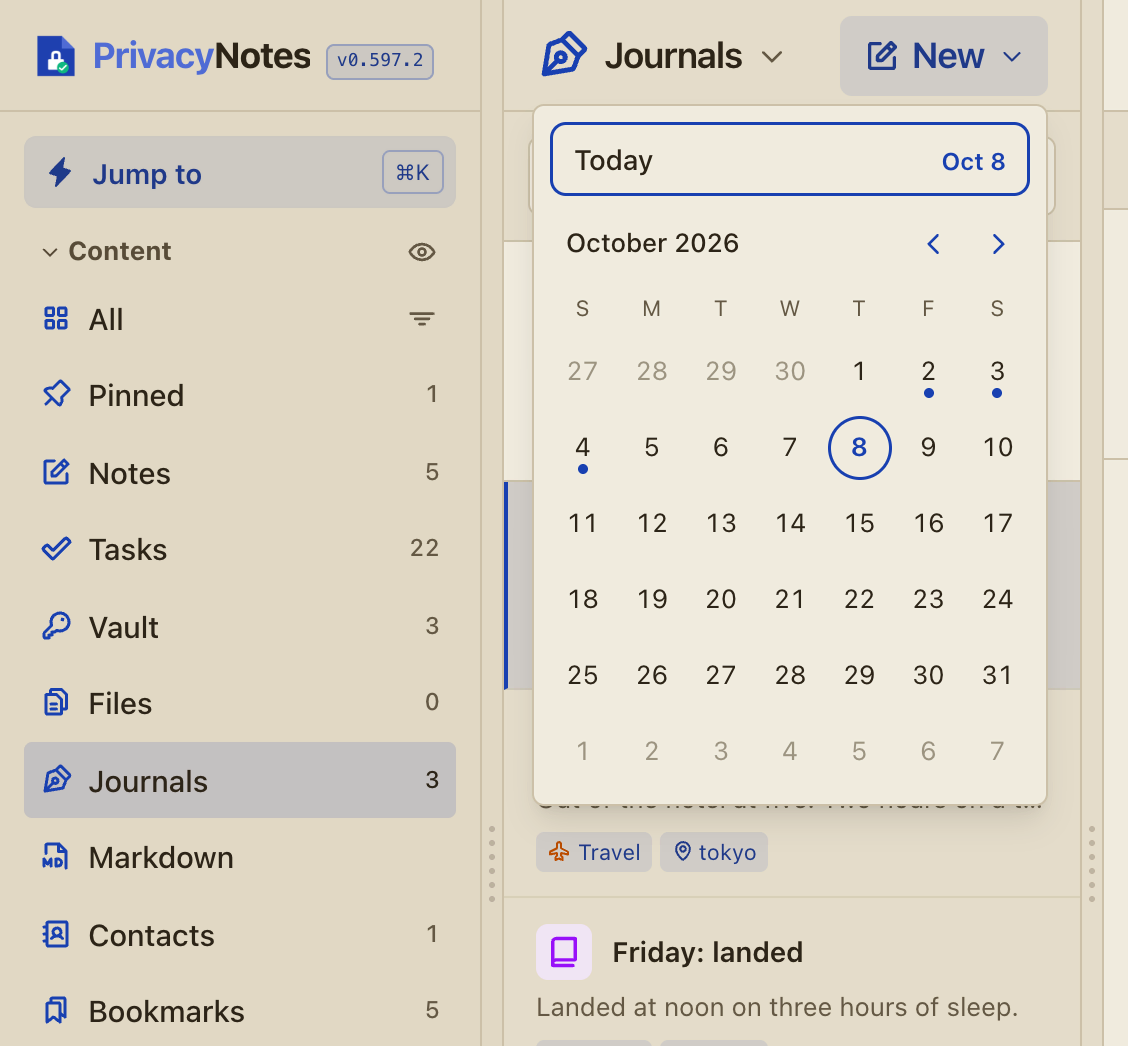
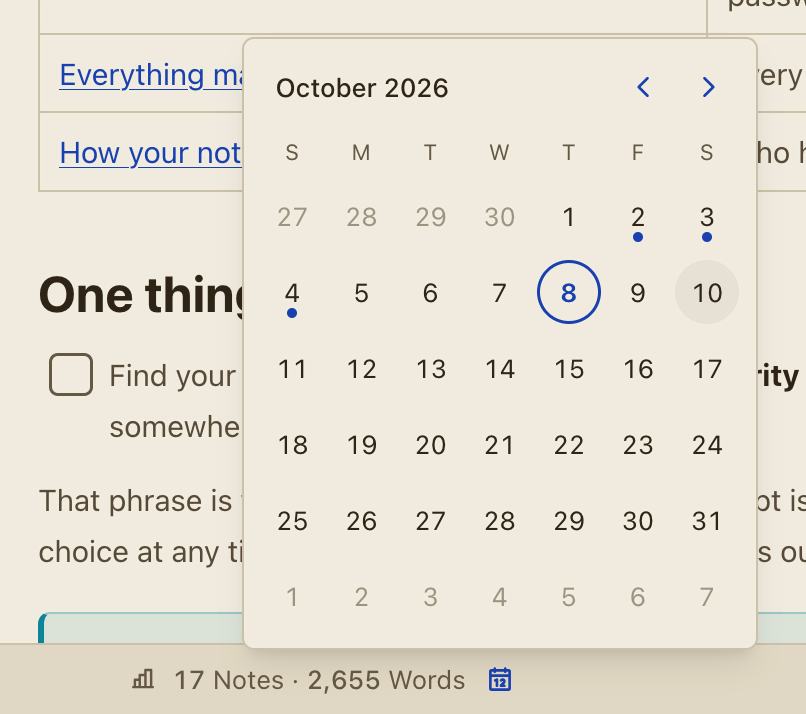
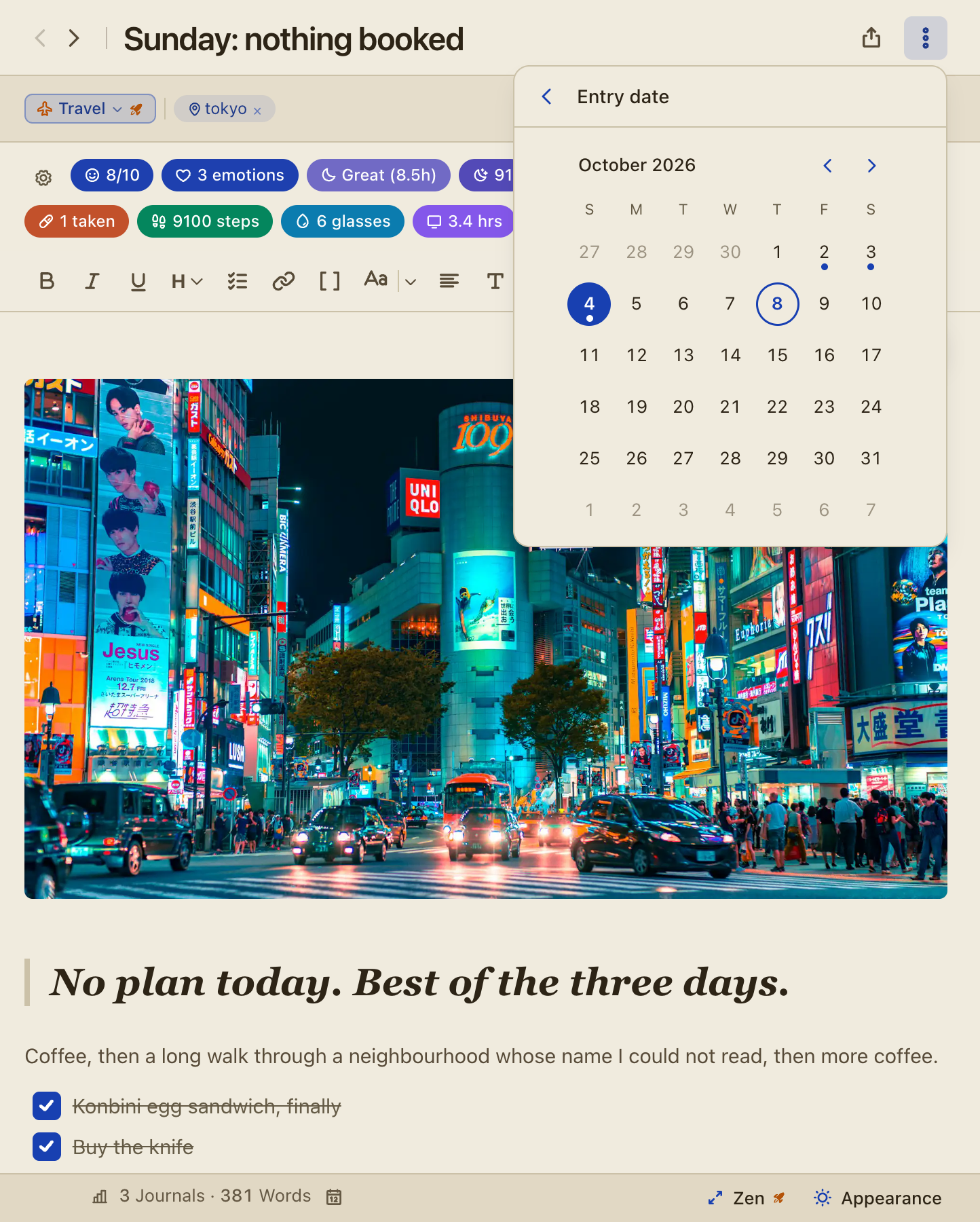
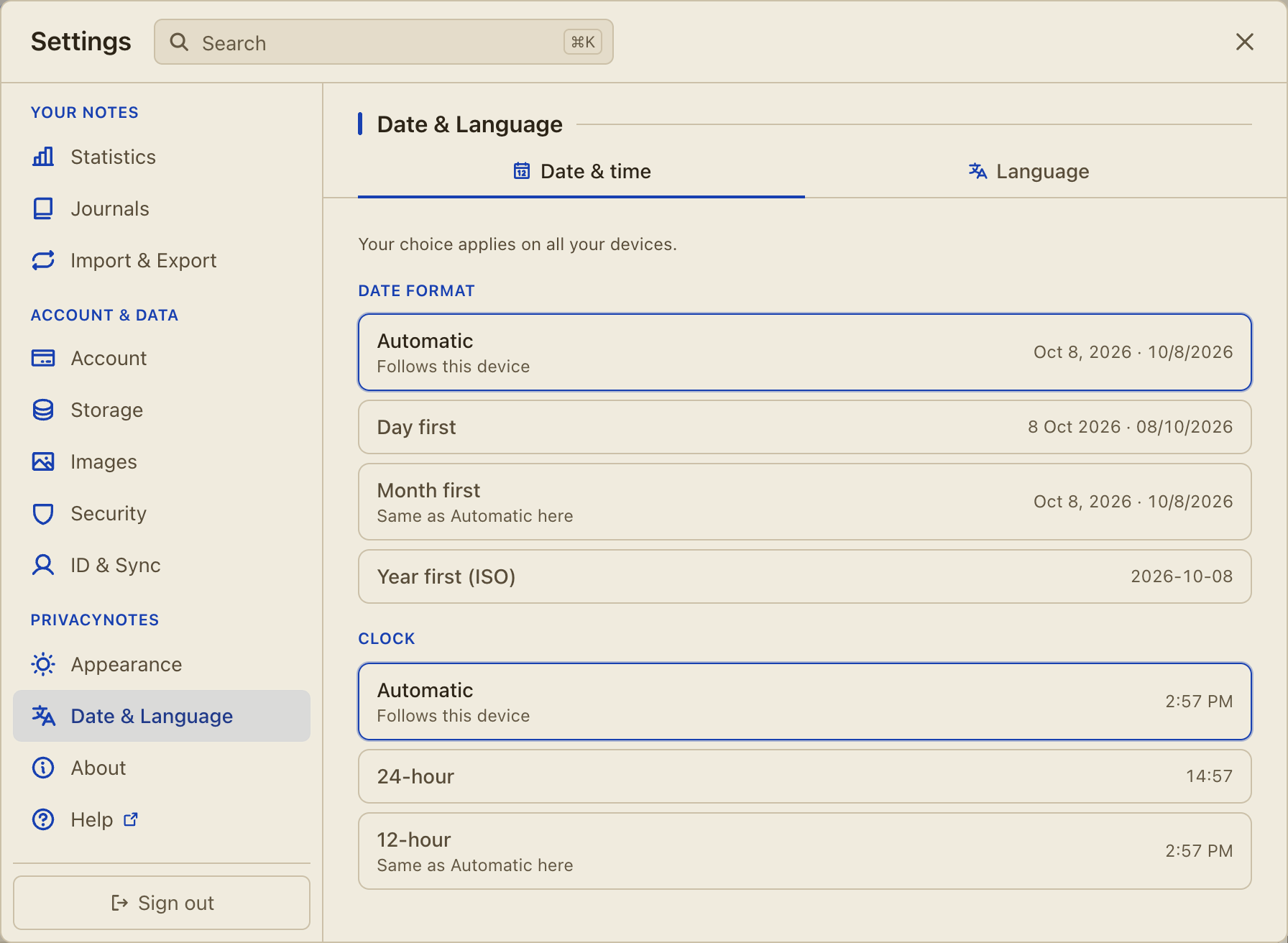
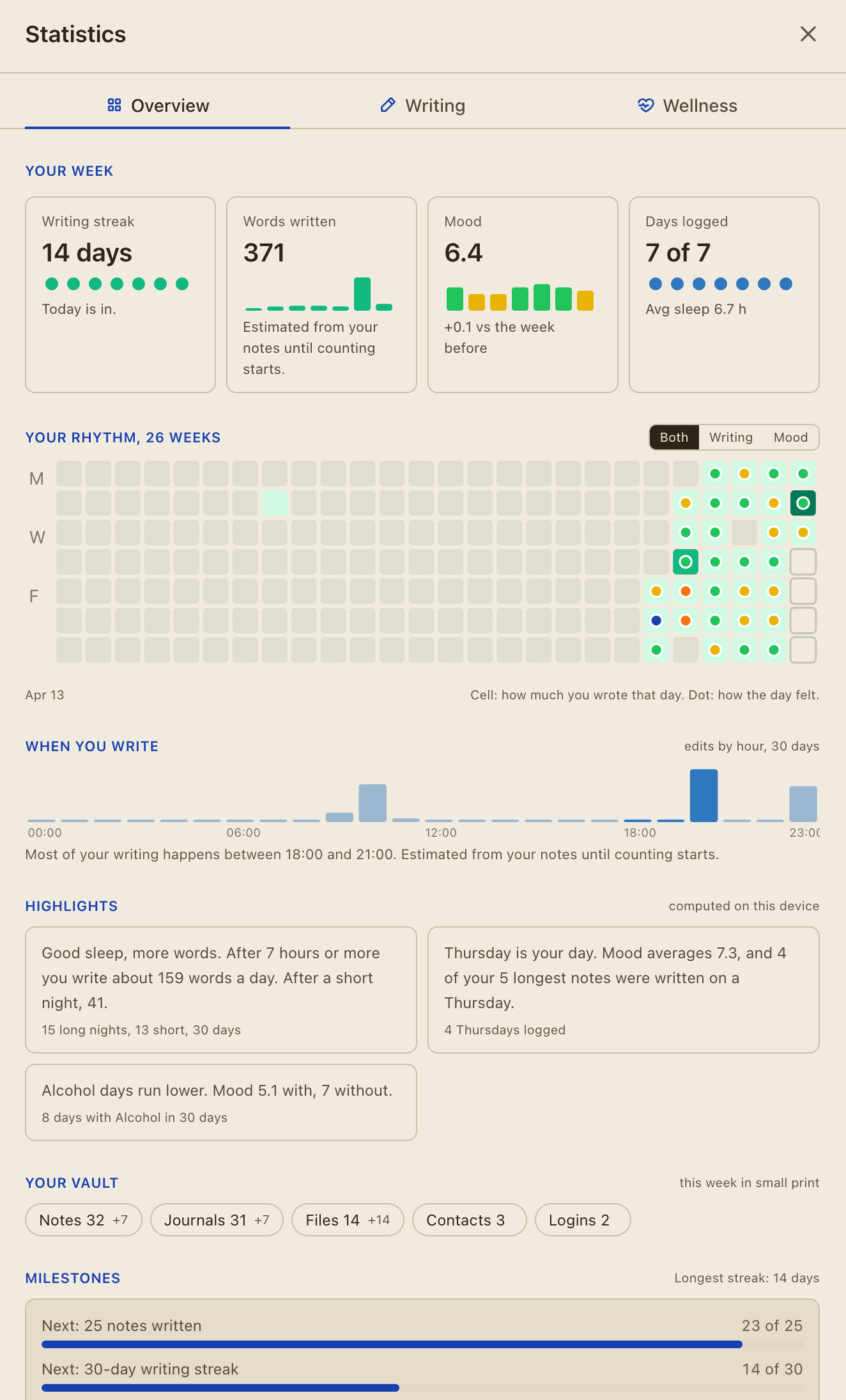
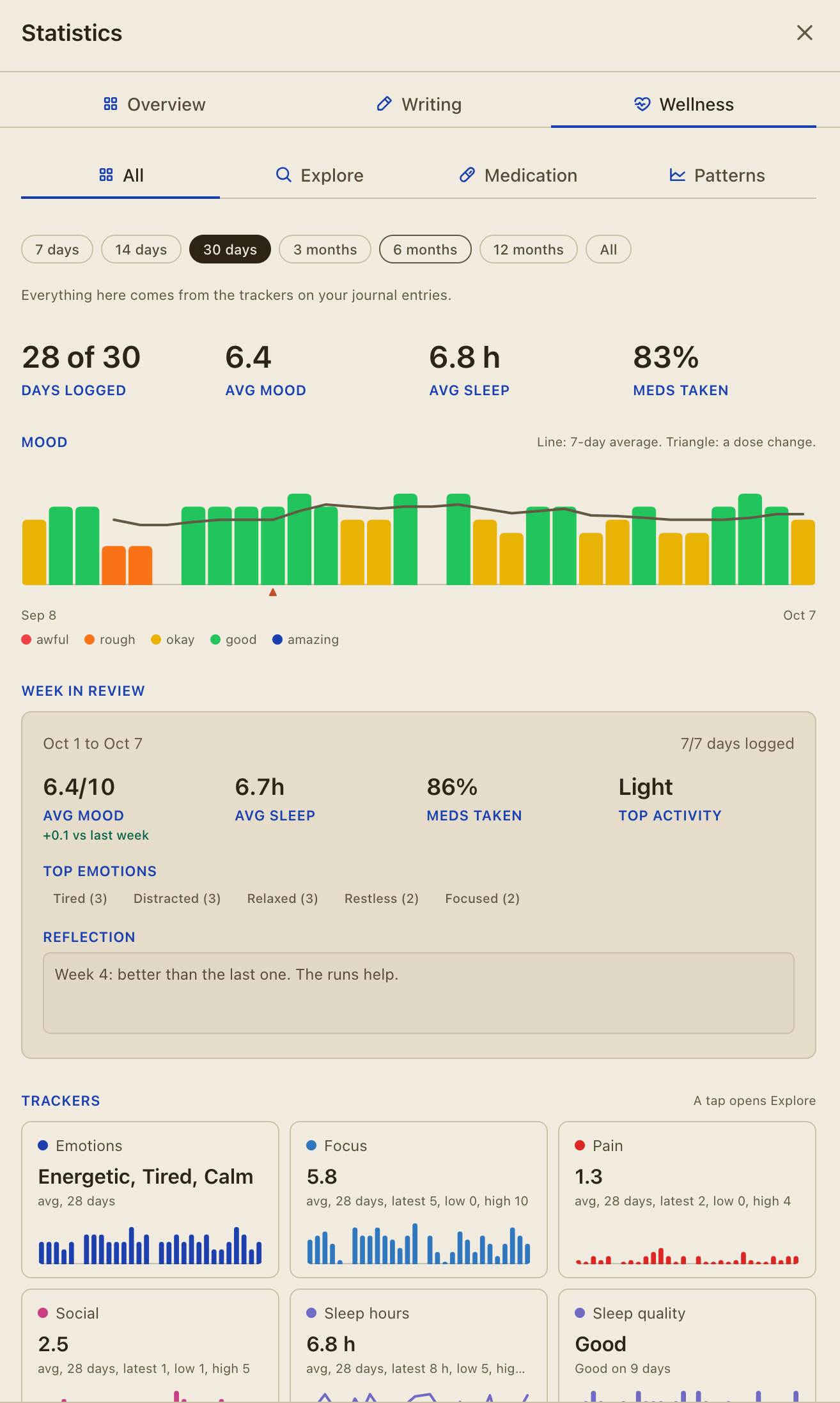
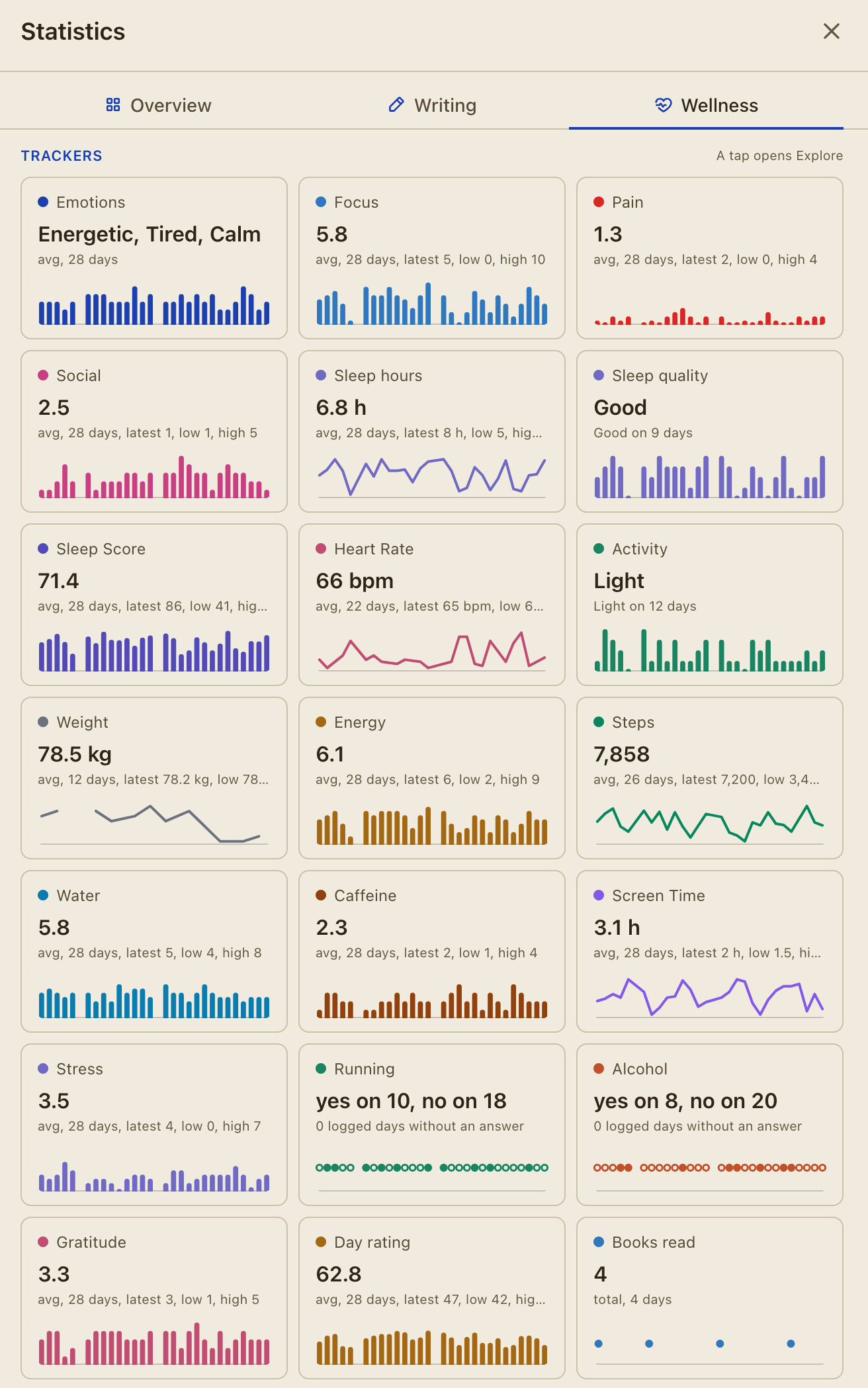
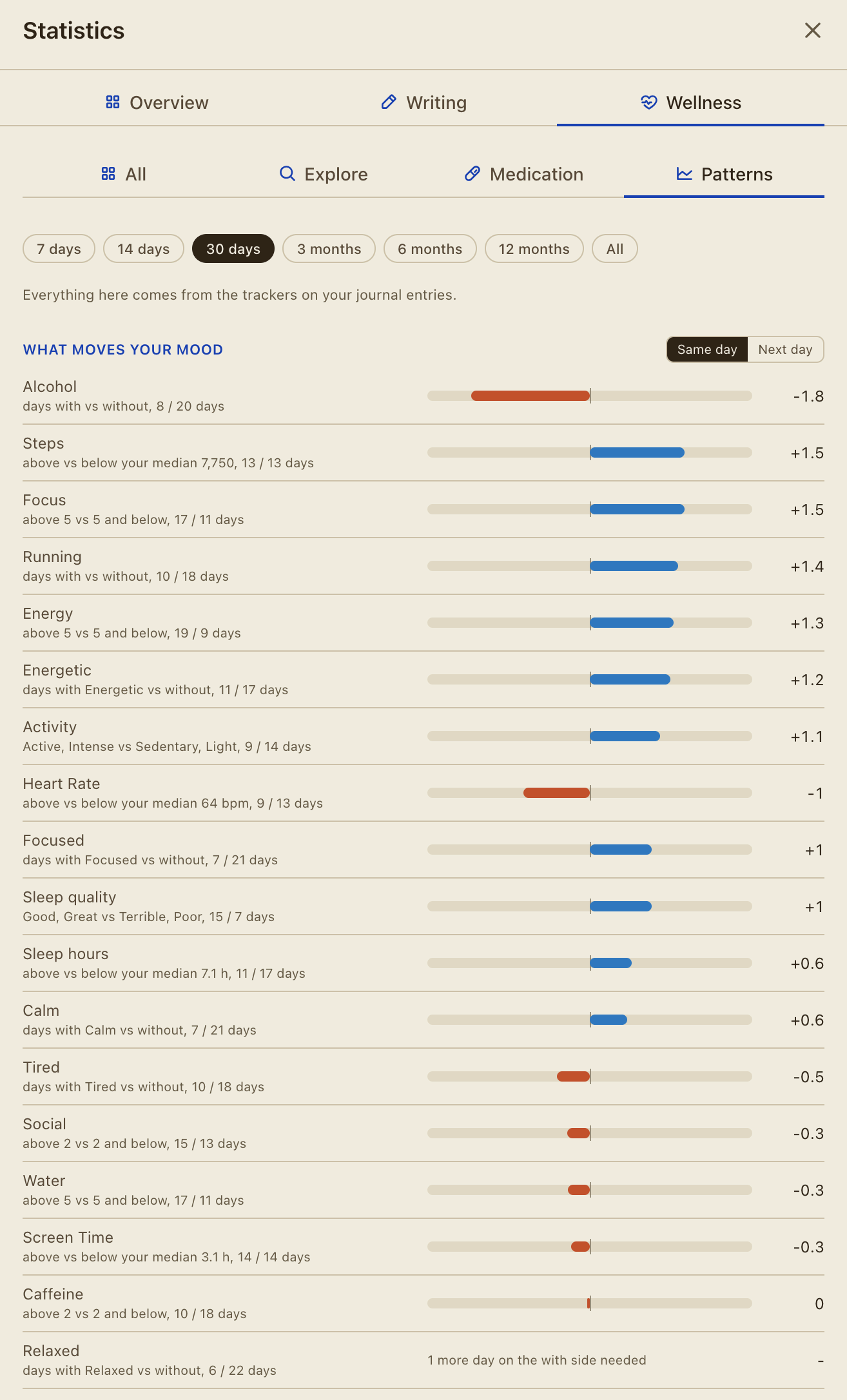
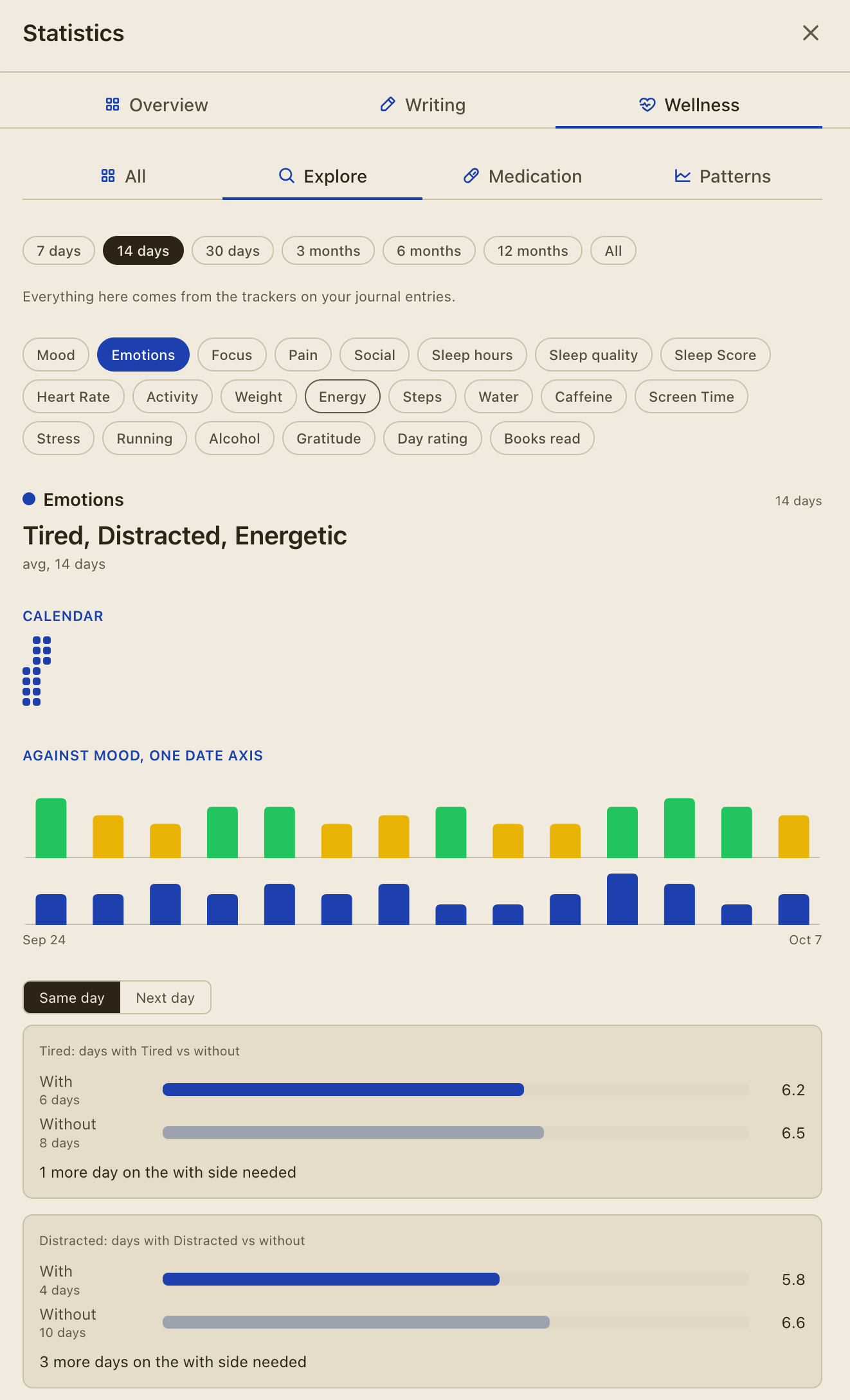
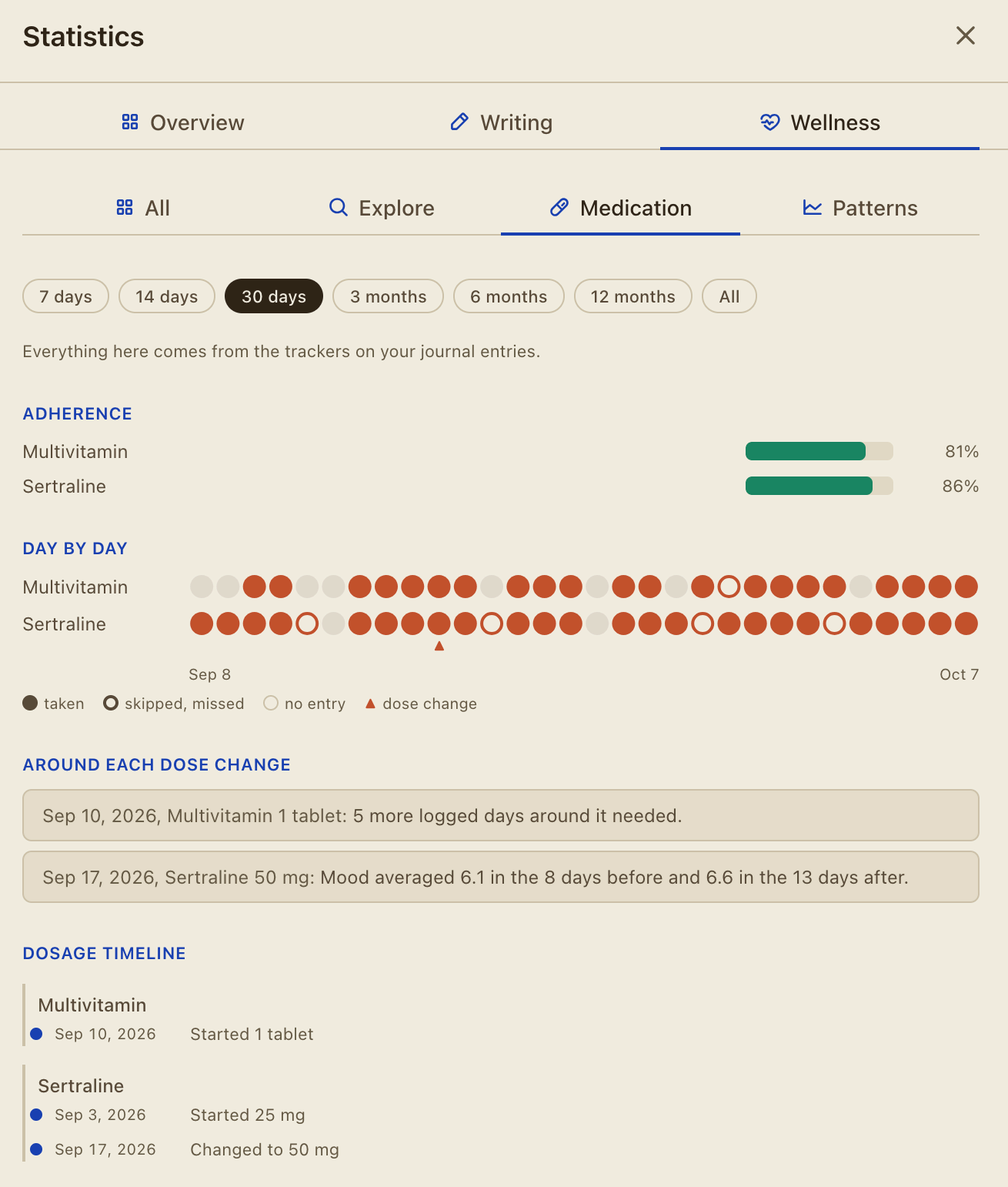
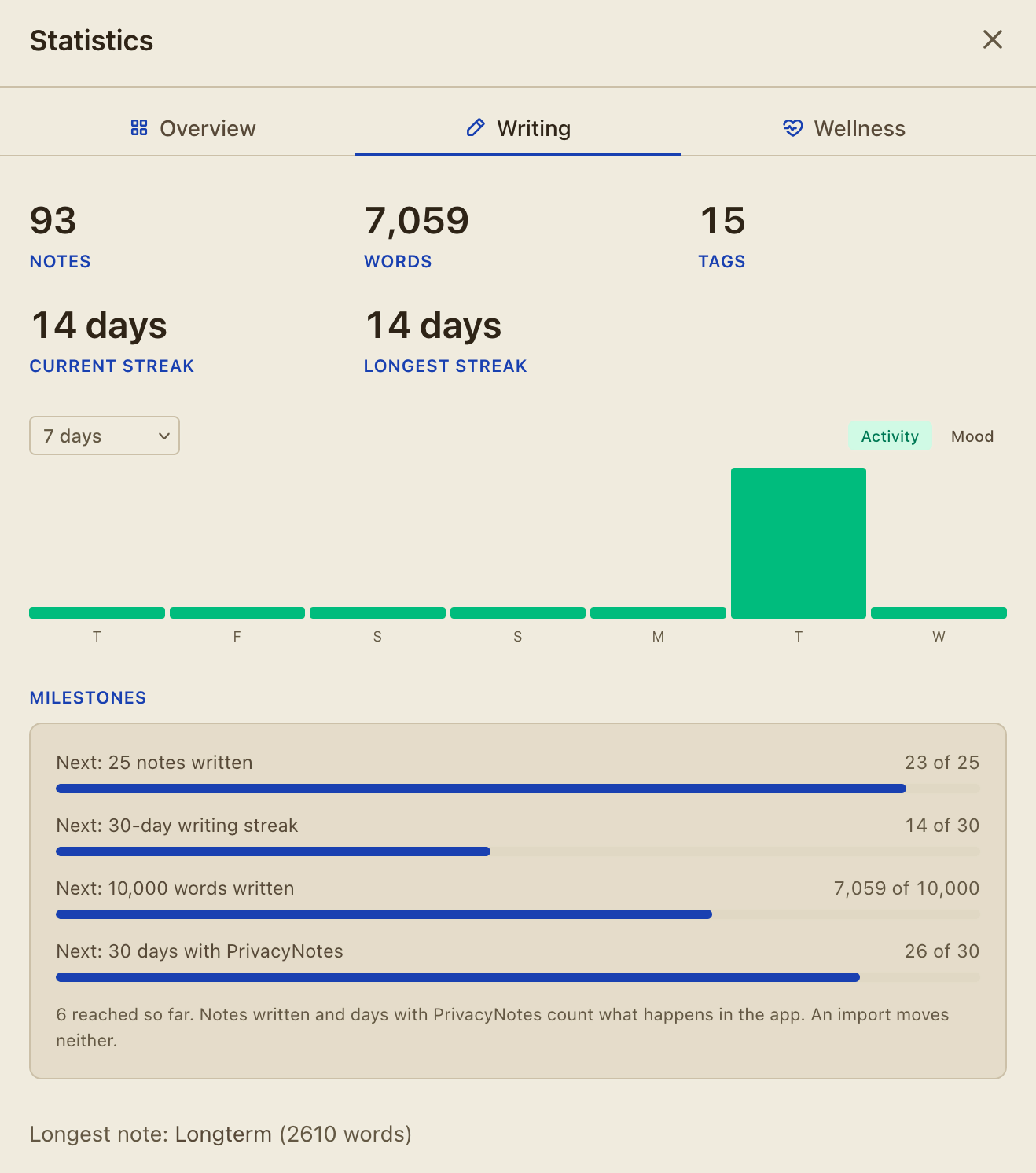
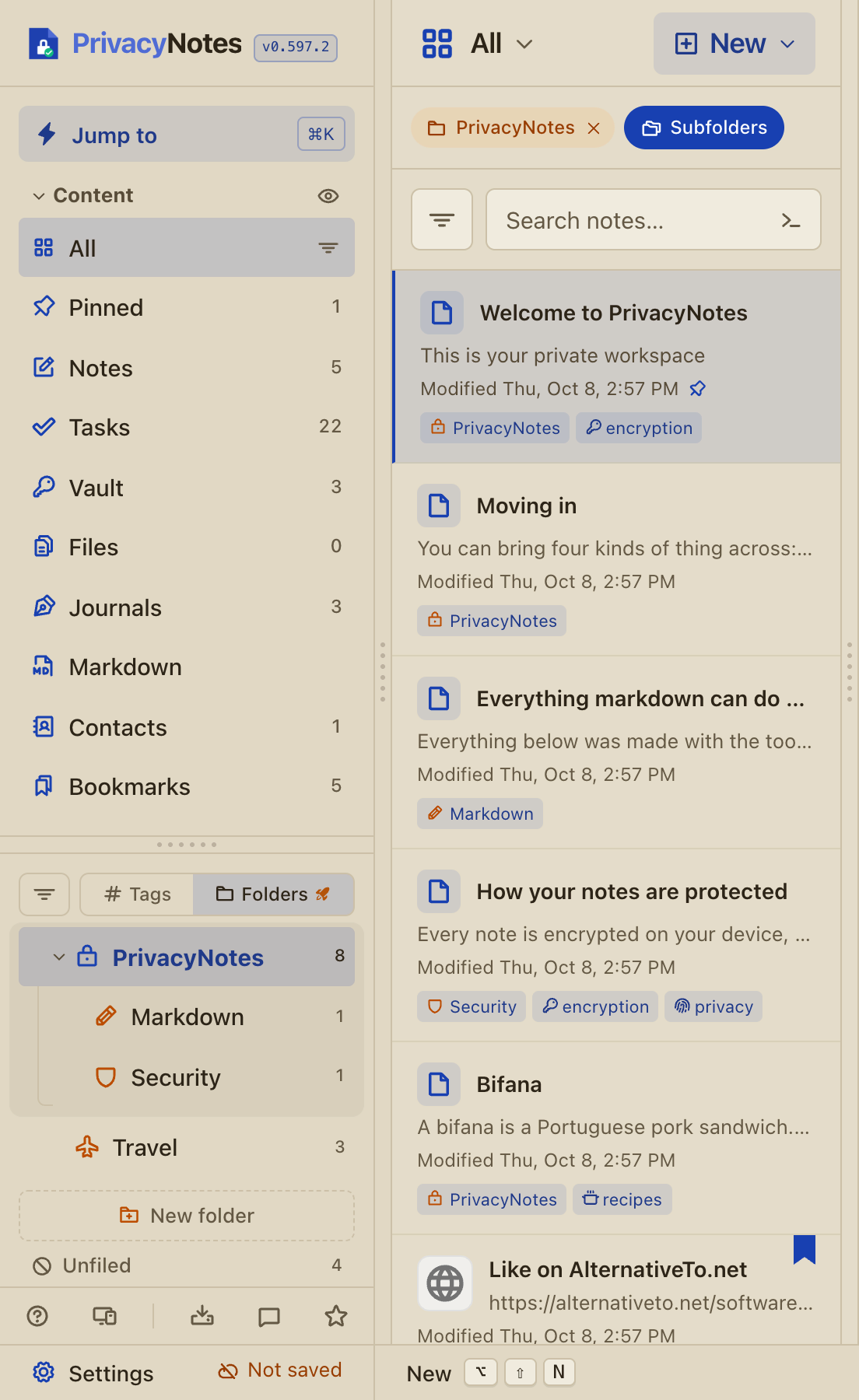
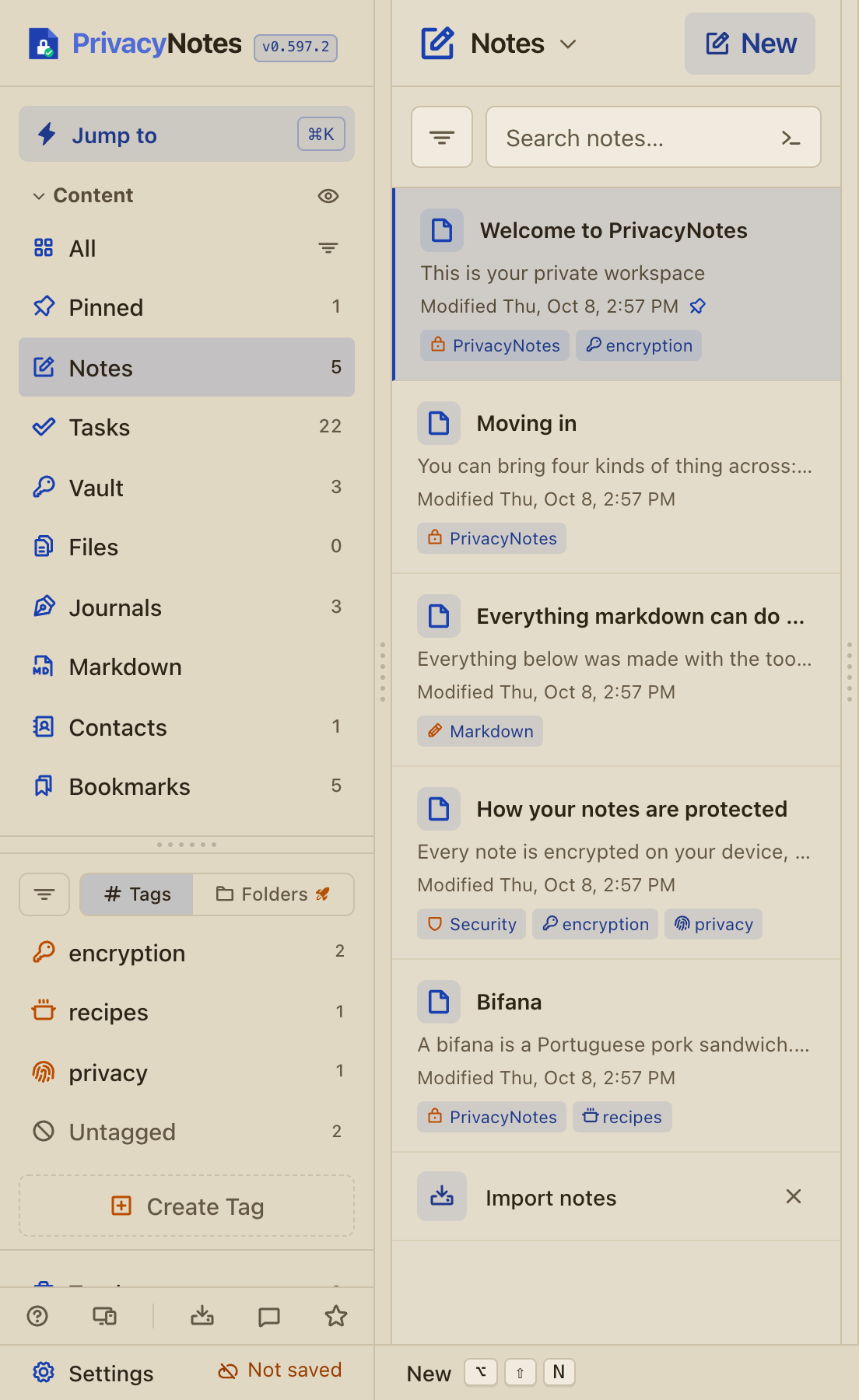
![Add a footnote with [^1] after a word, or with Footnote in the "+" menu, then click its number to jump to the note and back.](/marketing/changelog/0.592/footnotes.webp)
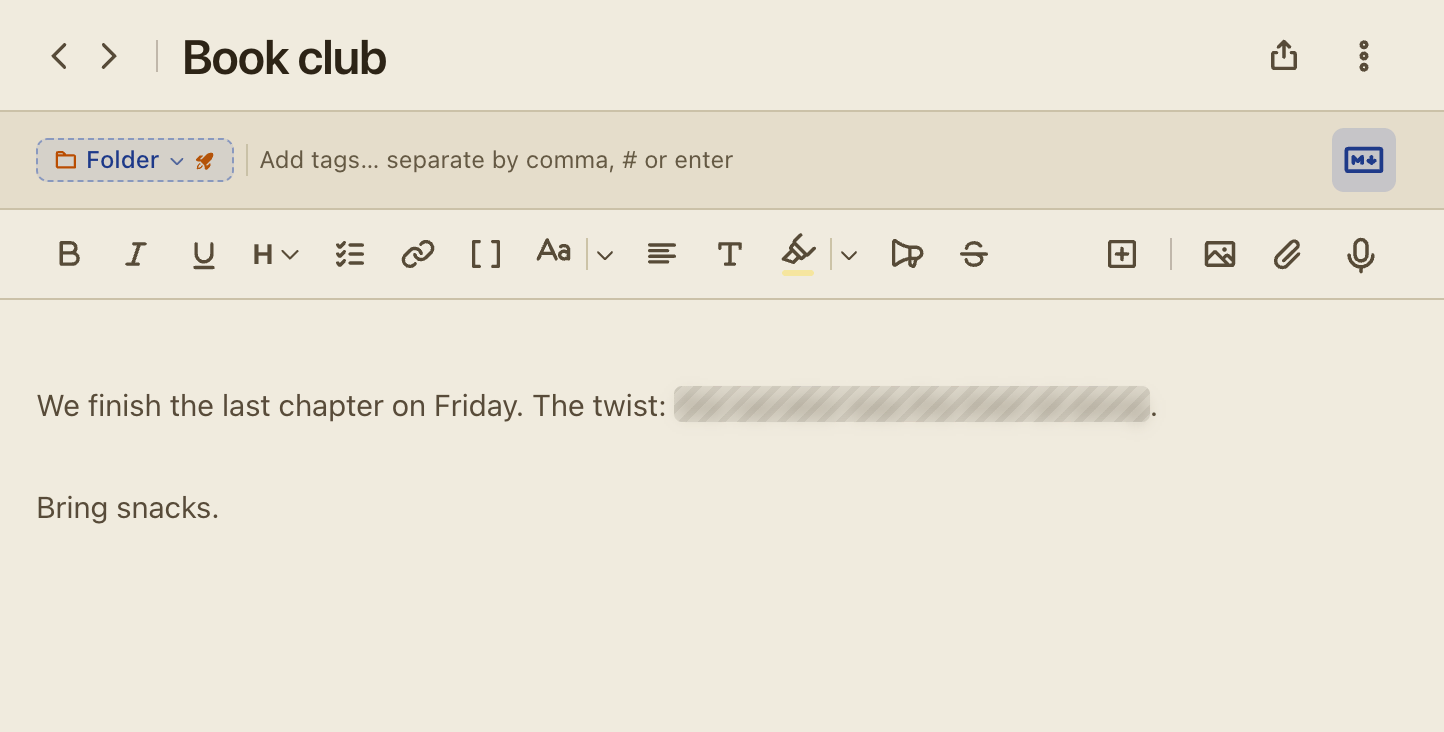
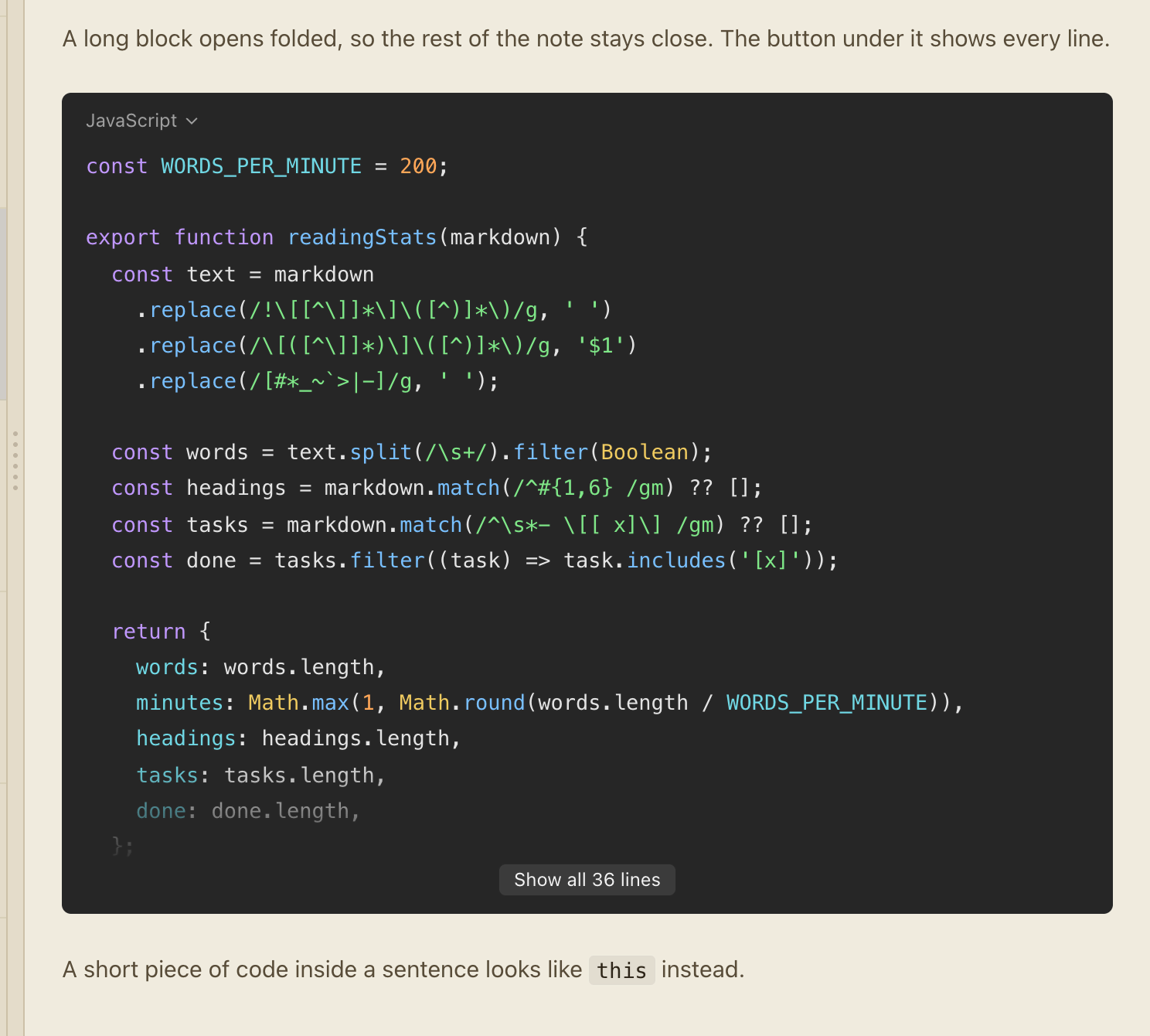
![A note-link can point to a heading, written [[Note#Heading]]. Type # after a title in the [[ list, or copy a heading link from the outline.](/marketing/changelog/0.589/heading-link.webp)