
Brand assets
Logos, colors, and copy for writing about PrivacyNotes.
Use anything on this page to reference PrivacyNotes in articles, videos, directories, and app round-ups. Every file downloads individually, SVG for scale, PNG for convenience, all on transparent backgrounds.
Lockup
The default way to show the brand. Pick by background: the icon never changes, only the wordmark adapts. There is no one-color version, because flattening the mark loses the corner fold; on a photo or a colored background, put the logo on a solid light or dark panel instead.


Icon
The icon is for favicons, app tiles, and anywhere below minimum lockup size. It holds up on light and dark alike. The avatar is a separate file for social profiles, where the site masks whatever you upload into a circle: it fills the frame in Brand Blue and carries the fold in its top-right corner, so the same square file reads as a folded page in a square slot and a folded circle in a round one.


Wordmark
The two-tone rule: "Privacy" is always Fold Blue, on light and on dark. "Notes" is always ink, near-black on light and white on dark. One word, never inverted, never two-toned in running text.


Clearspace & minimum sizes
X is the corner fold, about one third of the icon's height. Keep at least 1X clear on every side. For the wordmark alone, X is one third of its height.
icon minimum, 16 pxlockup minimum, 22 px tall / 120 px wideColor
Five colors, no exceptions in logo files. CMYK values are uncalibrated reference conversions.
#1E40AFRGB 30 64 175CMYK 83 63 0 31icon body#4F6BD5RGB 79 107 213CMYK 63 50 0 16corner fold, "Privacy"#10B981RGB 16 185 129CMYK 91 0 30 27check badge only#0A0A0ARGB 10 10 10CMYK 0 0 0 96"Notes" on light#FFFFFFRGB 255 255 255CMYK 0 0 0 0"Notes" on dark, lock, checkTypography
Wordmark: Inter Bold (700), tracking -2%, shipped as outlines, so you never need the font installed to use the files. Product and site: the native system font stack. For collateral, Inter 400-800 (free, SIL Open Font License).
Screenshots
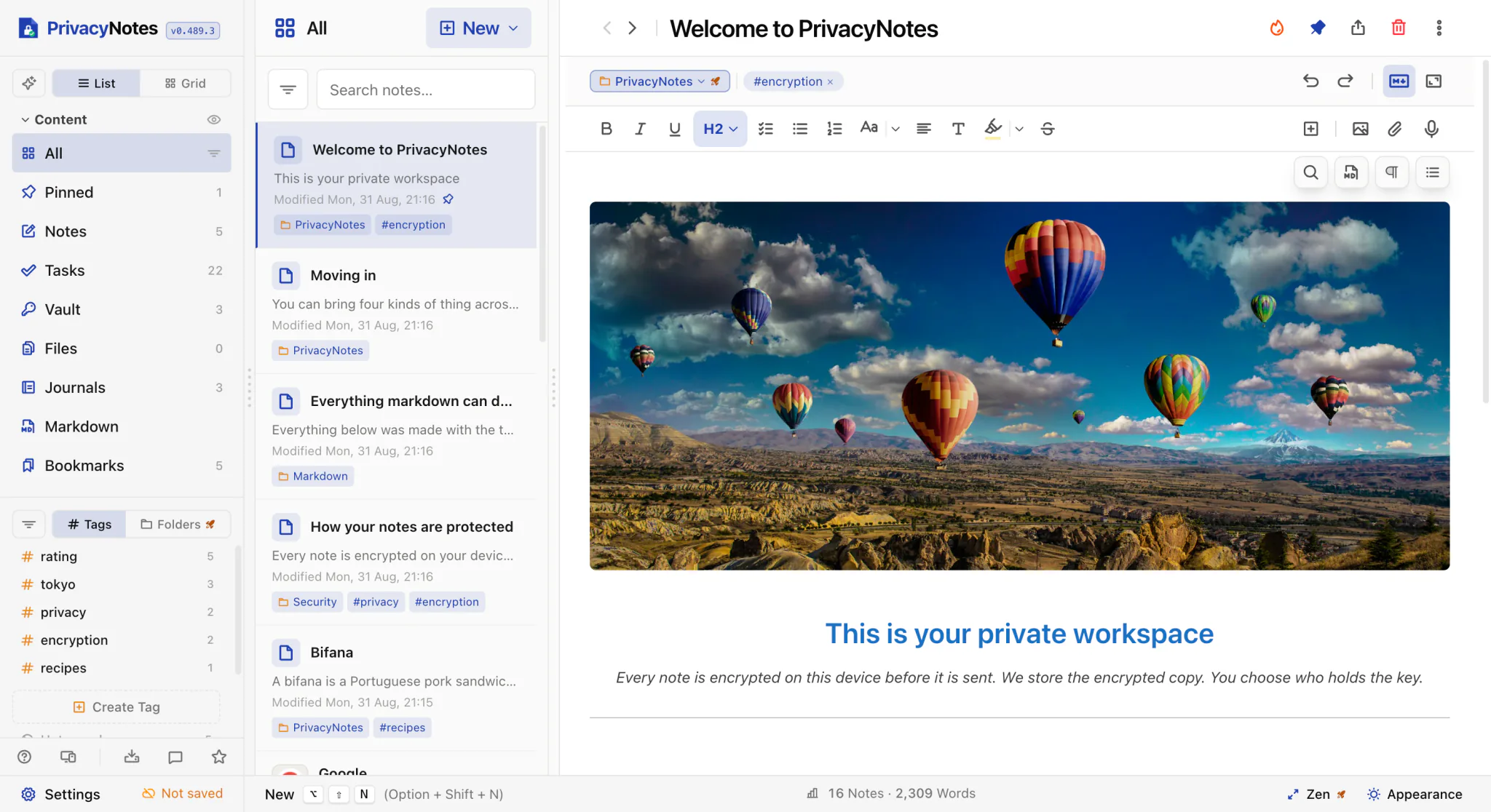
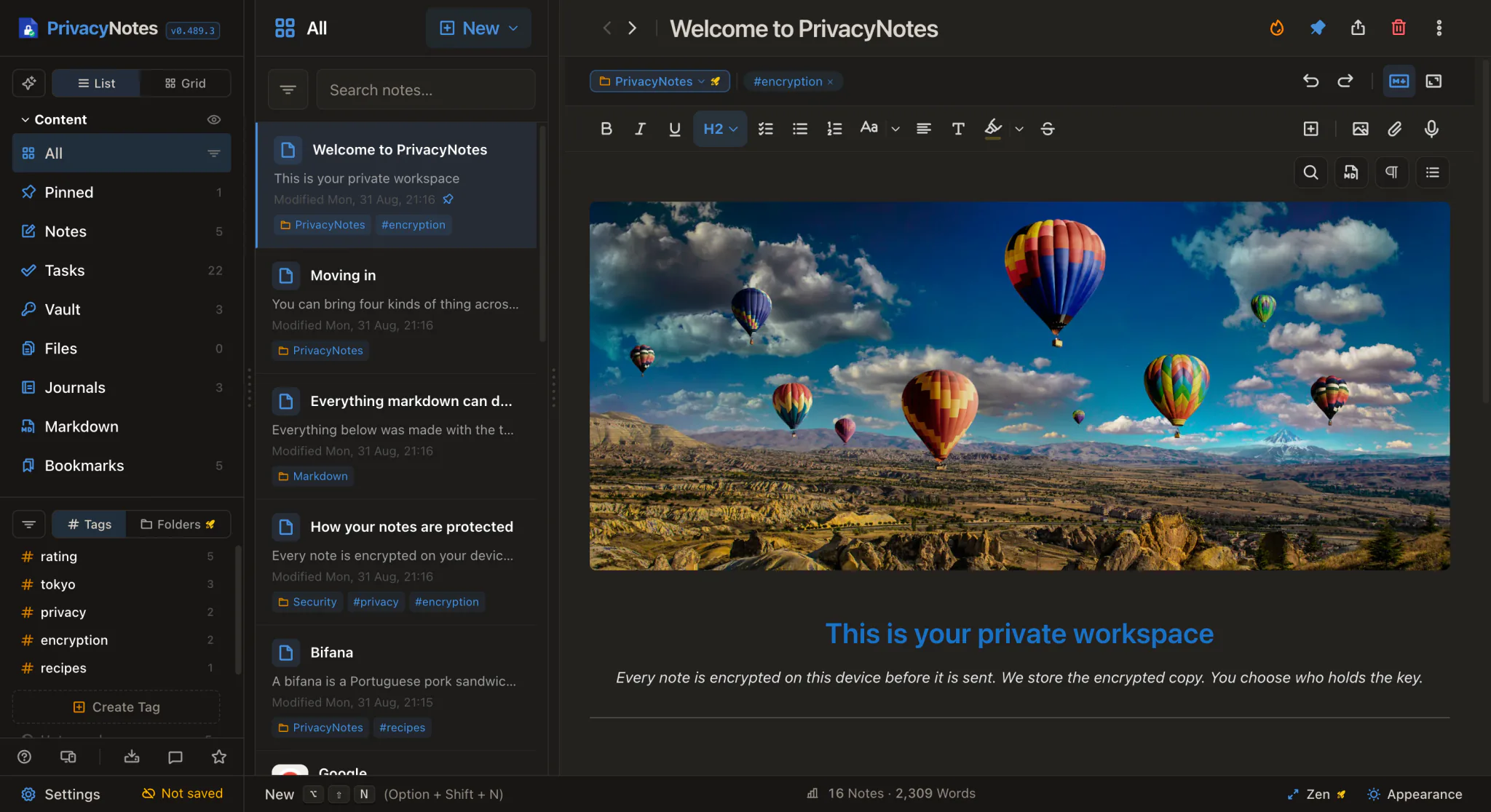
The app itself, one capture per theme, both of the same screen. Pick whichever matches the page you are placing it on. Crop as you need to, but do not recolor: the two themes are the reason there are two files.
Name & descriptions
Always PrivacyNotes: one word, capital P, capital N, with "Privacy" in Fold Blue wherever the medium allows it. The domain is written the same way, PrivacyNotes.app, everywhere except inside an actual URL. Never "Privacy Notes", "Privacynotes", or "PN".
One home for your notes, tasks, passwords, journal, files, calendar, contacts and bookmarks, with mood and medication tracking, encrypted on your device.
A workspace for notes, tasks, passwords, journal, files, calendar, contacts and bookmarks, with mood and medication tracking, encrypted on your device, plus a free Markdown editor for folders on your disk. Self-custody: a 12-word key only you hold. No trackers, no ads.
A workspace for notes, tasks, passwords, journal, files, calendar, contacts and bookmarks, with mood and medication tracking, encrypted on your device. Open source, no trackers, no ads, free to start.
PrivacyNotes is an encrypted workspace for your notes, tasks, passwords, journal, files, calendar, contacts and bookmarks, with mood and medication tracking, and a free Markdown editor for the folders already on your disk. Everything you store is always encrypted, on your device and on the way to the server, under a key from a 12-word recovery phrase that, with self-custody, never leaves your hands. Lifetime Labs keeps your notes only as ciphertext and, with self-custody, holds nothing that opens them. There are no trackers, no ads and no analytics of what you write. PrivacyNotes runs on the web and as native apps, and its apps are open source: the clients, the encryption layer and the threat model are all published for review. The free tier is free forever; Pro is a one-time purchase.
Fact sheet
Usage
Do
- Use the files exactly as provided; prefer SVG
- On photos or colored backgrounds, put the logo on a solid light or dark panel
- Icon alone when space is below lockup minimums
- Keep 1X (the fold) clearspace on all sides
Don't
- Recolor, stretch, rotate, or add effects and shadows
- Re-set the wordmark in another font, or two-tone running text
- Flatten the mark to one color, or drop it straight onto a busy image
- Add a beta pill or any extra container; imply endorsement or partnership
don't stretch
don't recolor

don't invert the two-tone split
The assets on this page may be used to reference PrivacyNotes; they may not be used to imply endorsement.